
P Video Avatar
Create ultra-fast, low-cost talking‑head avatar videos from a single photo, with natural lip‑sync to your script or your own audio.
Input
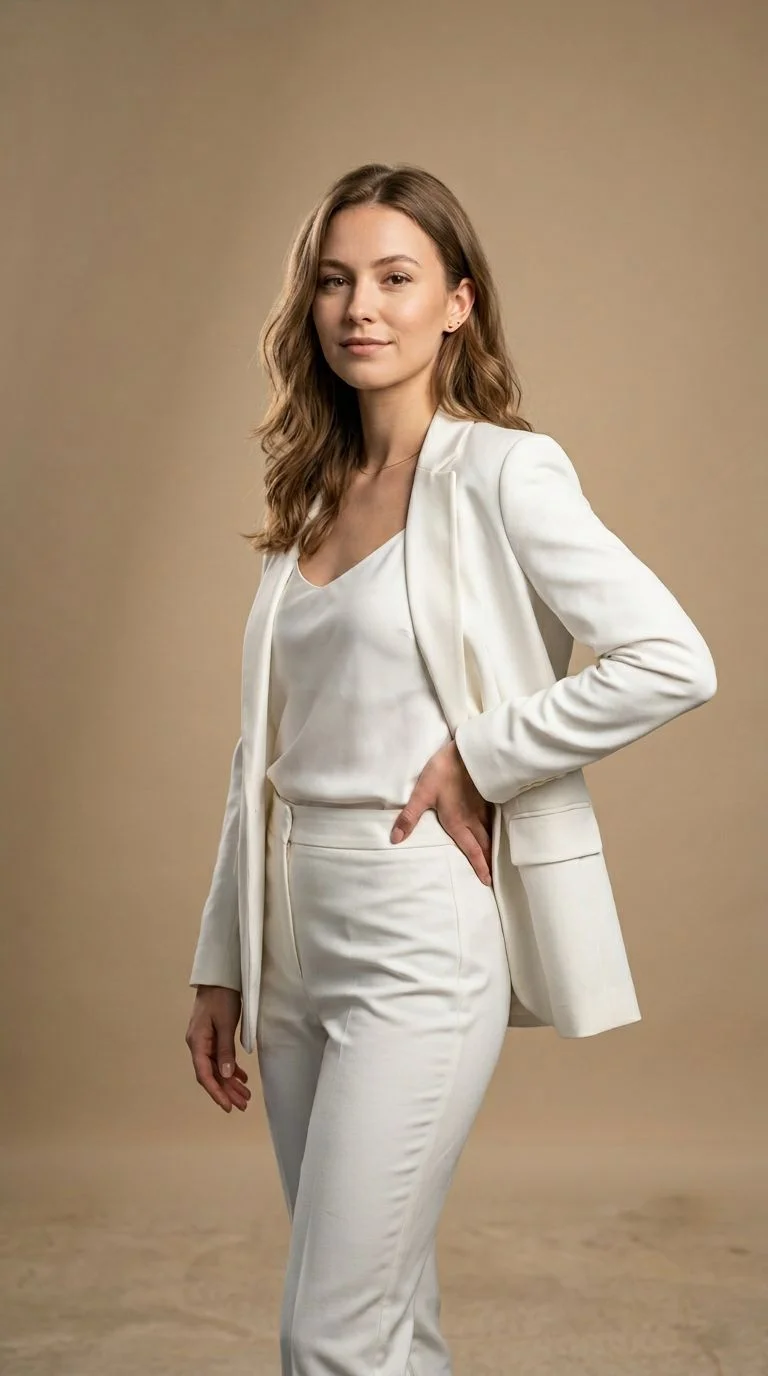
Output
About This Template
P Video Avatar turns a single portrait image into a realistic talking-head video in seconds. Provide a front-facing photo and either a text script (spoken by one of 30 voices across 10 languages) or an audio file to lip-sync. The model prioritizes speed and affordability while maintaining natural mouth shapes, facial micro‑expressions, and clear speech. How it works - Input a portrait image (jpg, jpeg, png, webp) - Add either a voice_script (text-to-speech) or an audio file (lip‑sync). If both are provided, audio takes precedence. - Optionally guide performance with voice_prompt (tone, pacing, emotion) and describe on‑screen behavior with video_prompt. - Choose resolution (720p for best value, 1080p for extra detail). Set a seed for reproducibility. - Receive an MP4 video URL with embedded speech. Key inputs (high level) - image: Required portrait image to animate - audio: Optional uploaded audio to drive lip‑sync - voice, voice_script, voice_language: TTS settings for scripted speech - voice_prompt: Style, tone, pacing, emotion (not spoken aloud) - video_prompt: Visual behavior description (e.g., “the person is talking”) - resolution: 720p or 1080p - seed: Random seed for repeatable results - disable_prompt_upsampling: Use your exact video_prompt without enhancement - disable_safety_filter: Skips unsafe-content checks (use with care) Voices and languages - 30 curated male/female voices - 10 languages, including English (US/UK), Spanish, French, German, Italian, Portuguese (Brazil), Japanese, Korean, and Hindi Output - MP4 video at 720p or 1080p with the speech baked into the audio track Best practices for quality - Use a clear, front‑facing portrait with good lighting and minimal occlusion - Provide clean, well‑paced audio for tight lip‑sync - Keep prompts specific: use voice_prompt for delivery style, video_prompt for on‑screen behavior - Choose 720p for rapid, low‑cost iterations; switch to 1080p for final polish Pricing (indicative) - Billed per second of output: 720p ≈ $0.025/s, 1080p ≈ $0.045/s - Example: a 10‑second clip at 720p ≈ $0.25 What you can build - Educational explainers and training intros with a consistent on‑screen presenter - Product, marketing, and social videos from a brand photo or mascot - Multilingual/localized announcements from a single source portrait - Podcast/audiobook visuals that lip‑sync to existing recordings Notes and limitations - Optimized for head‑and‑shoulders framing; large gestures or full‑body motion are limited - Strong identity preservation requires a clean, front‑facing image - Use rights‑cleared images and audio and respect consent and local publicity laws
How to Use This Template
Step 1: Upload your file
In the 'Image' node, upload the file you want to process.
Step 2: Enter your text in 'Video Prompt' Node
Fill the 'Video Prompt' node with the required text.
The woman is raising hands and seems happy
Step 3: Enter your text in 'Voice Prompt' Node
Fill the 'Voice Prompt' node with the required text.
calm voice
Step 4: Enter your text in 'Voice Script' Node
Fill the 'Voice Script' node with the required text.
Hi there, this is p-video avatar !
Step 5: Run the Flow
Click the 'Run' button to execute the flow and get the final output.
Who is this for?
Perfect for professionals and creators looking to streamline their workflow
Marketing and growth teams
Spin up talking-head promos, product updates, and social content quickly from a single brand photo.
Educators and instructional designers
Narrate lessons and micro-courses with a consistent presenter, including multilingual versions.
Content creators and social media managers
Produce short talking videos, announcements, and captions-on-face content at scale.
Localization and internationalization teams
Generate the same video in multiple languages and voices without re-recording.
Product and support teams
Create quick feature walkthroughs or support tips with a friendly avatar voice.
Podcasters and audiobook producers
Animate a host portrait synced to existing audio clips for visual platforms.
Developers and automation builders
Programmatically generate talking-head videos via API with reproducible settings.
Ready to build?
Start using this template
Open it directly in AI-Flow and start creating in minutes
You Might Also Like
Explore other powerful templates to enhance your AI workflow
Kling V2.6
Kling V2.6 is a pro-grade AI video generator that turns text or a single image into cinematic 1080p clips with fluid motion and native, synchronized audio (dialogue, ambience, and effects).
UGC Ad Creation Workflow – From Script to Video
End-to-end UGC ad builder that turns a subject photo, a product photo, and an optional script into a ready-to-run first-frame image and an 8s vertical video with voice and natural handheld motion.
Generate realistic lipsync animations from audio
Generate realistic lip‑sync animations from any audio track. PixVerse Lipsync aligns mouth movements to the speech with natural timing and expressions.
Kling V2.5 Turbo Pro
Kling 2.5 Turbo Pro: Unlock pro-level text-to-video and image-to-video creation with smooth motion, cinematic depth, and remarkable prompt adherence.
Sora 2
Latest version of Sora, with higher-fidelity video, context-aware audio, reference image support
Veo 3.1
New and improved version of Veo 3, with higher-fidelity video, context-aware audio, reference image and last frame support
Frequently Asked Questions
What is P Video Avatar?
A speed- and cost-optimized avatar/lip-sync video model that turns one portrait image plus either a script or an audio file into a realistic talking-head MP4.
What do I need to get started?
A front-facing portrait image (jpg, jpeg, png, or webp) and either a voice_script (text to speak) or an audio file for lip-sync. If both are provided, the audio is used.
Which file types are supported?
Images: jpg, jpeg, png, webp. Audio: common formats such as wav or mp3 via a file URL.
How do I control delivery and on-screen behavior?
Use voice_prompt for speaking style (tone, pacing, emotion) and video_prompt to describe visible behavior (e.g., “the person is talking,” “smiles subtly”).
What resolutions are available and how is pricing calculated?
Output is 720p or 1080p. Billing is per second of generated video: about $0.025/s at 720p and $0.045/s at 1080p. A 10-second 720p clip is about $0.25.
Can it speak different languages and voices?
Yes. Choose from ~30 male/female voices and 10 languages, including English, Spanish, French, German, Italian, Portuguese (Brazil), Japanese, Korean, and Hindi.
How do I get consistent, repeatable results?
Set the seed value and reuse the same image, prompts, and settings. This helps reproduce timing and visual behavior across runs.
What image works best?
A clear, front-facing portrait with good lighting and an unobstructed mouth. Avoid heavy angles, sunglasses over eyes, or hair covering the lips.
Does it animate hands or full body?
It focuses on head-and-shoulders framing with natural lip and facial motion. Large gestures or full-body movement are limited.
Is the spoken audio included in the output video?
Yes. The generated speech or lip-synced audio is baked into the MP4’s audio track.
What does disable_prompt_upsampling do?
When true, the model uses your video_prompt exactly as provided, skipping any automatic enhancement of that prompt.
What is the safety filter and should I disable it?
The safety filter checks prompts and inputs for unsafe content. You can disable it, but we recommend keeping it on for general use and compliance.
Can I use photos of real people?
Only if you have rights and consent. Always respect copyright, publicity, and privacy laws for any image or voice you use.
How can I improve lip-sync accuracy?
Use clean, clearly enunciated audio with minimal background noise, and keep speech pacing natural. For TTS, provide precise punctuation in voice_script.
What is AI-FLOW and how can it help me?
AI-FLOW is an all-in-one AI platform that allows you to build, integrate, and automate AI-powered workflows using an intuitive drag-and-drop interface. Whether you're a beginner or an expert, you can leverage multiple AI models to create innovative solutions without any coding required.
Is there a free trial available?
Yes, AI-FLOW offers a free trial to get you started. After that, you can purchase credits as needed—no subscription or long-term commitment required.
Can I integrate my API keys from providers like OpenAI and Replicate with AI-FLOW Cloud Version ?
Yes, you can easily integrate your existing API keys with AI-FLOW. If specified, nodes related to the API Key provided will use your API key, significantly reducing your platform credit usage.