
Generate Coloring Book Pages with AI: A Step-by-Step Guide
Updated workflow
New Models, New Trade-Offs
The current AI-FLOW coloring book workflow now uses FLUX Klein 9B, a low-cost image generation model that is well suited for producing many coloring book pages at scale. That matters in this space: a full coloring book can require dozens or hundreds of pages, so the right model choice is often a balance between cost, volume, and artistic precision.
FLUX Klein 9B is a strong default when you want cost optimization and fast iteration. If you want more precision, cleaner details, or to carefully craft each individual page, you can switch the image generation step to a stronger model such as GPT Image 2 or Nano Banana 2. AI-FLOW makes each option available so you can experiment with the quality-versus-cost balance that fits your project.
Original October 2024 guide (updated)
Coloring books are universally beloved, offering a unique blend of creativity and relaxation. With AI-Flow, creating intricate and imaginative coloring book pages is now easier than ever, whether you are an artist, a publisher, or simply a coloring book enthusiast. This article will walk you through how to leverage the AI-Flow template specifically designed for generating black-and-white illustrations suitable for coloring books.
What is AI-Flow?
AI-Flow is an open-source platform that allows users to build and manage AI workflows through a simplified drag-and-drop interface. This tool integrates multiple AI models, enabling you to create custom AI tools for a variety of tasks without extensive coding knowledge.
Generating Coloring Book Pages
The Template in Focus
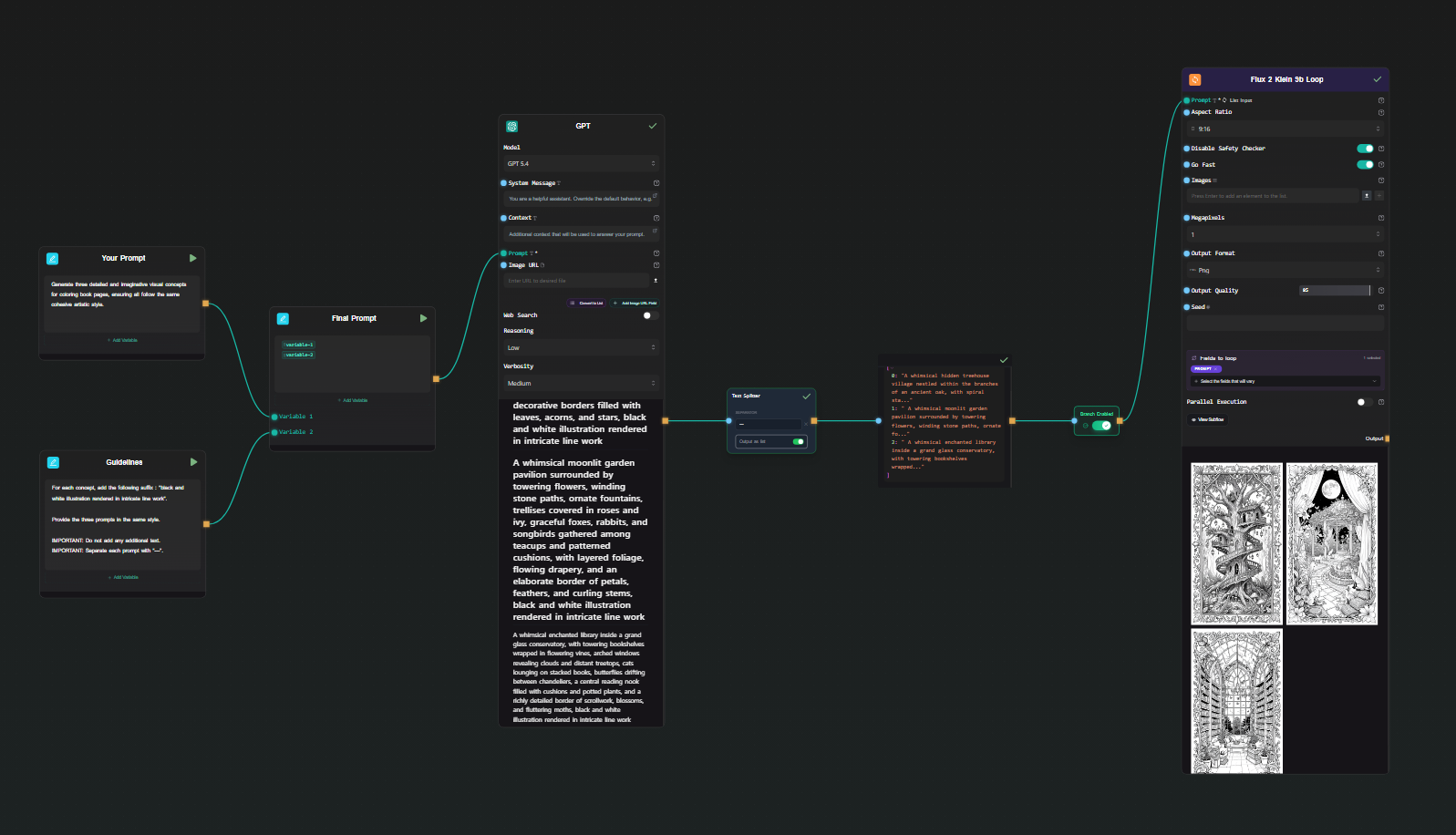
The provided template in AI-Flow, "Generate coloring book pages," helps users produce imaginative visual concepts and black-and-white illustrations that are ready to refine, export, and use in a coloring book project. The workflow is currently set up with FLUX Klein 9B as the image generator, making it a practical option for large batches where keeping generation costs under control matters.
Key Capabilities
1. Cost-Optimized Image Generation
The template uses FLUX Klein 9B to generate cohesive black-and-white illustrations at a low cost. This makes it a good fit for massive generation workflows, where you may want to explore many prompts, themes, or page variations before selecting the final set.
2. Drag-and-Drop Functionality
Using AI-Flow's intuitive drag-and-drop interface, you can easily set up your workflow. Connect nodes representing different AI functions and models, adjust settings, and view real-time outputs. This functionality makes designing a breeze, even for those without a technical background.
3. Flexible Quality Controls
If a project needs more careful art direction, you can swap the image model to GPT Image 2 or Nano Banana 2. These stronger options are better suited when page-level precision, prompt adherence, and polished detail matter more than keeping every generation as inexpensive as possible.
Steps to Create Your Coloring Book Pages
Select the Template: Choose the "Generate Coloring Book Pages" template from AI-Flow's template library.
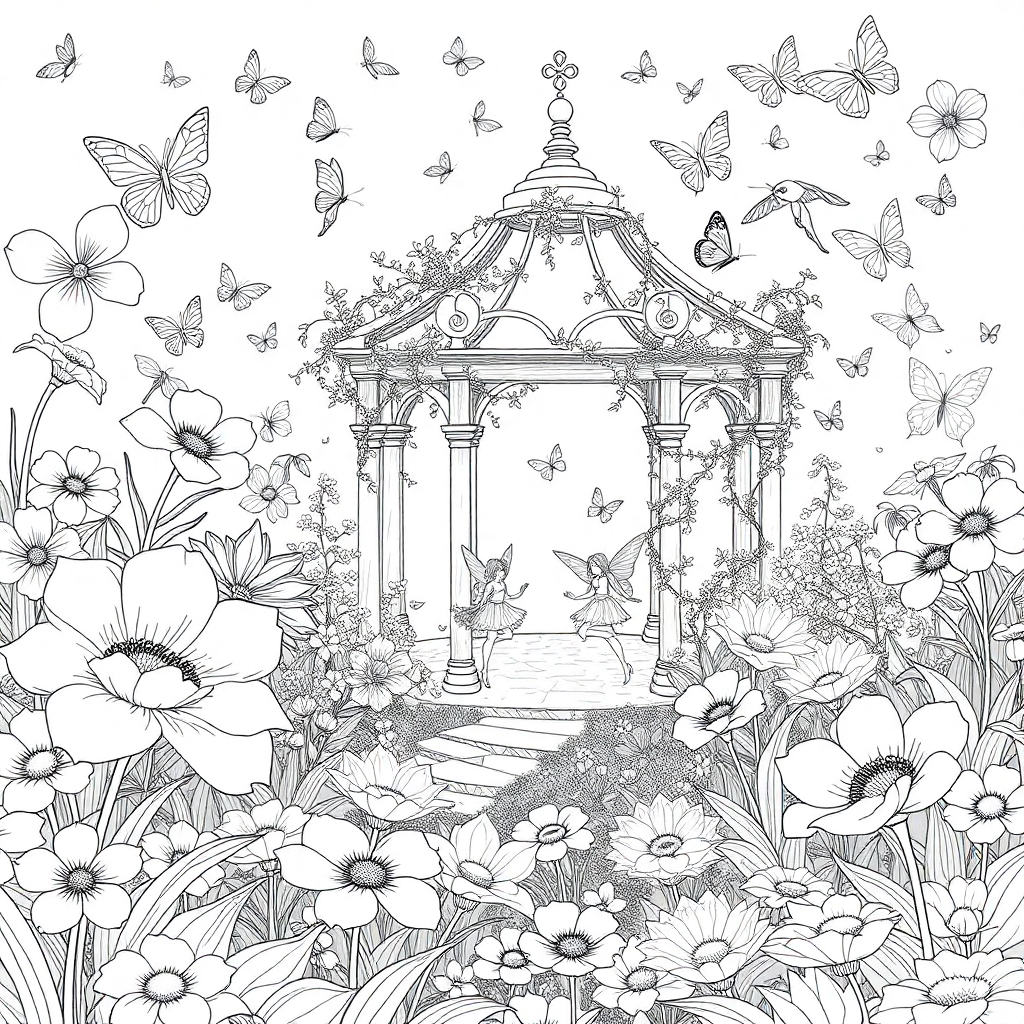
Customize Your Prompts: Tailor the prompt to match your envisioned coloring book theme. For example, you can describe whimsical forest scenes, underwater adventures, or magical gardens.
Run the Workflow: Once your prompt is set, run the workflow. FLUX Klein 9B will generate coloring book illustrations with clean line work while keeping the cost of batch creation low.
Review and Edit: Review the generated illustrations. AI-Flow allows you to relaunch nodes individually if needed to ensure the output perfectly fits your vision.
Save and Export: Save your completed illustrations. These can be directly uploaded to your coloring book project, ready for printing or digital sharing.
Template and App Availability
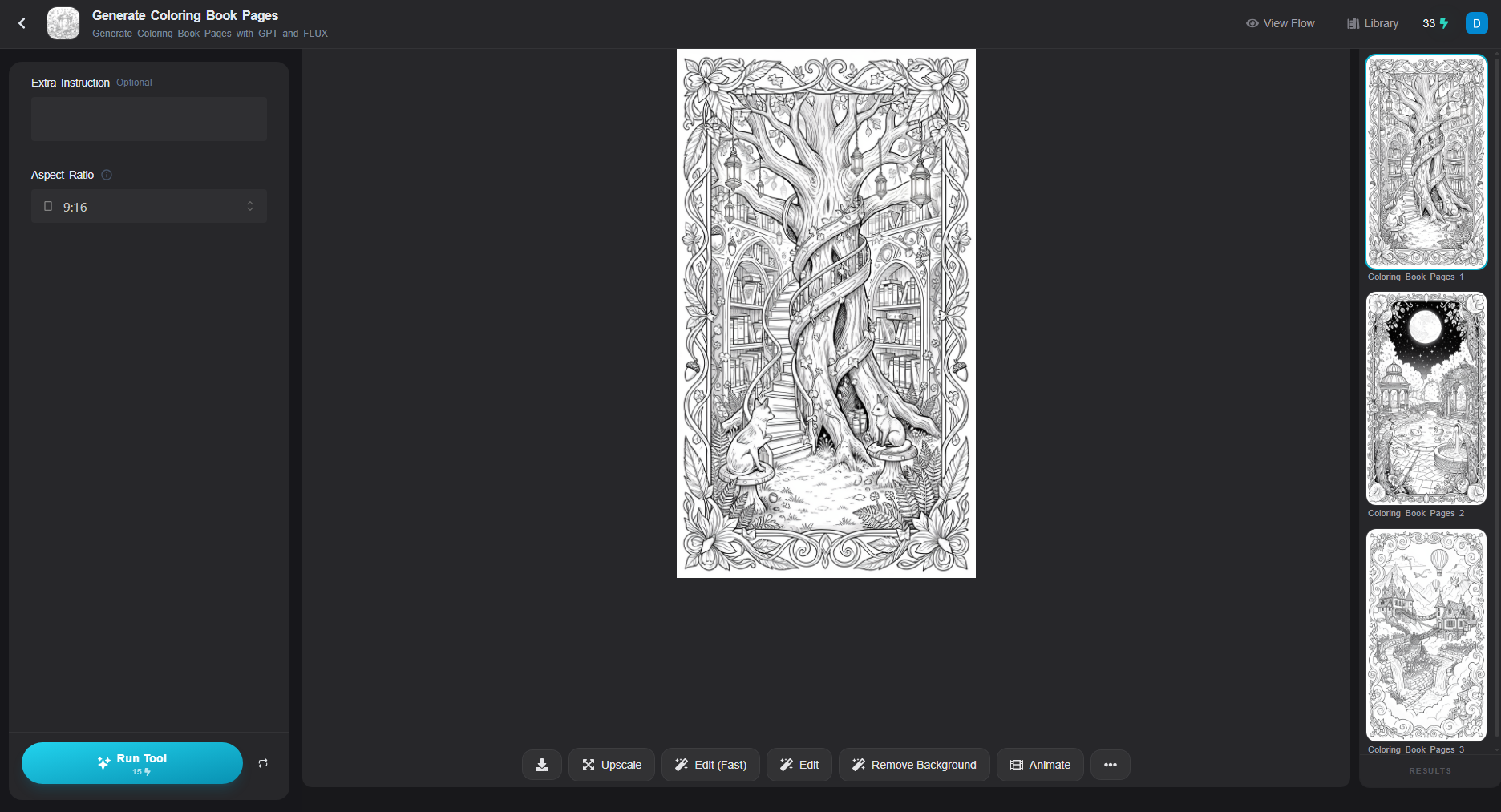
The workflow is available both as a reusable template and as a dedicated App in app.ai-flow.net. Use the template when you want to inspect and customize every node, or launch the App when you want a more direct experience for generating coloring book pages.
This makes it easy to start simple, then move into deeper workflow customization when you want to compare FLUX Klein 9B, GPT Image 2, Nano Banana 2, or other image generation settings.
Customization and Enhancement
- Generate More Pages at Once: Update the prompt to generate more detailed visual concepts in a single run.
- Choose the Right Image Generator: Keep FLUX Klein 9B for cost-efficient batch generation, or switch to GPT Image 2 or Nano Banana 2 for higher-quality pages that need more precision.
- Experiment with Prompts: Play around with different descriptive prompts to see varying results and find the best fit for your creative project.
- Incorporate Additional Data: Upload external images and describe them as inspiration for new coloring book pages.
- Upscale Your Images: Use the Replicate Node to access an image upscaler like Real-ESRGAN.
Conclusion
Creating a coloring book has never been this simple and flexible. With AI-Flow, you can generate imaginative coloring book pages at scale with FLUX Klein 9B, then switch to higher-quality models when a page deserves extra care. This gives creators, publishers, and hobbyists a practical way to balance cost and quality throughout the creative process.
Ready to start your colorful journey? Explore AI-Flow now and generate your first coloring book pages today!
By leveraging AI-Flow’s comprehensive and user-friendly tools, you can transform your creative processes and produce stunning, tailor-made outputs that reflect your unique artistic vision. Embrace the power of AI-Flow and let your creativity flourish!