
AI-Flow
Animate Image with Seedance 2.0
Animate any still image into a cinematic video with Seedance 2.0—smooth motion, dynamic camera moves, and optional AI audio while preserving your original style and composition.
Input
Output
About This Template
Turn a single image into a polished short video with Seedance 2.0. This image-to-video template adds natural motion, parallax, and cinematic camera moves while keeping the original look and layout intact—ideal for painterly illustrations, stylized art, product stills, and key visuals. Key capabilities: - Image-to-video from a first frame, with optional last frame to control the ending - Prompt-driven animation beats, particles, light effects, and camera moves (push-in, tilt, pan) - Optional AI audio generation with dialogue (use double quotes), sound effects, and background music - Supports aspect ratios like 16:9, 9:16, 1:1, and more; outputs at 480p or 720p - Reference media for consistency: audio (up to 3, 15s total), images (up to 9), videos (up to 3, 15s total) - Seed control for reproducible results Best-practice prompt structure (copy/paste and adapt): Subject (from image): describe the key subject and style Animation: outline the motion beats using arrows (→) for timing Camera: define push-in/out, tilt, pan, or arc moves Style Preservation: specify “keep original style, colors, and composition” Key Moment: highlight a climax or reveal Constraints: add guardrails like “no distortion, no redesign, stable motion” Perfect for social teasers, hero banners, concept tests, reels/shorts, and motion-first storytelling where you need high prompt adherence without redesigning your source art.
How to Use This Template
Step 1: Upload your file
In the 'First frame' node, upload the file you want to process.
Step 2: Enter your text in 'Prompt' Node
Fill the 'Prompt' node with the required text.
Subject (from image):
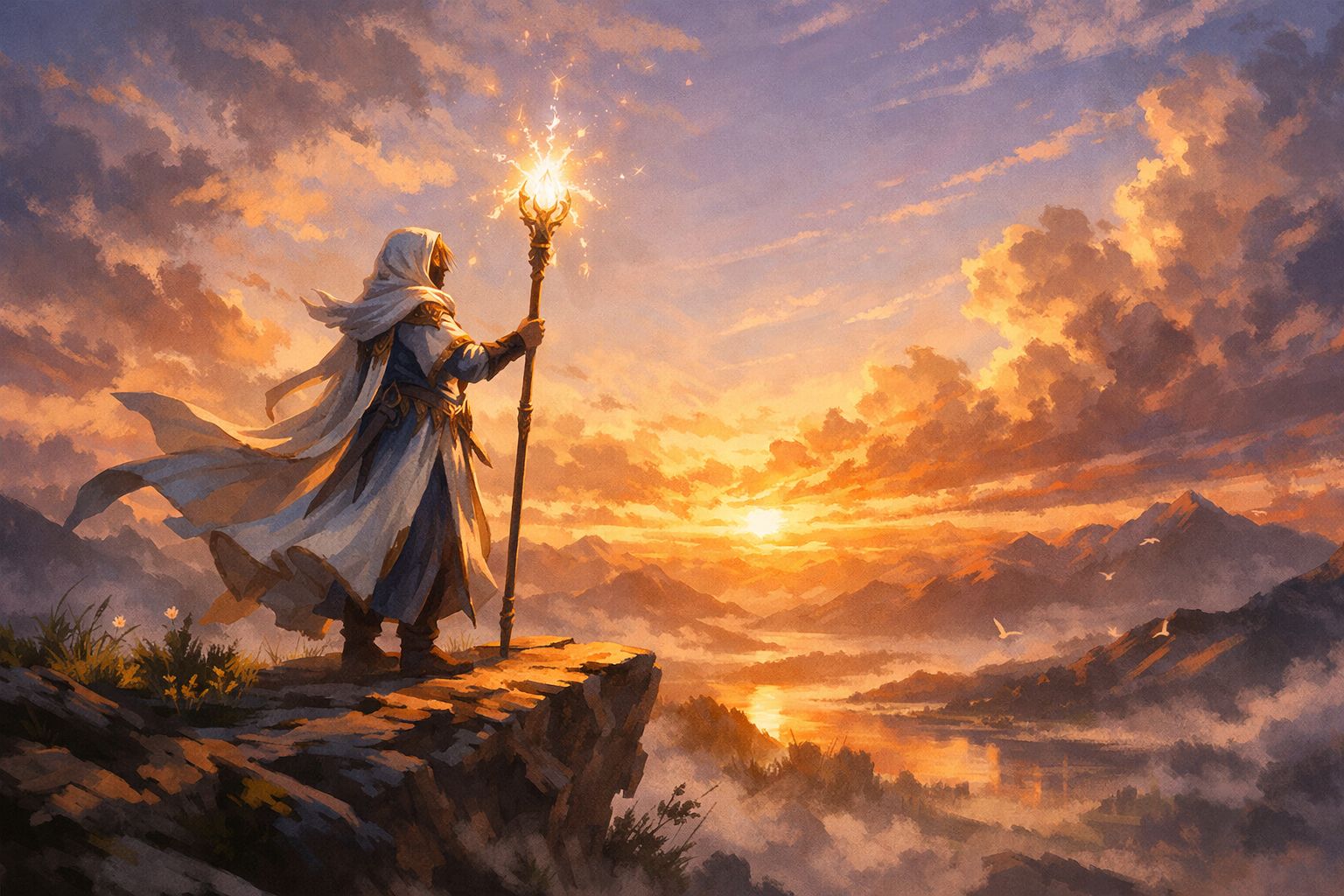
Stylized fantasy mage standing on a cliff, glowing staff, painterly illustration style

Animation:
The scene starts still → wind begins to move the mage’s robes and hair → glowing particles appear around the staff → the mage lifts the staff and releases a beam of light into the sky

Camera:
Slow cinematic push-in toward the character, slight upward tilt following the beam

Style Preservation:
keep original painterly illustration style, same colors and composition, no photorealism

Key Moment:
The beam expands into a glowing magical burst in the sky, lighting up the entire scene

Constraints:
no distortion, no redesign, no extra limbs, stable motion, smooth animation
Step 3: Run the Flow
Click the 'Run' button to execute the flow and get the final output.
Who is this for?
Perfect for professionals and creators looking to streamline their workflow
Illustrators and concept artists
Bring static artwork to life with subtle motion, particles, and light blooms while preserving your painterly or stylized look.
Motion designers and video editors
Create fast image-to-video shots with cinematic push-ins, parallax, and controlled beats for trailers, reels, and openers.
Marketing and social media teams
Transform product stills and campaign key visuals into scroll-stopping videos for TikTok, Reels, Shorts, and ads.
Game, film, and VFX teams
Previsualize scenes, enhance keyframes, and iterate on story beats without full 3D or hand-animated passes.
Content creators and streamers
Turn thumbnails and channel art into animated bumpers with optional AI voice lines, SFX, and background music.
Product and growth teams
Prototype animated hero sections, feature reveals, and app previews directly from static mocks.
You Might Also Like
Explore other powerful templates to enhance your AI workflow
Kling V2.6
Kling V2.6 is a pro-grade AI video generator that turns text or a single image into cinematic 1080p clips with fluid motion and native, synchronized audio (dialogue, ambience, and effects).
UGC Ad Creation Workflow – From Script to Video
End-to-end UGC ad builder that turns a subject photo, a product photo, and an optional script into a ready-to-run first-frame image and an 8s vertical video with voice and natural handheld motion.
Generate realistic lipsync animations from audio
Generate realistic lip‑sync animations from any audio track. PixVerse Lipsync aligns mouth movements to the speech with natural timing and expressions.
Kling V2.5 Turbo Pro
Kling 2.5 Turbo Pro: Unlock pro-level text-to-video and image-to-video creation with smooth motion, cinematic depth, and remarkable prompt adherence.
Sora 2
Latest version of Sora, with higher-fidelity video, context-aware audio, reference image support
Veo 3.1
New and improved version of Veo 3, with higher-fidelity video, context-aware audio, reference image and last frame support
Frequently Asked Questions
What does Animate Image with Seedance 2.0 do?
It converts a single still image into a short video with smooth subject motion, particle/light effects, and cinematic camera moves, optionally generating synchronized audio (dialogue, SFX, music) from your prompt.
Will it preserve my original art style and composition?
Yes. Include clear instructions like “keep original painterly style, same colors and composition, no photorealism.” Also add constraints such as “no distortion, no redesign, stable motion” to minimize drift.
Which inputs are supported?
Use a first frame image for image-to-video. Optionally add a last frame image to control the final shot. You can also provide reference media: up to 3 audio files (max 15s total), up to 9 images, or up to 3 videos (max 15s total). Note: first/last frame images cannot be combined with reference images.
How do I add dialogue, SFX, or music?
Enable audio generation and write dialogue in double quotes inside your prompt. You can also upload reference audio files and reference them as [Audio1], [Audio2], etc., to guide voice tone, rhythm, or background ambiance.
Can it lip-sync to a voice track?
Yes. Provide a reference audio clip and reference it in your prompt (e.g., “match lip-sync to [Audio1]”). Dialogue in quotes also helps the model align mouth movements.
Can I use a last frame to control the ending?
Yes. Supply a last_frame_image alongside the first frame. This guides the final composition and helps the animation land on a specific pose or layout.
What are the duration, aspect ratios, and resolution options?
Duration: set 1–15 seconds or use -1 for intelligent length. Aspect ratios: 16:9, 9:16, 1:1, 4:3, 3:4, 21:9, or adaptive. Resolution: 480p or 720p.
How do I write a strong prompt for animation?
Structure it into sections: Subject (from image), Animation beats using arrows (→), Camera moves, Style Preservation, Key Moment, and Constraints. Keep camera and motion moderate for single-image inputs to avoid artifacts.
Can I combine a first frame with reference images or videos?
No. First/last frame images cannot be used together with reference images. You can, however, use audio references with a first frame. If you need style/character guidance via reference images, skip the first/last frame mode.
How do I improve stability and reduce distortions?
Add constraints like “no distortion, no redesign, stable motion, smooth animation,” align aspect ratio with your source image, avoid extreme camera moves, keep durations concise, and set a seed for consistency across runs.
Is the output reproducible?
Yes. Set a random seed to make results more consistent when re-running with the same inputs and prompt.
What affects cost and speed?
Duration, resolution (720p > 480p), and input type (video-in vs non-video-in) impact compute usage. Shorter clips and lower resolution render faster and cost less.
Can I make vertical videos for TikTok/Reels?
Yes. Choose 9:16, center the subject in your source image, and describe vertical-friendly camera moves (e.g., slight upward tilt or push-in).
Any usage tips for best visual quality?
Start with a high-quality, uncluttered first frame; match aspect ratio to your target platform; keep motion beats readable; and include a clear Key Moment to guide the climax of the animation.
What is AI-FLOW and how can it help me?
AI-FLOW is an all-in-one AI platform that allows you to build, integrate, and automate AI-powered workflows using an intuitive drag-and-drop interface. Whether you're a beginner or an expert, you can leverage multiple AI models to create innovative solutions without any coding required.
Is there a free trial available?
Yes, AI-FLOW offers a free trial to get you started. After that, you can purchase credits as needed—no subscription or long-term commitment required.
Can I integrate my API keys from providers like OpenAI and Replicate with AI-FLOW Cloud Version ?
Yes, you can easily integrate your existing API keys with AI-FLOW. If specified, nodes related to the API Key provided will use your API key, significantly reducing your platform credit usage.