
AI-Flow
Grok Imagine Video
Create high‑quality AI videos with audio from text prompts or a starting image using Grok Imagine Video. Control duration, aspect ratio, and resolution for fast, cinematic results.
Input
Output
About This Template
Grok Imagine Video turns your ideas into polished short videos with sound—no camera or editing suite required. Describe a scene with a natural-language prompt, optionally add a reference image, and generate rich motion, lighting, and ambience in seconds. Flexible controls let you tailor outputs to channel and use case: choose 5, 10, or 15 seconds, pick common aspect ratios (16:9, 9:16, 1:1, and more), and render at 480p or 720p depending on budget and speed needs. The model can start from text (text‑to‑video) or transform a single image into a moving sequence (image‑to‑video), preserving style and composition while introducing lifelike movement. Designed for creators, marketers, and product teams, this template emphasizes prompt fidelity, smooth motion, and a coherent audio track to enhance mood and storytelling. Estimated usage costs are per‑second and resolution‑based, making budgeting predictable for quick iterations or batch generation. Best practices: - Be specific about subject, motion, lighting, camera moves, and mood (e.g., “soft, glowing backlight,” “slow push‑in,” “dust particles in air”). - Provide a clear reference image to anchor identity, style, or layout when needed. - Match aspect ratio to your destination (16:9 for web/YouTube, 9:16 for Stories/Reels/TikTok).
How to Use This Template
Step 1: Enter your text in 'Text' Node
In the 'Text' node, enter your instructions.
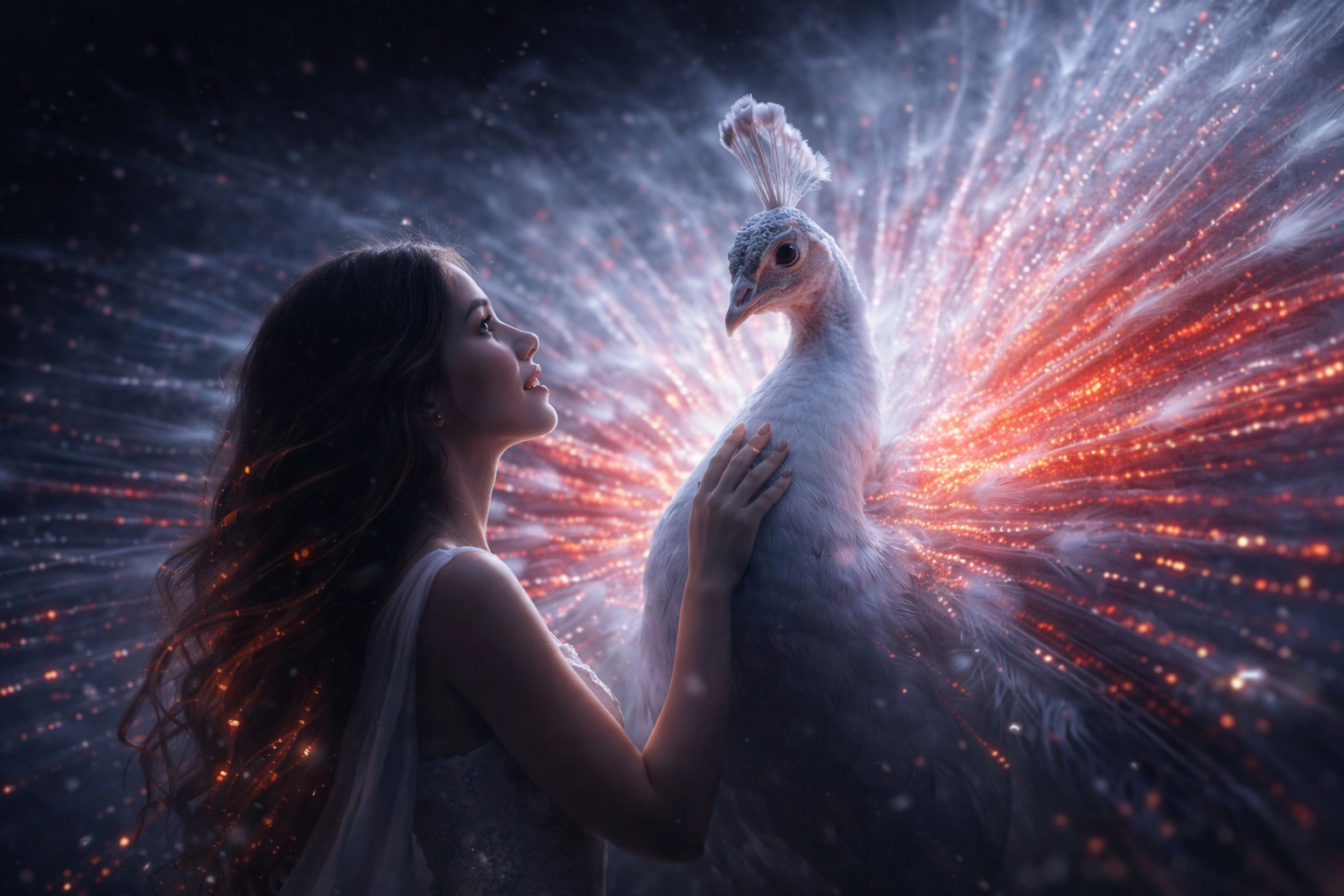
A woman stands face to face with a white peacock as its luminous tail feathers slowly unfurl, releasing soft waves of glowing light. Tiny particles drift through the air, her hair and dress move gently as if touched by energy, and she softly speaks the words “Grok Imagine Video” while the light pulses calmly, creating a sense of quiet awakening and connection.
Step 2: Upload your file
In the 'File' node, upload the file you want to process.
Step 3: Run the Flow
Click the 'Run' button to execute the flow and get the final output.
Who is this for?
Perfect for professionals and creators looking to streamline their workflow
Social media and content creators
Produce short, eye‑catching videos for TikTok, Reels, Shorts, and posts without filming or heavy editing.
Marketing and brand teams
Quickly concept, test, and localize campaign visuals with consistent style and messaging.
Designers and art directors
Draft motion studies and style frames from prompts or reference images for pitches and moodboards.
Product managers and growth teams
Generate explainer snippets, feature teasers, and onboarding visuals to speed up experiments.
Educators and e‑learning creators
Illustrate concepts with short, focused videos that reinforce lessons and retain attention.
Indie filmmakers and storytellers
Previsualize scenes, shots, and camera moves to explore ideas before full production.
Developers and prototypers
Programmatically create video assets via API for apps, landing pages, and automated workflows.
You Might Also Like
Explore other powerful templates to enhance your AI workflow
Kling V2.6
Kling V2.6 is a pro-grade AI video generator that turns text or a single image into cinematic 1080p clips with fluid motion and native, synchronized audio (dialogue, ambience, and effects).
UGC Ad Creation Workflow – From Script to Video
End-to-end UGC ad builder that turns a subject photo, a product photo, and an optional script into a ready-to-run first-frame image and an 8s vertical video with voice and natural handheld motion.
Generate realistic lipsync animations from audio
Generate realistic lip‑sync animations from any audio track. PixVerse Lipsync aligns mouth movements to the speech with natural timing and expressions.
Kling V2.5 Turbo Pro
Kling 2.5 Turbo Pro: Unlock pro-level text-to-video and image-to-video creation with smooth motion, cinematic depth, and remarkable prompt adherence.
Sora 2
Latest version of Sora, with higher-fidelity video, context-aware audio, reference image support
Veo 3.1
New and improved version of Veo 3, with higher-fidelity video, context-aware audio, reference image and last frame support
Frequently Asked Questions
What is Grok Imagine Video?
It’s an AI video generator that creates short videos with audio from a text prompt or an optional starting image. You control duration, aspect ratio, and resolution for platform‑ready results.
What’s the difference between text‑to‑video and image‑to‑video?
Text‑to‑video builds a scene entirely from your prompt. Image‑to‑video uses your image as the visual anchor, then adds motion, depth, and effects while preserving the original style and composition as much as possible.
Which durations are available?
You can render 5, 10, or 15 seconds. Choose shorter clips for quick tests and longer ones for more complex motion or storytelling.
What aspect ratios are supported?
Common formats include 16:9, 4:3, 1:1, 9:16, 3:4, 3:2, and 2:3. Pick 16:9 for widescreen, 9:16 for vertical, and 1:1 for square feeds.
What resolutions can I export?
480p and 720p are available. Use 480p for low‑cost drafts and 720p for higher‑quality shareable results.
Does it generate audio?
Yes. Videos include an AI‑generated audio layer to enhance mood and presence. If you need precise voiceover or music control, you can add or replace audio later in your video editor.
How are credits calculated?
Credits are estimated per second and depend on resolution: approximately 3.6 credits/s at 480p and 5.1 credits/s at 720p. Your final cost scales with clip length and chosen settings.
Can I upload my own audio?
This template focuses on automatic audio generation and does not accept a custom audio file input. You can overlay your own audio after export using any editor.
How do I get the best results from a prompt?
Be explicit about subject, setting, motion, lighting, camera behavior, and mood. Example: “Slow dolly‑in on a white peacock; luminous feathers unfurl; soft glowing particles; calm, ethereal ambience.”
Can I control style consistency across multiple videos?
Yes. Reuse the same descriptive style terms and, for image‑to‑video, the same reference image to maintain look and feel across outputs.
Is there a limit to input images?
Provide a single image URL as the starting frame for image‑to‑video. For multi‑image edits or storyboards, generate clips individually and assemble them in post.
Where do I access the result?
Each generation returns a video URL you can preview, download, or embed in your workflow.
What is AI-FLOW and how can it help me?
AI-FLOW is an all-in-one AI platform that allows you to build, integrate, and automate AI-powered workflows using an intuitive drag-and-drop interface. Whether you're a beginner or an expert, you can leverage multiple AI models to create innovative solutions without any coding required.
Is there a free trial available?
Yes, AI-FLOW offers a free trial to get you started. After that, you can purchase credits as needed—no subscription or long-term commitment required.
Can I integrate my API keys from providers like OpenAI and Replicate with AI-FLOW Cloud Version ?
Yes, you can easily integrate your existing API keys with AI-FLOW. If specified, nodes related to the API Key provided will use your API key, significantly reducing your platform credit usage.