
AI-Flow
Ltx 2 Distilled
Generate synchronized video and audio from text or image prompts with Lightricks LTX‑2 Distilled, the first open‑source audio‑video model built for fast, production‑quality results.
Input
Output
About This Template
LTX‑2 Distilled creates video and audio together in a single pass, delivering natural lip‑sync, ambient sound, and music that match on‑screen action. Provide a cinematic text prompt—or an optional reference image for image‑to‑video—and get a cohesive clip ready for previews, social posts, ads, or concept tests. Optimized for speed and iteration, the model produces 1080p by default and can render up to 4K. It supports common aspect ratios (16:9, 9:16, 1:1, and more) and short clips, with frame counts governed by 8*k+1 for smooth timing. Use seeds for reproducibility, toggle prompt enhancement, and control image adherence with image_strength for faithful i2v results. Under the hood, LTX‑2 Distilled uses an asymmetric dual‑stream diffusion transformer (video + audio) with cross‑attention for tight AV synchronization. It’s quantized for efficient inference and supports LoRA fine‑tuning and control adapters (depth, pose, edge) for style, motion, and identity consistency. Best practices: write prompts like shot directions—describe camera movement, lighting, scene details, and the desired soundscape. Keep prompts under ~200 words, start with the action, and specify pacing. The output is a URI to an MP4 file you can download or stream. Constraints and tips: width and height must be divisible by 32; choose a frame count of 8*k+1; for reliable results stick to 1080p unless you specifically need 4K. The model generates plausible content (not factual), and audio quality is strongest for speech and natural environments.
How to Use This Template
Step 1: Enter your text in 'Prompt' Node
Fill the 'Prompt' node with the required text.
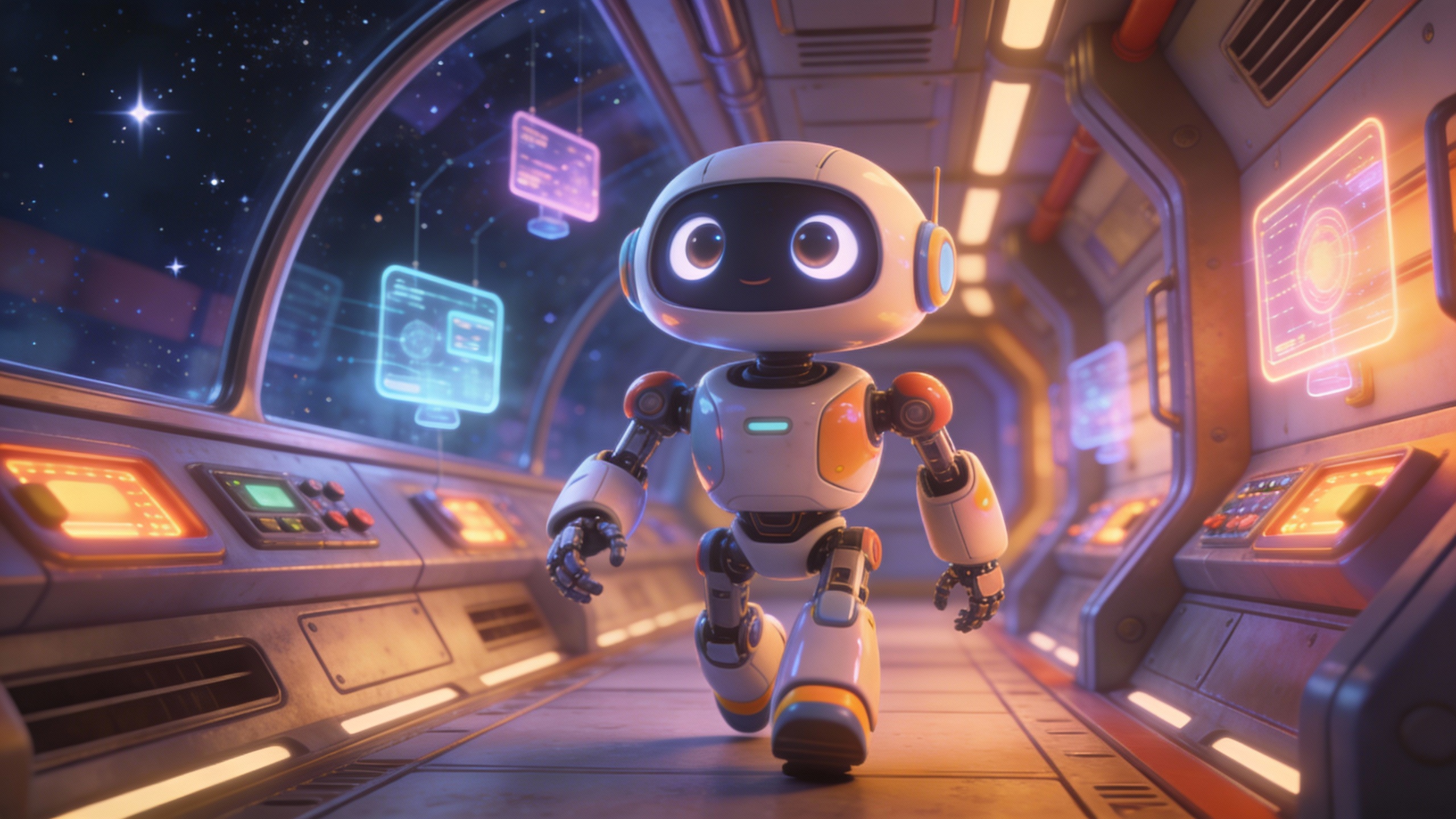
An animated cinematic shot. a robot, walks slowly, the camera dollys back and keep the robots slow walk in a medium shot. the robot start running slowly and heavily. it then stops, and the camera keeps dollying back, until a blue similiar robot appears in an over the shoulder shot.
Step 2: Upload your file
In the 'Image' node, upload the file you want to process.
Step 3: Run the Flow
Click the 'Run' button to execute the flow and get the final output.
Who is this for?
Perfect for professionals and creators looking to streamline their workflow
Video creators and editors
Produce short, high‑quality clips with synchronized sound directly from prompts for storyboards, animatics, and social video.
Marketers and brand teams
Rapidly prototype ads and promos with on‑brand visuals, matched music/ambience, and accurate lip‑sync for dialogue.
Content and social media creators
Turn ideas or thumbnails into engaging vertical or horizontal videos with natural audio in seconds.
Product teams and UX researchers
Generate realistic demo footage and scenarios with controllable pacing, framing, and environmental sound.
Developers and researchers
Leverage an open‑source, AV‑synchronized text‑to‑video and image‑to‑video model with LoRA fine‑tuning and control adapters.
You Might Also Like
Explore other powerful templates to enhance your AI workflow
Kling V2.6
Kling V2.6 is a pro-grade AI video generator that turns text or a single image into cinematic 1080p clips with fluid motion and native, synchronized audio (dialogue, ambience, and effects).
UGC Ad Creation Workflow – From Script to Video
End-to-end UGC ad builder that turns a subject photo, a product photo, and an optional script into a ready-to-run first-frame image and an 8s vertical video with voice and natural handheld motion.
Generate realistic lipsync animations from audio
Generate realistic lip‑sync animations from any audio track. PixVerse Lipsync aligns mouth movements to the speech with natural timing and expressions.
Kling V2.5 Turbo Pro
Kling 2.5 Turbo Pro: Unlock pro-level text-to-video and image-to-video creation with smooth motion, cinematic depth, and remarkable prompt adherence.
Sora 2
Latest version of Sora, with higher-fidelity video, context-aware audio, reference image support
Veo 3.1
New and improved version of Veo 3, with higher-fidelity video, context-aware audio, reference image and last frame support
Frequently Asked Questions
What is LTX‑2 Distilled?
An open‑source, speed‑optimized audio‑video generation model from Lightricks that produces synchronized video and audio from text or image prompts.
How is this different from typical video generators?
Most models output silent video or add audio later. LTX‑2 Distilled generates video and audio together, resulting in natural timing, lip‑sync, ambience, and music that match the visuals.
Does it support image‑to‑video?
Yes. Provide a reference image to preserve composition, lighting, and style while the model adds motion and synchronized sound. Adjust image_strength (0–1) to control fidelity to the source image.
What inputs can I control?
Prompt (required), optional image, aspect_ratio, num_frames (must be 8*k+1), seed for reproducibility, enhance_prompt (true/false), and image_strength for i2v adherence.
How long can the generated videos be?
Clips are short‑form and governed by the num_frames setting (8*k+1). Choose higher frame counts for longer clips; practical defaults align with ~30 fps for smooth playback.
What resolutions and aspect ratios are supported?
1080p is the default and recommended for speed and quality; the model can render up to 4K. Common aspect ratios include 16:9, 9:16, 1:1, 4:3, 3:4, and 21:9. Ensure width and height are divisible by 32.
How do I write effective prompts?
Describe the shot like a cinematographer: who/what moves, camera angles, pacing, lighting, colors, setting, and the soundscape (dialogue, ambience, music). Keep under ~200 words and start with the action.
Is the audio lip‑sync accurate?
Yes. The model’s dual‑stream architecture uses cross‑attention for strong AV synchronization, producing precise lip‑sync and sound timing relative to visual events.
What does the output look like?
The API returns a URI to an MP4 video file containing both the generated visuals and synchronized audio.
Can I reproduce results?
Yes. Set a seed to improve reproducibility across runs with the same inputs and parameters.
Can I fine‑tune the model?
LTX‑2 Distilled supports LoRA fine‑tuning for styles, motion patterns, and identities, plus control LoRAs (depth, pose, edge) and IC‑LoRAs for identity consistency and v2v transforms.
Are there limitations?
The model generates plausible, not factual, content and may reflect dataset biases. Audio quality is best for speech and natural ambiences; abstract audio may be lower fidelity. Follow the frame and dimension constraints for stable results.
What is AI-FLOW and how can it help me?
AI-FLOW is an all-in-one AI platform that allows you to build, integrate, and automate AI-powered workflows using an intuitive drag-and-drop interface. Whether you're a beginner or an expert, you can leverage multiple AI models to create innovative solutions without any coding required.
Is there a free trial available?
Yes, AI-FLOW offers a free trial to get you started. After that, you can purchase credits as needed—no subscription or long-term commitment required.
Can I integrate my API keys from providers like OpenAI and Replicate with AI-FLOW Cloud Version ?
Yes, you can easily integrate your existing API keys with AI-FLOW. If specified, nodes related to the API Key provided will use your API key, significantly reducing your platform credit usage.