Provider comparison workflow
Compare outputs from different LLMs before choosing one.
- 1Send the same prompt to OpenAI and Gemini
- 2Ask a review model to score both answers
- 3Keep the best result
- 4Export the final response

AI-Flow





“Subtle fashion film. Woman wearing tortoiseshell sunglasses, slight confident head turn, warm studio light gliding across the lenses. Hair moves gently. Slow motion, luxury campaign feel. No background change, keep studio setting.”


“Subtle fashion film. Woman wearing tortoiseshell sunglasses, slight confident head turn, warm studio light gliding across the lenses. Hair moves gently. Slow motion, luxury campaign feel. No background change, keep studio setting.”
Use cheaper models for simple steps, stronger models for quality-critical steps, and compare providers without rebuilding everything.
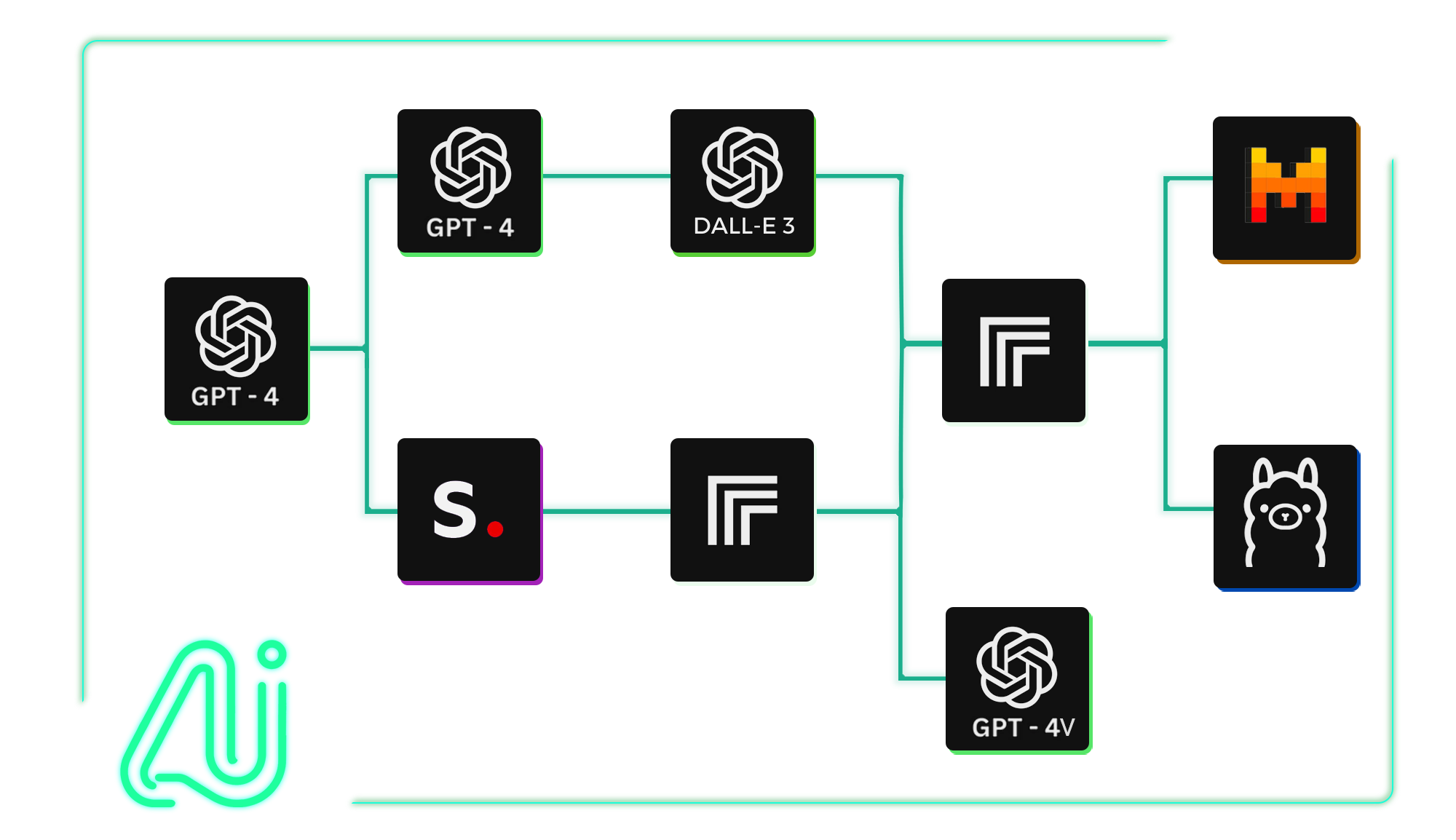
Route classification, drafting, review, image generation, and formatting steps to different models based on what each step actually needs.
Practical workflows with clear inputs, model steps, and final outputs.
Compare outputs from different LLMs before choosing one.
Use inexpensive models first, then escalate only when needed.
Use a language model to guide visual generation.
Split research, synthesis, and formatting across models.
Can I use OpenAI and Gemini in the same workflow?
Yes. AI-FLOW lets you combine providers such as OpenAI, Gemini, Anthropic, Replicate, and others in the same visual workflow.
Can I compare outputs from different AI models?
Yes. You can send the same input to multiple models, compare the outputs, and keep the version that fits your quality, speed, or cost target.
Can I use image and text models together?
Yes. A workflow can use text models to draft prompts, image models to generate visuals, and other models to analyze, summarize, or format results.
Why use multiple AI models instead of one?
Different steps need different strengths. You might use a cheaper model for classification, a stronger model for final copy, and an image model for visual generation.
Can I change providers later?
Yes. You can iterate on your workflow by swapping models and comparing results without rebuilding the whole process from scratch.