
Weave Alternative with BYOK for AI Video Workflows
Build AI video and content workflows using your own API keys.
BYOK
Use your keys
API inputs
Run workflows
Reusable
Save systems
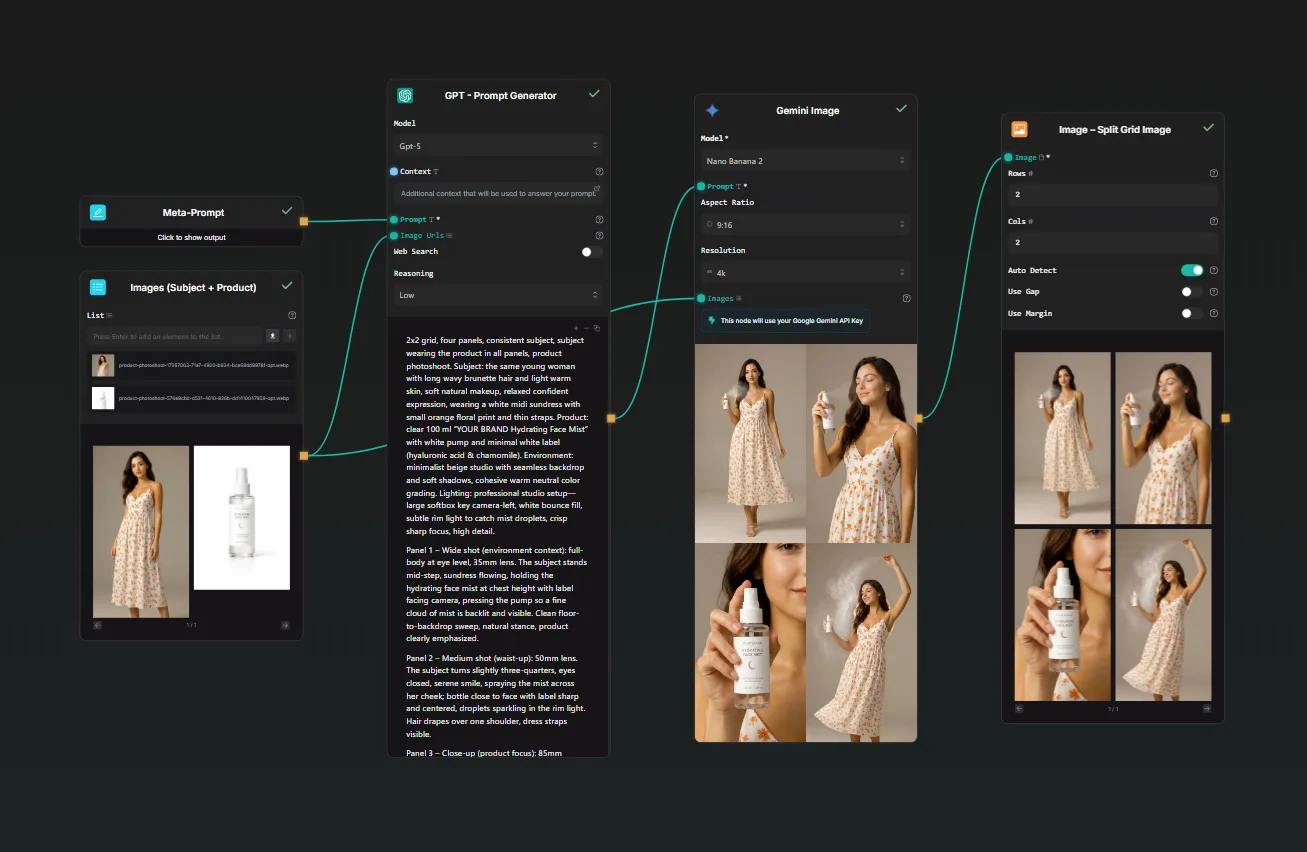
Bring eligible provider keys into workflow runs.
Turn one video process into a reusable workflow.
Comparison angle
When teams need more provider control
Weave is useful for quickly building AI workflows, but teams producing content at volume often need more control over provider costs and API keys. AI-Flow is built for creators and teams who want visual workflow speed while keeping BYOK and multi-provider control.
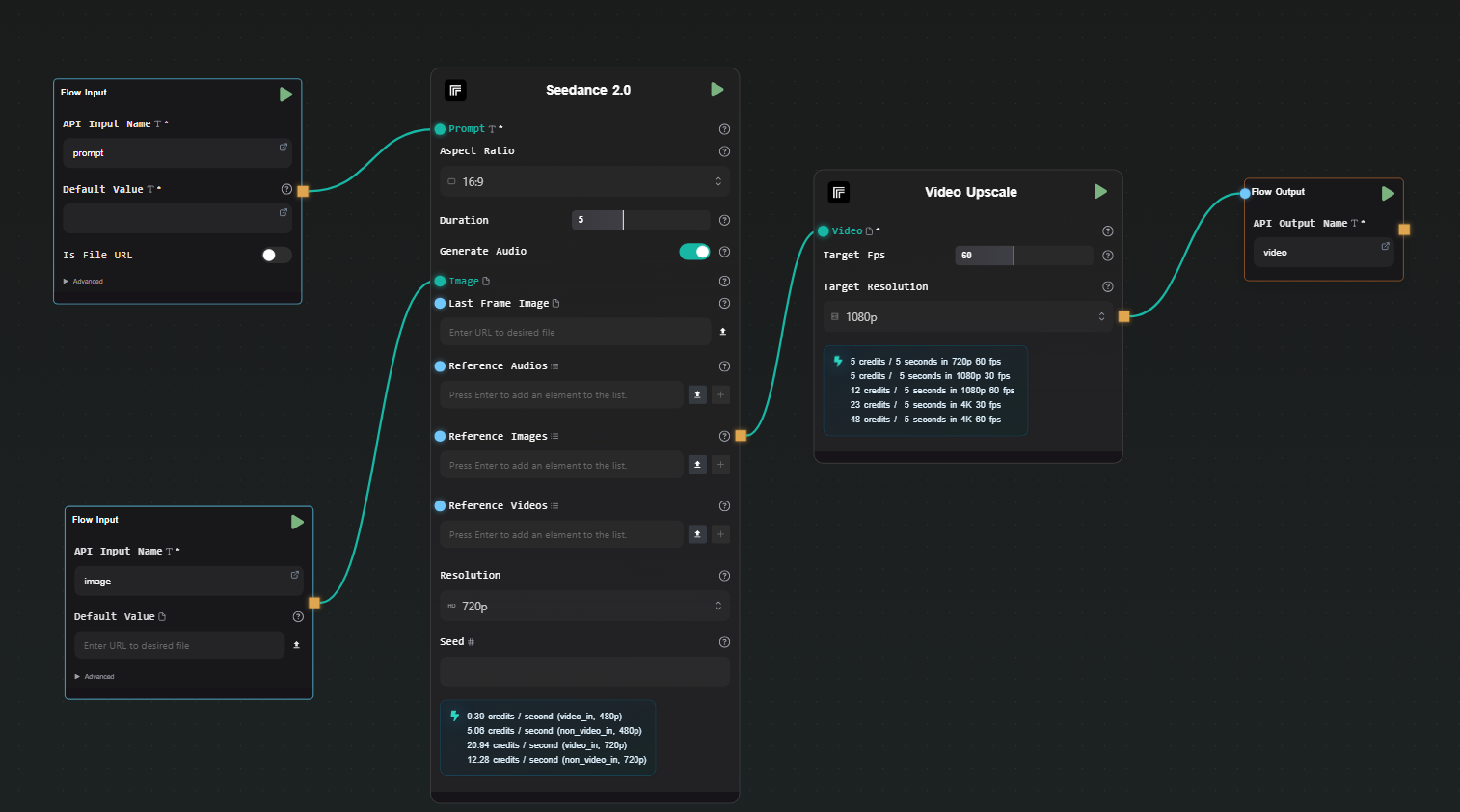
Why AI-Flow
The AI-Flow difference
A practical fit for teams producing repeatable AI content at volume.
Bring your own keys
Use your own provider keys on eligible nodes and reduce platform credit usage.
Visual workflow builder
Drag, drop, and connect nodes on a canvas to assemble any AI content pipeline without writing code.
Apps
Turn any workflow into a clean app your team can fill in and run — no canvas access required.
Reusable workflows
Save a workflow once and adapt it for every new brief without rebuilding from scratch.
API input nodes
Feed data into workflows programmatically for batch runs and production integrations.
Multi-provider by default
Mix text, image, audio, and video models from different providers in a single workflow run.
Branching, loops & subflows
Build real logic into your workflows — conditional branches, iterative loops, and reusable subflows for complex pipelines.
Free tier
Build and validate workflows with your own API keys before committing
Connect your provider accounts, run real AI pipelines on your own stack, and see exactly what it costs — before you spend anything on a plan.
Use your own provider keys from day one
Full access to the workflow builder
Upgrade when you're ready to scale volume
Video workflow use case
Turn a pasted script into multiple B-roll videos with your own keys
- 1
Paste a script into an API input or clean form.
- 2
Split the script into shot ideas, prompts, and timing notes.
- 3
Generate B-roll clips through your connected providers.
- 4
Reuse the workflow for every new video brief.
BYOK explained
What is BYOK?
BYOK stands for Bring Your Own Key. Instead of paying a platform markup on every AI model call, you connect your own API credentials from providers like Anthropic, OpenAI, or Replicate. Your key goes directly into the workflow runtime, and the cost of each generation goes directly to your provider account — at their standard rate, with no middleman.
For teams building AI video and content workflows, this distinction matters at scale. A hosted tool that adds 3–5× markup on provider pricing becomes expensive fast when you're running dozens of generations per day. BYOK removes that overhead entirely.
In AI-Flow, adding a key takes under a minute. You paste it once into the encrypted key store, and every compatible node in every workflow picks it up automatically. You get full visibility into which provider each node calls, and you can mix keys from different providers — Anthropic for reasoning, Replicate for video generation — in a single AI workflow pipeline.
Why video teams use BYOK
Video production workflows are cost-intensive by nature. Generating a 5-second clip, animating a product image, running a lipsync pass — each step consumes tokens or model credits. When a platform adds markup on top of provider pricing, the economics of producing video content at volume stop making sense.
BYOK puts video teams back in control of their AI workflow costs. You pay the provider directly, which means your cost per generation matches the public API price list. When Replicate or another provider lowers their rates, you benefit immediately — no renegotiation, no platform delay.
Beyond cost, BYOK gives teams access to the full provider model catalog. When a new video generation model launches on Replicate, you can add it to your AI workflow the day it ships. AI-Flow exposes every model the provider offers, so any capability — image-to-video, lipsync, background removal, upscaling — is one node away from your existing pipeline.
Reusable workflows for content production
The real cost of AI content production isn't the generation step — it's the setup time. Every new brief means rebuilding the same pipeline from scratch: writing prompts, connecting models, formatting outputs, reviewing results. Multiply that by every product launch, campaign, or video series, and the hidden labour cost becomes significant.
AI-Flow workflows are saved and reused as production assets. You build the pipeline once — script input, scene splitting, image generation, video rendering, output formatting — then run it for every new brief without touching the canvas again.
For video teams, this means the same AI workflow that handled a Q4 campaign runs again for Q1 with a different script and a different set of provider keys. For solo creators, it means going from a new brief to generated footage in minutes instead of hours. Reusable AI workflows are the difference between a one-off experiment and a production system that compounds in value the more you use it.
Apps for non-technical editors
Workflows built by one person shouldn't require that same person to run them every time. AI-Flow lets you turn any AI workflow into an App — a clean form where a non-technical team member fills in the variable inputs (a script, a product name, a reference image) and triggers the full pipeline without seeing the underlying canvas.
For video teams and content agencies, this is the handoff layer that makes AI workflow automation practical at scale. The workflow architect builds and tests the pipeline. The App exposes only the inputs that change run to run. An editor who has never opened a workflow canvas can generate B-roll, produce product photos, or extract key moments from a video just by filling in a form.
Apps run on the same BYOK setup as the canvas. The provider API keys you've already connected handle every model call — no extra configuration required for the people using the form, and no per-seat fee for team members who only need to run workflows, not design them.
Frequently asked questions
Is AI-Flow a direct Weave clone?
No. AI-Flow is a visual AI workflow builder focused on BYOK, reusable workflows, API inputs, and multi-provider content automation.
Can I use my own API keys for video workflows?
Yes. AI-Flow supports BYOK so eligible nodes can run with your own provider keys instead of relying only on platform credits.
Who is this comparison page for?
It is for creators, editors, and teams who like visual AI workflow builders but need better cost control for higher-volume content production.
Is AI-Flow affiliated with Weave?
No. AI-Flow is an independent product and is not affiliated with Weave. This page is for users comparing AI workflow tools.
Build your first BYOK workflow
Start with a simple script-to-video pipeline, then turn it into a reusable workflow for the next batch.
Other comparisons
AI-Flow is not affiliated with Weave. This page is for users comparing workflow tools.