
Descripteur de personnage
Extrayez à partir d’une seule image des descriptions de personnage cohérentes et prêtes pour un générateur, sous la forme d’un paragraphe fluide ou d’un schéma JSON strict.
Aucune configuration requise · Entièrement personnalisable dans AI-Flow
Ce que fait cette application
Descripteur de personnage transforme un portrait en une identité visuelle réutilisable, en ne retenant que les traits qui suivent la personne. Il ignore l’arrière-plan, les accessoires et l’éclairage, et capture des détails concrets et reproductibles : tranche d’âge, présentation de genre, morphologie, longueur/couleur/coiffure des cheveux, carnation, signes distinctifs, tenue et expression.
Deux modes sont disponibles : textual_description produit un paragraphe naturel et concis, optimisé pour les prompts de génération d’images ; structured_json_description renvoie un objet JSON strict comportant les champs age_range, gender_presentation, build, hair {length, color, style}, skin_tone, distinguishing_features[], outfit et expression. Il devient ainsi simple d’injecter des attributs cohérents dans vos pipelines créatifs, vos générateurs de prompts, vos métadonnées ou vos bases de visuels.
Conçu pour la fiabilité et la rapidité, le template utilise un LLM multimodal pour analyser l’URL d’une image et produire des descriptions propres et reproductibles, destinées au concept art, aux PNJ, aux lookbooks de casting, à la continuité et aux avatars d’influenceurs ou de marques. Il n’effectue aucune reconnaissance faciale et ne déduit aucune identité ; il évite la spéculation et ne renvoie que ce qui est visiblement établi. Idéal pour les prompt engineers, les équipes jeu vidéo et cinéma, les marketeurs et les annotateurs de jeux de données qui ont besoin d’attributs de personnage précis et structurés, à grande échelle.
Comment utiliser l’application
Voici ce que vous obtenez en ouvrant l’application : un formulaire court, un bouton d’exécution et vos résultats, sans nœuds ni configuration.
Décrire un personnage
Aperçu de l’applicationRemplissez le formulaire
Image
RequisAjouter des images ou des fichiers
Mode
RequisTextual Description
Récupérez votre résultat
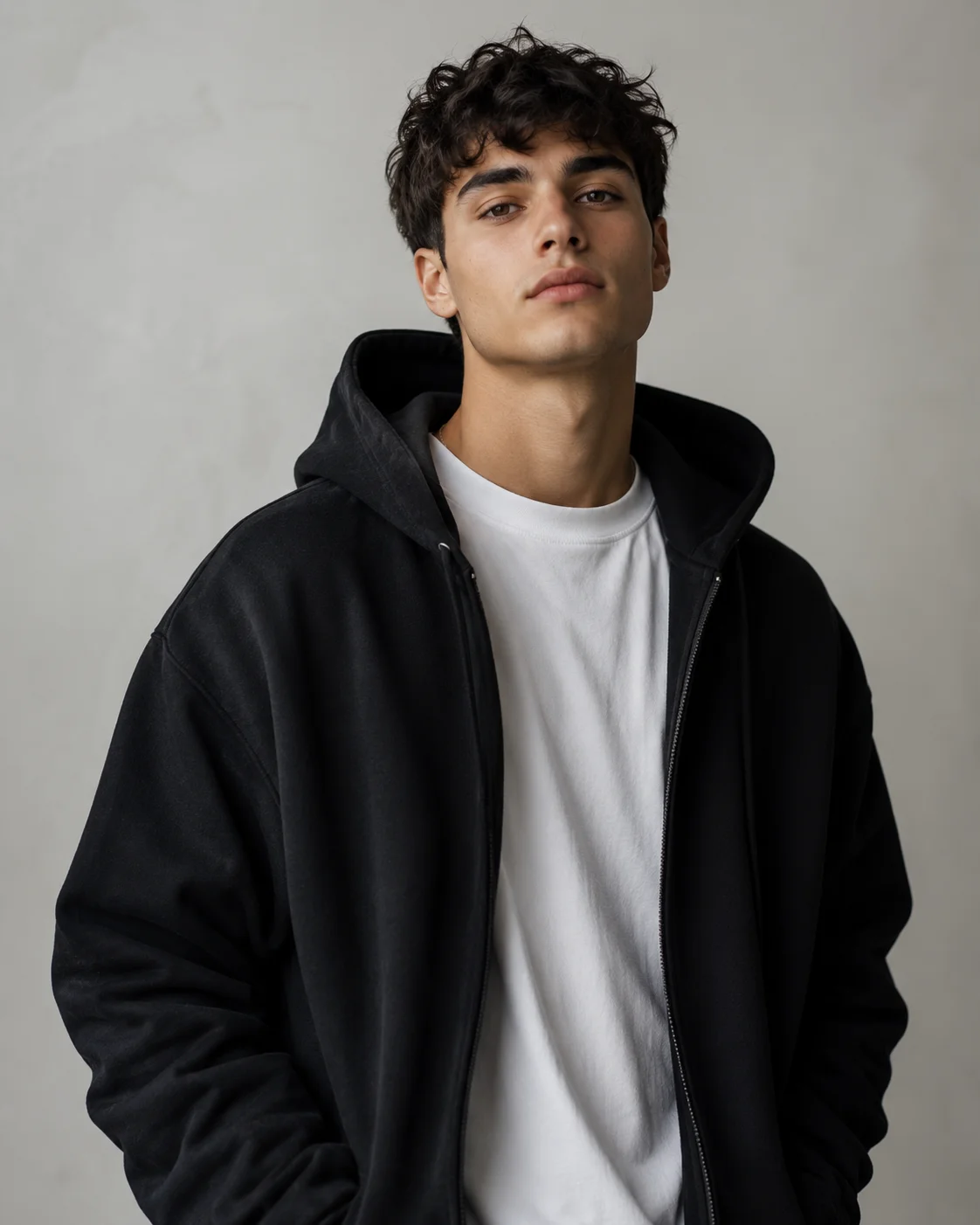
Résultat réel généré avec cette application
Sous le capot
Vous souhaitez plus de contrôle ?
Cette application repose sur un workflow AI-Flow entièrement modifiable. Changez le modèle, les prompts, la disposition ou la résolution, ou connectez-le à d’autres étapes.
Mode
textual_description
Image
Evaluate Condition
Branche conditionnelle
Evaluate Condition
Branche conditionnelle
Conditional Gate
Conditional Gate
GPT Structured Output
GPT
Around 20, male-presenting, slim build, light olive skin, thick dark eyebrows, clean-shaven face, and short-to-medium dark brown curly hair worn tousled with volume over the forehead. He has defined cheekbones, a straight nose, and full lips, with no visibl...
Descritpion
Comment utiliser ce template
Étape 1 : Importez votre fichier
Dans le nœud « Image », importez le fichier que vous souhaitez traiter.
Étape 2 : Configurez le nœud « Mode »
Configurez le nœud « Mode » selon vos besoins.
textual_description
Étape 3 : Exécutez le workflow
Cliquez sur le bouton « Exécuter » pour lancer le workflow et obtenir le résultat final.
Personnalisez le workflow sous-jacent
Ouvrez le workflow complet dans l’éditeur AI-Flow pour changer de modèle, réécrire les prompts ou le connecter à d’autres étapes.
À qui s’adresse ce template ?
Idéal pour les professionnels et les créateurs qui souhaitent simplifier leur workflow
Artistes génératifs et prompt engineers
Créez des prompts cohérents et réutilisables en convertissant des portraits en attributs textuels ou JSON précis, directement exploitables par un générateur.
Développeurs de jeux et character designers
Documentez rapidement vos PNJ et personnages principaux avec des champs d’apparence normalisés, prêts à intégrer vos bibles de design et vos suivis de production.
Équipes de continuité et de casting cinéma/TV
Maintenez des notes de continuité visuelle entre les scènes et les versions, sans dépendre de l’arrière-plan ni des conditions d’éclairage.
Auteurs et créateurs d’univers
Transformez des photos de référence en fiches de personnages propres et reproductibles pour vos manuscrits, bibles et dossiers de présentation.
Équipes marketing et de marque
Gardez vos influenceurs virtuels ou avatars de marque visuellement cohérents d’une campagne à l’autre, grâce à des descripteurs structurés et partageables.
Annotateurs de données et équipes MLOps
Produisez des annotations d’apparence normalisées et validées par schéma, pour enrichir vos jeux de données créatifs ou de recherche.
Prêt à créer ?
Commencez à utiliser cette application
Aucune configuration requise — ouvrez l’application et commencez à créer en quelques minutes
Vous aimerez peut-être aussi
Explorez d’autres templates puissants pour enrichir votre workflow IA

Créateur de fiches produit Amazon
Créateur de fiches Amazon par IA qui transforme une photo produit et le brief du vendeur en titres, puces, descriptions, packs de mots-clés et indications visuelles optimisés pour le SEO, avec des affirmations maîtrisées et adaptées à la marketplace.
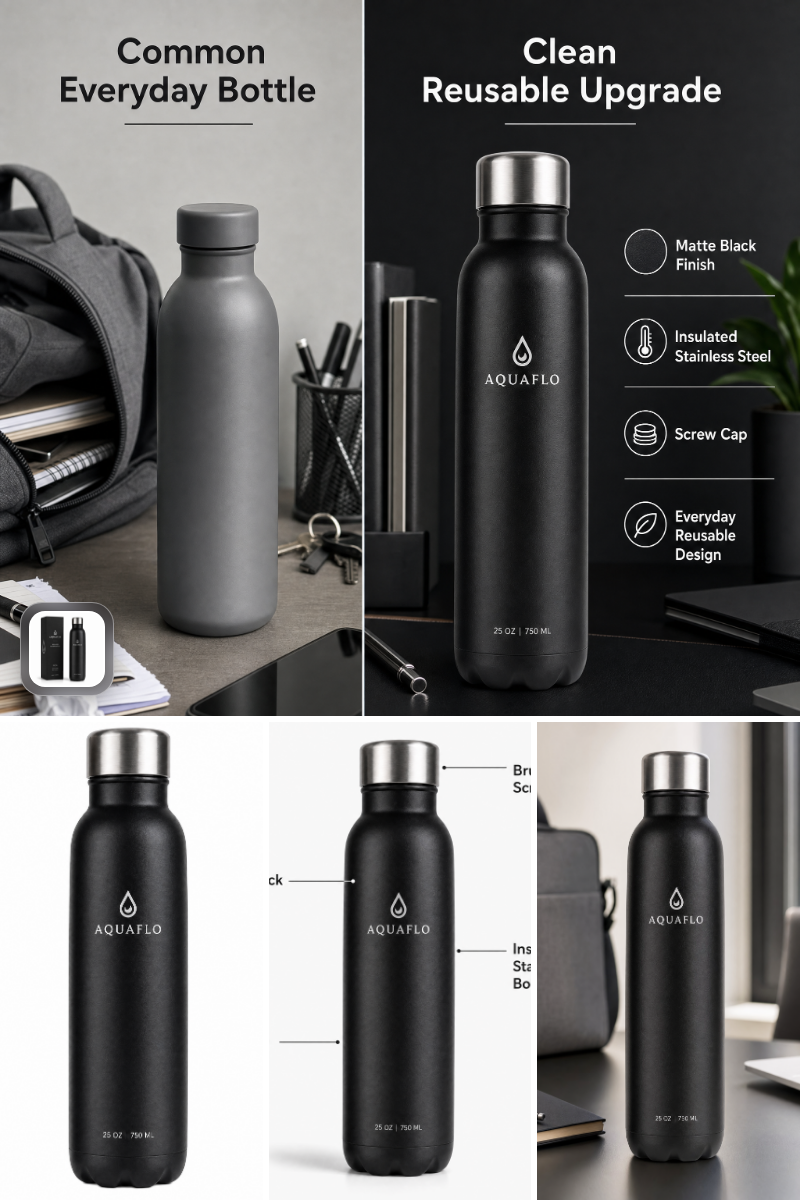
Générateur de séries d’images pour fiches Amazon
Générez à partir d’une seule photo produit des images principales, lifestyle, de fonctionnalités et de comparaison prêtes pour Amazon, rapidement, conformément aux règles et à l’identité de marque.
Génération et retouche avec Nano Banana 2.1
Générez et retouchez des images de haute qualité avec Nano Banana 2.1 de Google : meilleur respect du prompt, typographie plus fiable, qualité visuelle renforcée et cohérence multi-tour.
Génération vidéo avec Gemini Omni 1.1 Flash
Créez des vidéos IA cinématographiques à partir de texte, d’images ou de séquences existantes avec Gemini Omni 1.1 Flash : texte-vers-vidéo, image-vers-vidéo et vidéo-vers-vidéo multimodaux, avec conception sonore native et mouvements réalistes cohérents.

Génération d’images avec GPT Image 2.5 Flare
Générez des images haute fidélité avec GPT Image 2.5 Flare, optimisé pour la typographie réaliste, les écritures multilingues, les mises en page structurées et les formats prêts à imprimer jusqu’en 4K, pour affiches, bandes dessinées, marketing, maquettes UI et réseaux sociaux.

Génération d’images avec GPT Image 2.5 Sunburst
Générez des images haute fidélité avec GPT Image 2.5 Sunburst, optimisé pour la typographie réaliste, les écritures multilingues, les mises en page structurées et les formats prêts à imprimer jusqu’en 4K, pour affiches, bandes dessinées, marketing, maquettes UI et réseaux sociaux.
Questions fréquentes
En quoi est-ce différent d’un simple légendage d’image ?
Il ne décrit que les attributs persistants de la personne — tranche d’âge, morphologie, cheveux, carnation, signes distinctifs, tenue et expression — en ignorant l’arrière-plan, les accessoires et l’éclairage. Le résultat est plus cohérent et directement exploitable dans un prompt.
Quels modes de sortie sont pris en charge ?
Deux modes : textual_description renvoie un paragraphe fluide optimisé pour les générateurs d’images ; structured_json_description renvoie un objet JSON strict avec les champs age_range, gender_presentation, build, hair {length, color, style}, skin_tone, distinguishing_features[], outfit et expression.
Quelles images fonctionnent le mieux ?
Des portraits nets, de face ou de trois quarts, avec peu d’occlusion. Une résolution élevée aide pour la texture des cheveux, les détails de peau et les matières des vêtements. Évitez les flous de mouvement marqués, les ombres extrêmes et les filtres agressifs.
Peut-il identifier la personne ?
Non. L’outil n’effectue ni reconnaissance faciale, ni rapprochement d’identité, ni déduction d’attributs sensibles. Il ne renvoie que ce qui est visiblement établi et pertinent pour documenter l’apparence d’un personnage.
Gère-t-il plusieurs personnes sur une même image ?
Il se concentre sur un seul sujet principal. Pour une photo de groupe, recadrez sur le personnage qui vous intéresse ou lancez une passe distincte pour chaque sujet.
La carnation et la couleur des cheveux sont-elles fiables selon l’éclairage ?
Les résultats reposent au mieux sur ce qui est visible dans l’image. L’éclairage pouvant modifier la perception, l’outil évite de décrire l’éclairage lui-même et s’en tient à des attributs concrets et visuellement étayés. En cas de doute, validez avec des références supplémentaires.
Comment utiliser la sortie JSON dans mon pipeline ?
Mappez directement les champs du schéma dans vos modèles de prompts ou vos métadonnées. Par exemple, concaténez hair.length, hair.color et hair.style en une seule expression, et incluez outfit et distinguishing_features pour maintenir la continuité du personnage.
Puis-je personnaliser le schéma JSON ?
Ce template est livré avec un schéma fixe, gage de fiabilité. Vous pouvez dupliquer le flux et modifier le nœud de sortie structurée du LLM pour ajouter ou modifier des champs selon vos besoins.
Décrit-il l’arrière-plan, les accessoires ou l’éclairage ?
Non. Par conception, il ignore le décor et les accessoires afin d’éviter le bruit et de garantir que la description reste valable d’une scène et d’un style à l’autre.
Quel est le workflow recommandé ?
Fournissez l’URL d’une image, choisissez le mode textuel ou structuré, puis exploitez le résultat. Utilisez le paragraphe directement dans vos prompts, ou injectez le JSON dans votre CMS, votre bible graphique ou votre automatisation pour une génération de personnages cohérente.
Qu’est-ce qu’AI-FLOW et comment peut-il m’aider ?
AI-FLOW est une plateforme d’IA tout-en-un qui vous permet de créer, d’intégrer et d’automatiser des workflows alimentés par l’IA grâce à une interface intuitive en glisser-déposer. Débutant ou expert, vous pouvez combiner plusieurs modèles d’IA pour créer des solutions innovantes sans écrire de code.
Un essai gratuit est-il disponible ?
Oui, AI-FLOW propose un essai gratuit pour commencer. Vous pouvez ensuite acheter des crédits selon vos besoins, sans abonnement ni engagement à long terme.
Puis-je intégrer mes clés API OpenAI, Replicate et d’autres fournisseurs dans la version Cloud d’AI-FLOW ?
Oui, vous pouvez facilement intégrer vos propres clés API à AI-FLOW. Les nœuds associés utiliseront alors votre clé, ce qui réduit considérablement votre consommation de crédits sur la plateforme.