
Génération et retouche avec Flux 2 Klein 4B
Génération et retouche d’images ultra-rapides en 4 étapes avec le modèle distillé de Black Forest Labs : inférence en moins d’une seconde, résultats photoréalistes jusqu’à 4 MP, texte lisible et qualité production.
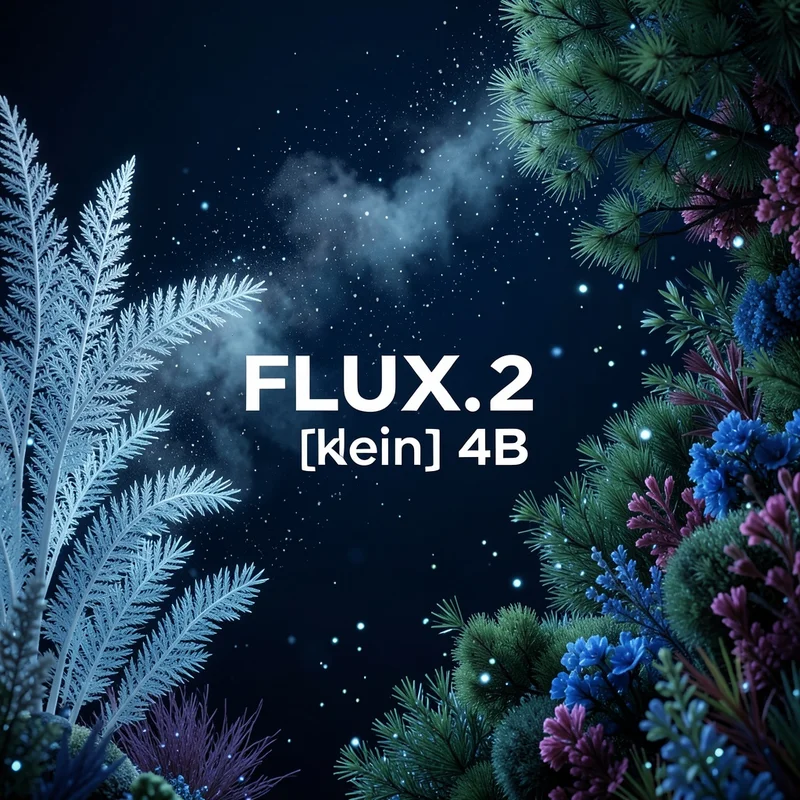
Aucune configuration requise · Entièrement personnalisable dans AI-Flow
Ce que fait cette application
Flux 2 Klein 4b (FLUX.2 klein 4B) est un modèle open source compact de génération et de retouche d’images signé Black Forest Labs, conçu pour un usage quasi temps réel et en production. Distillé à partir de la famille FLUX 2 plus large, il offre une grande fidélité visuelle, un éclairage juste, des relations spatiales cohérentes et un texte remarquablement lisible — tout en restant assez efficace pour tourner sur du matériel modeste.
Capacités clés
Une vitesse compatible avec la production — génération distillée en 4 étapes, avec une inférence inférieure à la seconde sur du matériel adapté
Une qualité photoréaliste jusqu’à 4 mégapixels, avec un éclairage et une perspective cohérents
Un rendu de texte propre pour les maquettes d’interface, les affiches et les infographies
Une retouche image-vers-image avec jusqu’à 5 images de référence pour la cohérence de style, de personnage ou de produit
Un modèle open source (Apache 2.0), utilisable en contexte commercial et personnalisable
Comment ça marche
Un flow matching latent avec un rectified flow transformer, pour une génération efficace et stable
Un guidage vision-langage (basé sur Mistral 3) pour la compréhension sémantique et la composition
Un VAE spécialisé pour des détails nets et des rendus haute résolution fiables
Ce que vous pouvez contrôler
prompt (requis) — description en langage naturel de l’image souhaitée
images (optionnel) — jusqu’à 5 images pour la retouche image-vers-image ou la cohérence multi-références (jpeg, png, gif, webp)
aspect_ratio (optionnel) — formats courants ou match_input_image pour suivre la première image
output_megapixels (optionnel) — 0,25, 0,5, 1, 2 ou 4 mégapixels
seed (optionnel) — à définir pour des résultats reproductibles
go_fast (optionnel) — optimisations supplémentaires à l’exécution pour une inférence encore plus rapide
output_format (optionnel) — jpg, png ou webp
output_quality (optionnel) — 0 à 100 (pour les formats avec perte)
disable_safety_checker (optionnel) — active ou désactive les contrôles de sécurité côté modèle
Résultat : - Un tableau d’URL (URI) pointant vers la ou les images générées
Bonnes pratiques
Soyez précis — décrivez l’éclairage, les matières, l’objectif, l’ambiance et la composition
Pour un travail de marque — indiquez les codes hexadécimaux exacts et les consignes de mise en page
Pour la cohérence — fournissez plusieurs références dans images et faites-y référence dans le prompt
Pour la reproductibilité — fixez une graine et gardez les mêmes paramètres d’une exécution à l’autre
Cas d’usage idéaux
Visuels marketing, photos produit et itérations créatives rapides
Maquettes UI/UX, diapositives, affiches et visuels sociaux avec une typographie lisible
Storyboards et campagnes nécessitant des personnages ou des styles cohérents
Retouches image-vers-image rapides pour le prototypage et les pipelines de production
Comment utiliser l’application
Voici ce que vous obtenez en ouvrant l’application : un formulaire court, un bouton d’exécution et vos résultats, sans nœuds ni configuration.
Flux 2 Klein 4B
Aperçu de l’applicationRemplissez le formulaire
Prompt
RequisSaisissez prompt…
Aspect Ratio
1:1
Images
Ajouter des images ou des fichiers
Output Format
jpg
Output Megapixels
1
+2 options supplémentaires dans l’application
≈ 0.5 crédits / exécution
Récupérez votre résultat
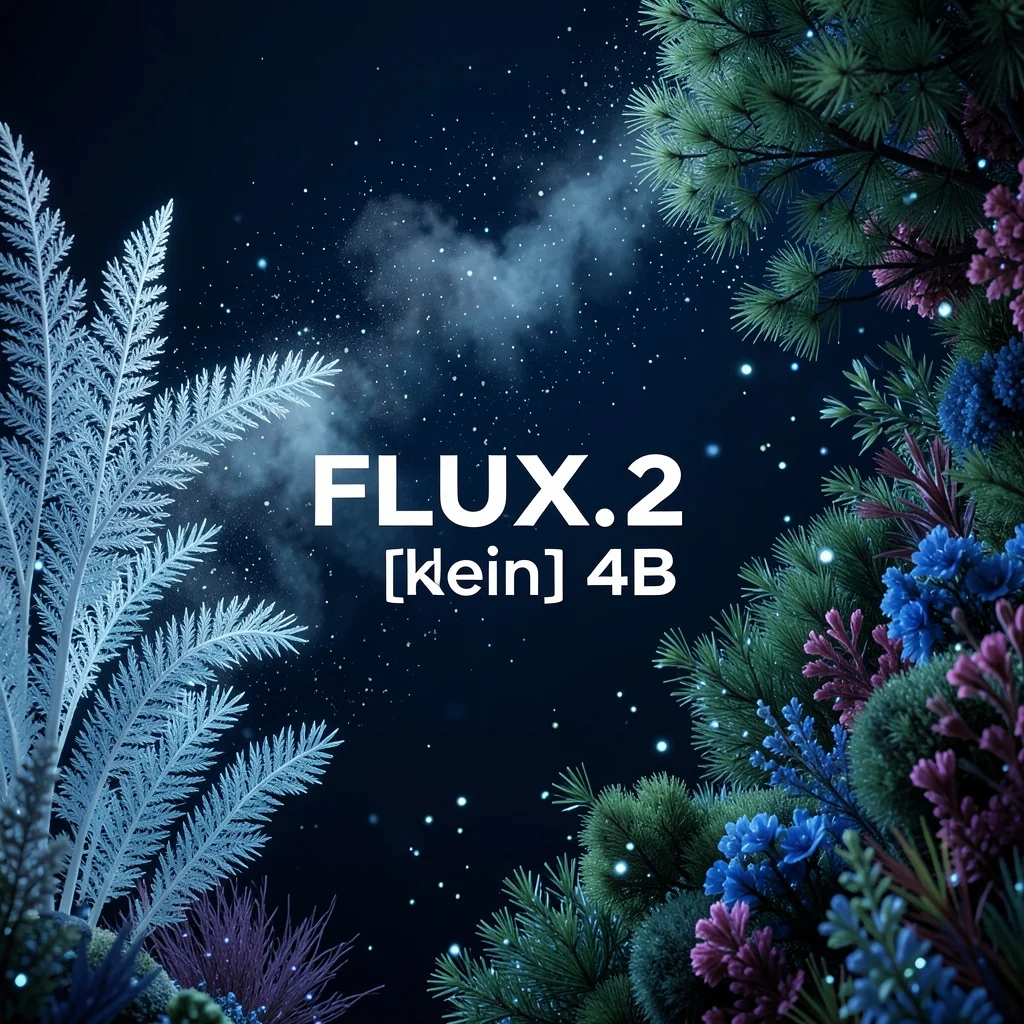
Résultat réel généré avec cette application
Sous le capot
Vous souhaitez plus de contrôle ?
Cette application repose sur un workflow AI-Flow entièrement modifiable. Changez le modèle, les prompts, la disposition ou la résolution, ou connectez-le à d’autres étapes.
Text
A surreal underwater or cosmic garden scene with bioluminescent flora against a deep navy blue to black background. Delicate, feather-like structures in pale icy blue and white emerge from the left side, resembling ethereal ferns or coral fronds with intric...
List
Références ou fichiers facultatifs.
Flux 2 Klein 4b
Comment utiliser ce template
Étape 1 : Saisissez votre texte dans le nœud « Texte »
Dans le nœud « Texte », saisissez vos instructions.
A surreal underwater or cosmic garden scene with bioluminescent flora against a deep navy blue to black background. Delicate, feather-like structures in pale icy blue and white emerge from the left side, resembling ethereal ferns or coral fronds with intricate fractal patterns. These luminous fronds transition into a cloud-like dispersal of particles and spores floating through the dark space, creating a dreamy, ethereal atmosphere. On the right side, dense clusters of vegetation in deep greens, blues, and purple-pink tones form an organic canopy. The foliage includes pine-like needles, flowering bushes in blue and magenta hues, and various plant forms creating depth and texture. Small glowing particles and orbs of light are scattered throughout the scene like floating pollen or bioluminescent plankton. The overall composition creates a mystical, otherworldly environment that blends elements of deep sea bioluminescence with alien botanical landscapes. Cinematic lighting with cool color palette dominated by blues, teals, and deep greens. Photorealistic rendering with soft focus effects and atmospheric depth. With large white text in the center: "FLUX.2 [klein] 4B"
Étape 2 : Importez vos fichiers
Dans le nœud « Liste », importez les fichiers que vous souhaitez utiliser dans le workflow.
Étape 3 : Exécutez le workflow
Cliquez sur le bouton « Exécuter » pour lancer le workflow et obtenir le résultat final.
Personnalisez le workflow sous-jacent
Ouvrez le workflow complet dans l’éditeur AI-Flow pour changer de modèle, réécrire les prompts ou le connecter à d’autres étapes.
À qui s’adresse ce template ?
Idéal pour les professionnels et les créateurs qui souhaitent simplifier leur workflow
Équipes produit et marketing
Générez rapidement des visuels fidèles à la marque, des rendus produit et des supports de campagne, avec des couleurs et une typographie cohérentes.
Designers et studios créatifs
Itérez sur vos concepts, réalisez des retouches image-vers-image et produisez des visuels photoréalistes avec un éclairage et une composition fiables.
Développeurs d’applications et startups
Intégrez une génération d’images en moins d’une seconde dans vos parcours utilisateurs et vos expériences temps réel, sans infrastructure lourde.
Designers UI/UX
Produisez des maquettes d’interface et des écrans marketing avec un texte net et lisible et une mise en page cohérente.
Créateurs de contenu et équipes social media
Créez rapidement miniatures, affiches et publications sociales, avec une haute qualité de 0,25 à 4 MP selon vos besoins.
Chercheurs et bidouilleurs
Appuyez-vous sur un modèle sous licence Apache 2.0 pour l’expérimentation, l’affinage et des pipelines sur mesure.
Prêt à créer ?
Commencez à utiliser cette application
Aucune configuration requise — ouvrez l’application et commencez à créer en quelques minutes
Vous aimerez peut-être aussi
Explorez d’autres templates puissants pour enrichir votre workflow IA

Génération d’images avec GPT Image 2.5 Flare
Générez des images haute fidélité avec GPT Image 2.5 Flare, optimisé pour la typographie réaliste, les écritures multilingues, les mises en page structurées et les formats prêts à imprimer jusqu’en 4K, pour affiches, bandes dessinées, marketing, maquettes UI et réseaux sociaux.

Génération d’images avec GPT Image 2.5 Sunburst
Générez des images haute fidélité avec GPT Image 2.5 Sunburst, optimisé pour la typographie réaliste, les écritures multilingues, les mises en page structurées et les formats prêts à imprimer jusqu’en 4K, pour affiches, bandes dessinées, marketing, maquettes UI et réseaux sociaux.

Générateur IA de photos produit de soin
Transformez une seule image de crème, de sérum ou de pot cosmétique en shooting complet : une grille 2 × 2 et quatre visuels recadrés (plan large, plan moyen, gros plan, angle créatif), porté ou produit seul, pour l'e-commerce beauté, les marketplaces et la publicité.

Générateur IA de photos produit de crème solaire
Transformez une seule image de tube ou de flacon solaire en shooting complet : une grille 2 × 2 et quatre visuels recadrés (plan large, plan moyen, gros plan, angle créatif), porté ou produit seul, pour l'e-commerce beauté, les marketplaces et la publicité.

Générateur IA de mockups de t-shirts
Transformez une seule image de t-shirt en mockups print-on-demand portés : une grille 2 × 2 et quatre visuels recadrés (plan large, plan moyen, gros plan sur l'impression, angle créatif), pour Etsy, Shopify et vos boutiques POD.
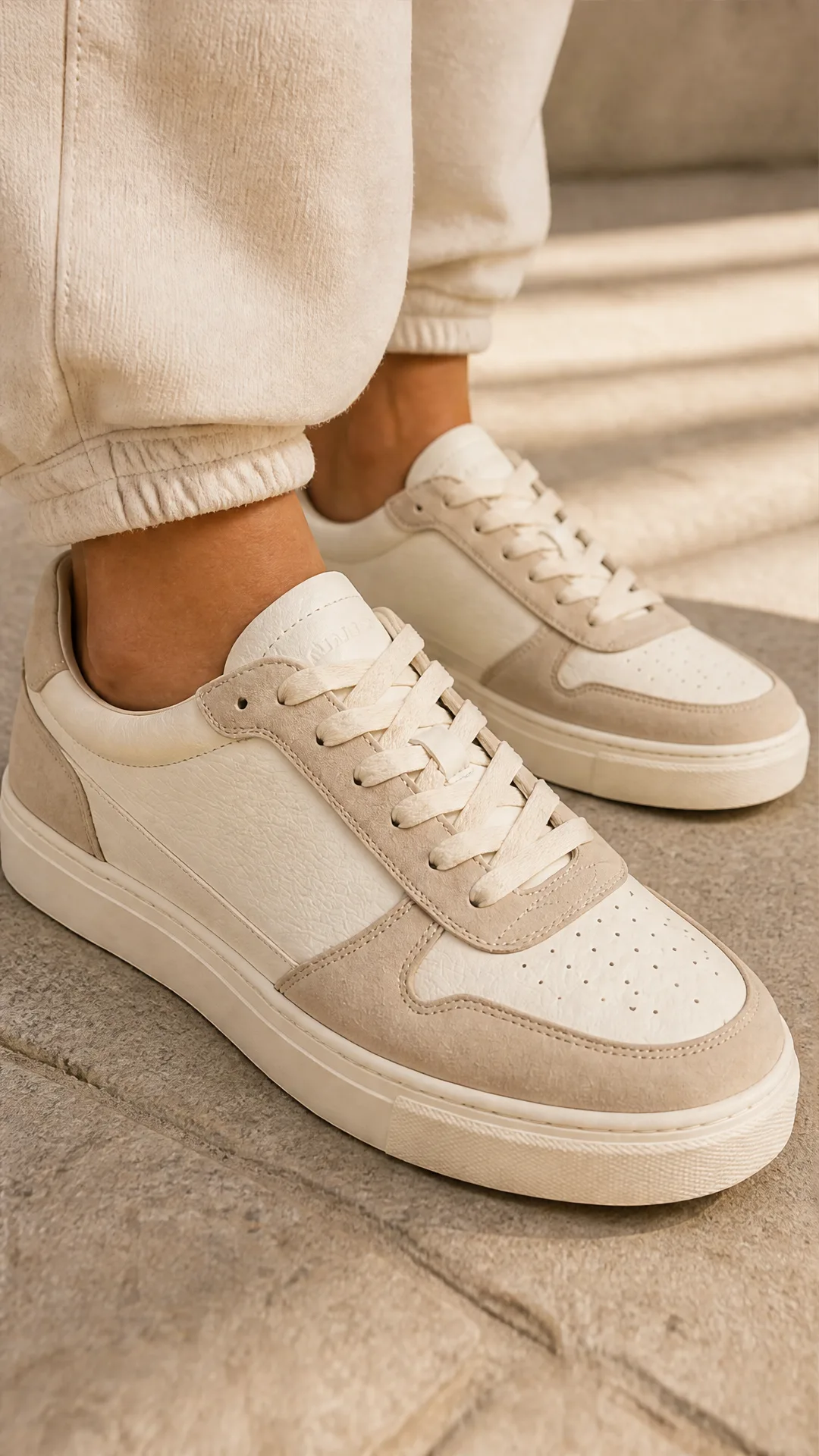
Générateur IA de photos produit de sneakers
Générez des photos produit de sneakers à partir d'une seule image de chaussure : une grille 2 × 2 et quatre visuels recadrés (plan large, plan moyen, gros plan, angle créatif), en mode porté ou produit seul, pour vos fiches e-commerce, marketplaces et publicités.
Questions fréquentes
Qu’est-ce que Flux 2 Klein 4b (FLUX.2 klein 4B) ?
Un modèle d’images open source de 4 milliards de paramètres, distillé à partir de la famille FLUX 2. Il offre une génération et une retouche d’images rapides et de haute qualité, avec un éclairage juste, un raisonnement spatial solide et un texte lisible.
Est-il rapide en pratique ?
Il repose sur un pipeline de flow distillé en 4 étapes, conçu pour une inférence inférieure à la seconde sur du matériel adapté, ce qui le rend pertinent pour des scénarios interactifs et de production. La latence réelle dépend du matériel, de la résolution et des réglages.
Prend-il en charge la retouche image-vers-image ?
Oui. Fournissez jusqu’à 5 images d’entrée pour guider les retouches, maintenir la cohérence de style ou de personnage, ou mélanger des références. Décrivez dans votre prompt l’influence attendue de chaque image sur le rendu.
Quelles résolutions de sortie sont prises en charge ?
Vous pouvez choisir 0,25, 0,5, 1, 2 ou 4 mégapixels via le paramètre output_megapixels. Les valeurs élevées préservent davantage de détails mais augmentent le temps de calcul.
Sait-il générer du texte lisible ?
Oui. Contrairement à de nombreux petits modèles, Flux 2 Klein 4b produit un texte net et lisible pour les affiches, les écrans d’interface et les infographies.
Comment rendre les résultats reproductibles ?
Définissez le paramètre seed et gardez les autres paramètres constants d’une exécution à l’autre (prompt, format, mégapixels, etc.).
Quels formats et ratios puis-je utiliser ?
Les formats courants (1:1, 16:9, 9:16, 3:2, 2:3, 4:3, 3:4, 5:4, 4:5, 21:9, 9:21) ainsi que match_input_image. Les formats de fichier disponibles sont jpg, png et webp.
À quoi sert go_fast et quand l’utiliser ?
go_fast active des optimisations supplémentaires à l’exécution pour réduire la latence. C’est utile pour les expériences temps réel ou lorsque le débit est déterminant.
Est-il adapté à un usage commercial ?
Oui. Flux 2 Klein 4b est open source sous licence Apache 2.0, ce qui autorise l’usage commercial, la modification et la redistribution.
Comment se compare-t-il aux modèles FLUX 2 plus grands ?
La variante klein privilégie la vitesse et l’efficacité tout en conservant une grande partie des capacités de son modèle enseignant. Pour une qualité absolument optimale, les modèles FLUX 2 plus grands peuvent faire mieux ; pour la plupart des besoins de production, klein offre un excellent compromis.
Comporte-t-il des contrôles de sécurité ?
Il intègre des mesures de sécurité issues de son entraînement et propose une option disable_safety_checker. Gardez à l’esprit les bonnes pratiques et les règles des plateformes lorsque vous générez du contenu.
Des conseils de prompt pour de meilleurs résultats ?
Soyez explicite sur le sujet, l’éclairage, les matières, le style, la caméra ou l’objectif et la composition. Pour la fidélité de marque, indiquez les codes hexadécimaux et les consignes de mise en page. Fournissez plusieurs images de référence lorsque la cohérence compte.
Qu’est-ce qu’AI-FLOW et comment peut-il m’aider ?
AI-FLOW est une plateforme d’IA tout-en-un qui vous permet de créer, d’intégrer et d’automatiser des workflows alimentés par l’IA grâce à une interface intuitive en glisser-déposer. Débutant ou expert, vous pouvez combiner plusieurs modèles d’IA pour créer des solutions innovantes sans écrire de code.
Un essai gratuit est-il disponible ?
Oui, AI-FLOW propose un essai gratuit pour commencer. Vous pouvez ensuite acheter des crédits selon vos besoins, sans abonnement ni engagement à long terme.
Puis-je intégrer mes clés API OpenAI, Replicate et d’autres fournisseurs dans la version Cloud d’AI-FLOW ?
Oui, vous pouvez facilement intégrer vos propres clés API à AI-FLOW. Les nœuds associés utiliseront alors votre clé, ce qui réduit considérablement votre consommation de crédits sur la plateforme.