
Générateur de maquettes de bijoux portés
Importez votre bijou et la photo d’un modèle pour générer instantanément des visuels produit photoréalistes portés, destinés à l’e-commerce, aux publicités et aux réseaux sociaux.
Aucune configuration requise · Entièrement personnalisable dans AI-Flow

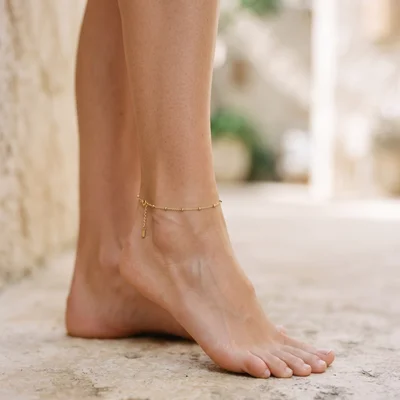
Ce que fait cette application
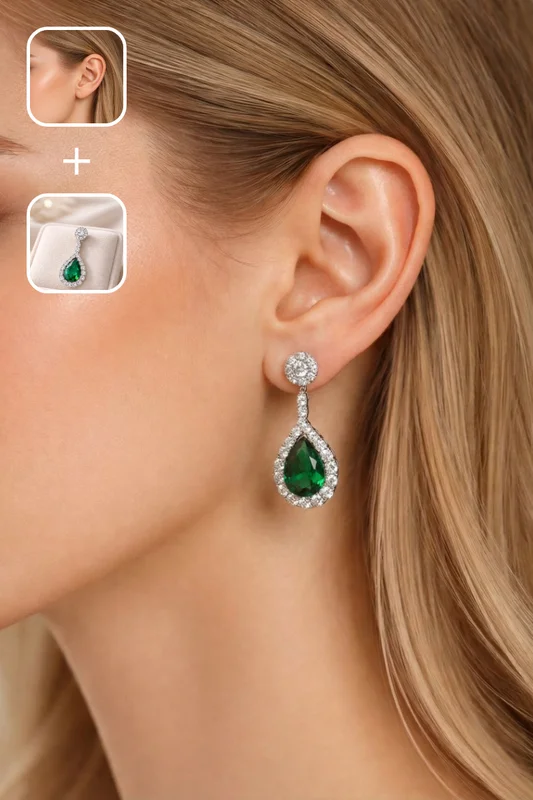
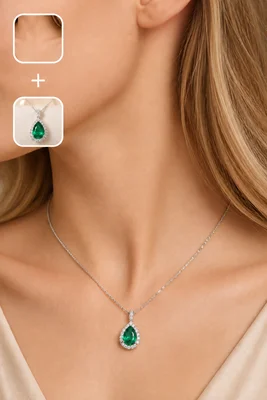
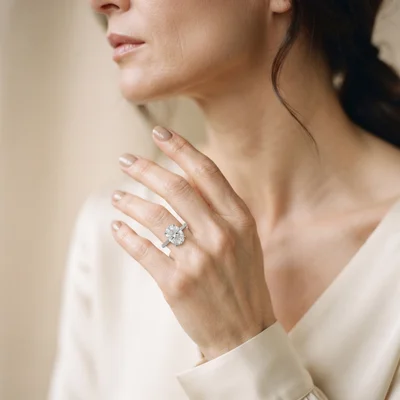
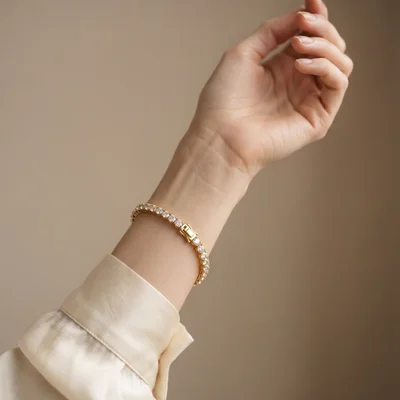
Créez des photos de bijoux portés dignes d’un studio, sans organiser de séance photo. Téléversez l’image d’un modèle et une photo produit du bijou, et obtenez un composite réaliste qui préserve le visage, la pose, la tenue et l’arrière-plan du modèle, tout en plaçant le bijou avec un alignement et une perspective anatomiquement justes.
L’outil accorde la direction de la lumière, la température de couleur, le contraste et le grain pour que la pièce paraisse réellement photographiée dans la scène. Il ajoute des effets de contact naturels comme les micro-ombres et une légère compression de la peau, conserve intacts le design et les proportions d’origine, et simule des reflets métalliques et une réfraction des pierres crédibles.
Idéal pour les fiches produit, les annonces sur marketplace, les publicités, les catalogues et les réseaux sociaux, il prend en charge les types de bijoux courants : boucles d’oreilles, colliers, pendentifs, bagues, bracelets et joncs. Choisissez votre format, sélectionnez une qualité de sortie pouvant aller jusqu’à la haute résolution, et générez des visuels lifestyle cohérents qui améliorent la conversion — sans nouvelle séance photo ni marathon de retouche.
Comment utiliser l’application
Voici ce que vous obtenez en ouvrant l’application : un formulaire court, un bouton d’exécution et vos résultats, sans nœuds ni configuration.
Bijoux portés sur modèle
Aperçu de l’applicationRemplissez le formulaire
Subject Image
RequisAjouter des images ou des fichiers
Jewelry Image
FacultatifAjouter des images ou des fichiers
Additional Instructions
RequisSaisissez additional instructions…
Quality
RequisStandard
≈ 19–36 crédits / exécution
Récupérez votre résultat
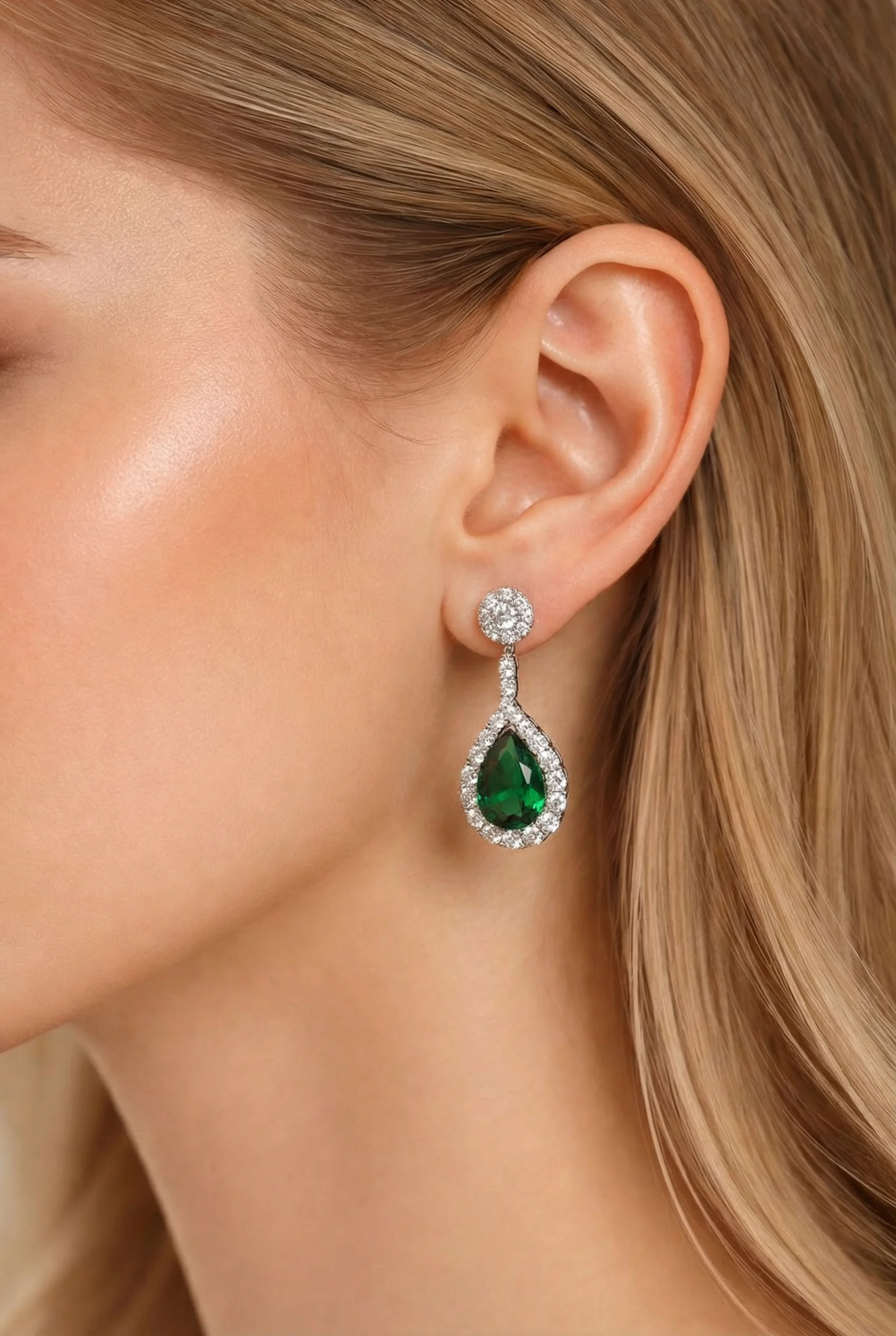
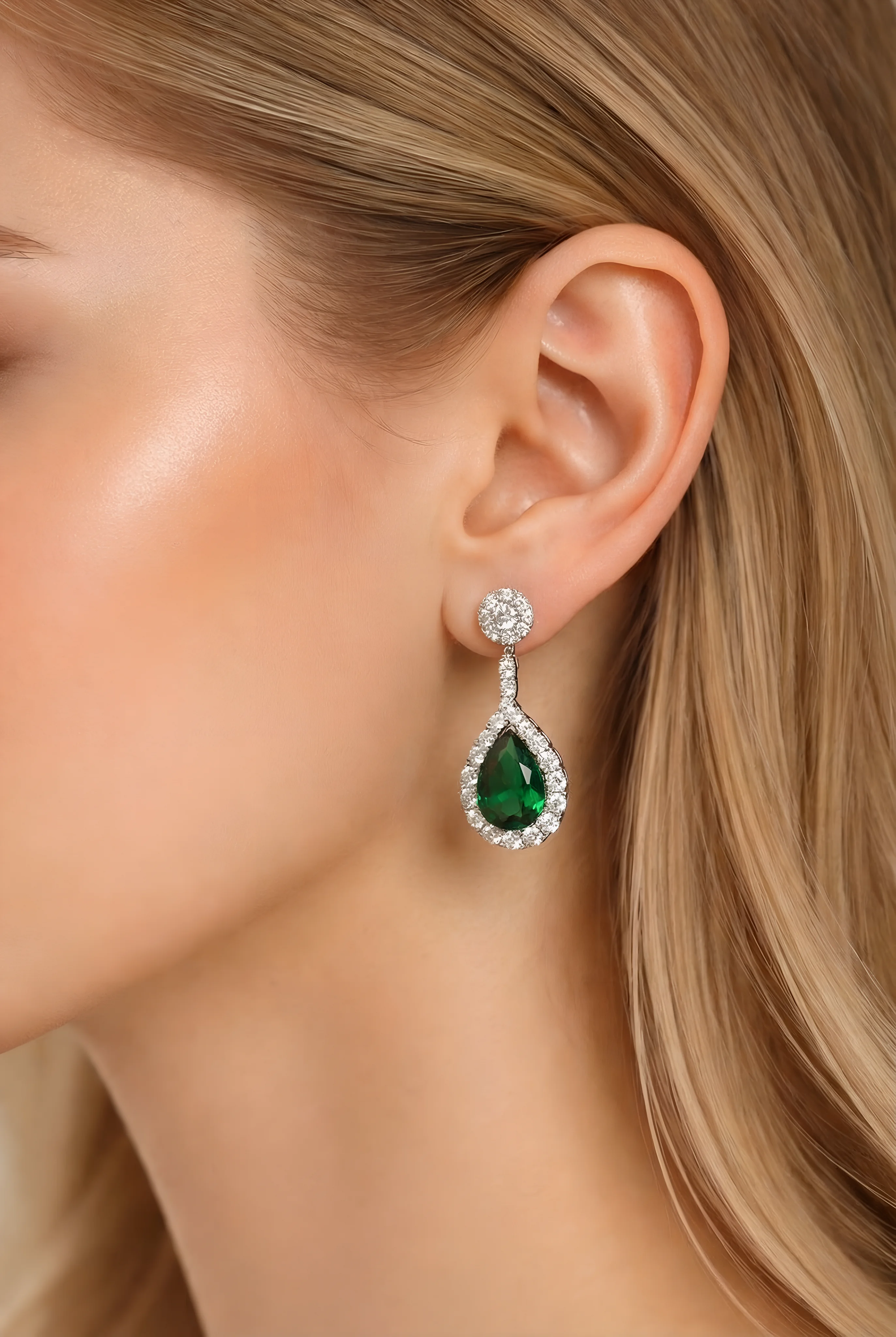
Résultat réel généré avec cette application
Sous le capot
Vous souhaitez plus de contrôle ?
Cette application repose sur un workflow AI-Flow entièrement modifiable. Changez le modèle, les prompts, la disposition ou la résolution, ou connectez-le à d’autres étapes.
Subject Image
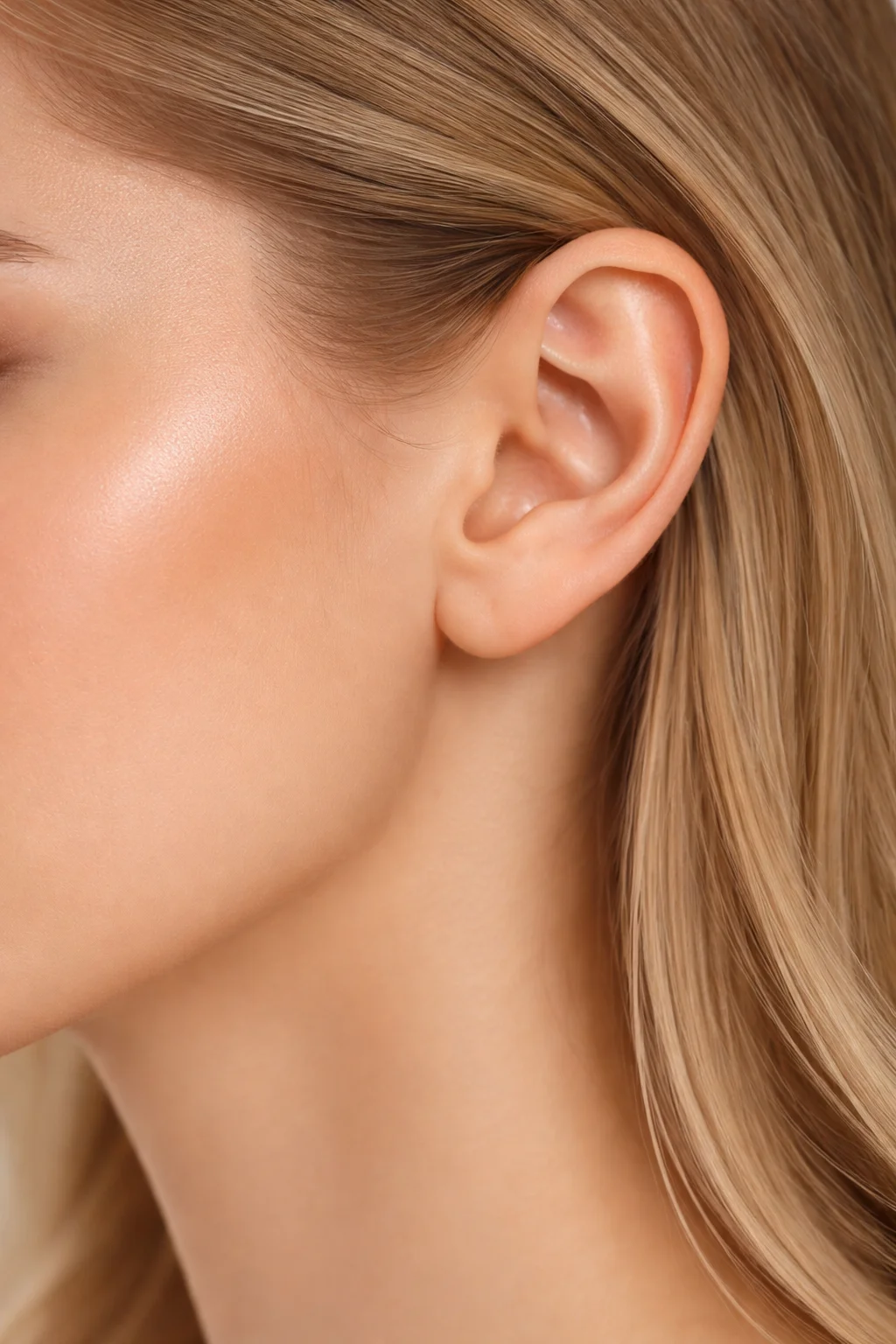
Jewelry Image
Edit Image
Upscale Image
Comment utiliser ce template
Étape 1 : Importez votre fichier
Dans le nœud « Subject Image », importez le fichier que vous souhaitez traiter.
Étape 2 : Importez votre fichier
Dans le nœud « Jewelry Image », importez le fichier que vous souhaitez traiter.
Étape 3 : Exécutez le workflow
Cliquez sur le bouton « Exécuter » pour lancer le workflow et obtenir le résultat final.
Personnalisez le workflow sous-jacent
Ouvrez le workflow complet dans l’éditeur AI-Flow pour changer de modèle, réécrire les prompts ou le connecter à d’autres étapes.
À qui s’adresse ce template ?
Idéal pour les professionnels et les créateurs qui souhaitent simplifier leur workflow
Marques et détaillants de bijoux
Produisez à grande échelle des visuels portés pour vos fiches produit, lookbooks et lancements saisonniers, sans réserver de studio.
Vendeurs e-commerce sur Shopify, Etsy et Amazon
Créez des images lifestyle orientées conversion, conformes aux règles des plateformes et propices à un meilleur taux de clic.
Photographes produit et studios
Enrichissez vos banques de prises de vue en incrustant des références supplémentaires sur des modèles existants, pour élargir rapidement vos livrables.
Équipes marketing et growth
Testez des variantes créatives pour la publicité, l’e-mailing et les réseaux sociaux en quelques minutes, tout en conservant la cohérence de marque.
Agences et producteurs de catalogues
Générez des visuels cohérents et fidèles à la marque sur de larges assortiments, avec des formats et une qualité maîtrisés.
Fondateurs DTC et petites boutiques
Obtenez des visuels portés professionnels dès le début du cycle produit, sans séance photo coûteuse.
Revendeurs sur marketplaces
Transformez rapidement de simples photos produit en images lifestyle conformes aux standards des annonces et attractives pour les acheteurs.
Prêt à créer ?
Commencez à utiliser cette application
Aucune configuration requise — ouvrez l’application et commencez à créer en quelques minutes
Vous aimerez peut-être aussi
Explorez d’autres templates puissants pour enrichir votre workflow IA
Génération et retouche avec Nano Banana 2.1
Générez et retouchez des images de haute qualité avec Nano Banana 2.1 de Google : meilleur respect du prompt, typographie plus fiable, qualité visuelle renforcée et cohérence multi-tour.

Génération d’images avec GPT Image 2.5 Flare
Générez des images haute fidélité avec GPT Image 2.5 Flare, optimisé pour la typographie réaliste, les écritures multilingues, les mises en page structurées et les formats prêts à imprimer jusqu’en 4K, pour affiches, bandes dessinées, marketing, maquettes UI et réseaux sociaux.

Génération d’images avec GPT Image 2.5 Sunburst
Générez des images haute fidélité avec GPT Image 2.5 Sunburst, optimisé pour la typographie réaliste, les écritures multilingues, les mises en page structurées et les formats prêts à imprimer jusqu’en 4K, pour affiches, bandes dessinées, marketing, maquettes UI et réseaux sociaux.

Générateur IA de photos produit de soin
Transformez une seule image de crème, de sérum ou de pot cosmétique en shooting complet : une grille 2 × 2 et quatre visuels recadrés (plan large, plan moyen, gros plan, angle créatif), porté ou produit seul, pour l'e-commerce beauté, les marketplaces et la publicité.

Générateur IA de photos produit de crème solaire
Transformez une seule image de tube ou de flacon solaire en shooting complet : une grille 2 × 2 et quatre visuels recadrés (plan large, plan moyen, gros plan, angle créatif), porté ou produit seul, pour l'e-commerce beauté, les marketplaces et la publicité.

Générateur IA de mockups de t-shirts
Transformez une seule image de t-shirt en mockups print-on-demand portés : une grille 2 × 2 et quatre visuels recadrés (plan large, plan moyen, gros plan sur l'impression, angle créatif), pour Etsy, Shopify et vos boutiques POD.
Questions fréquentes
Comment fonctionne le générateur de maquettes de bijoux ?
Vous téléversez une image de modèle (Image 1) et une photo produit du bijou (Image 2). L’outil place le bijou sur la bonne zone du corps, avec une perspective et un éclairage justes, en préservant le visage, la pose, les vêtements et l’arrière-plan du modèle.
Quels types de bijoux sont pris en charge ?
La plupart des catégories courantes : boucles d’oreilles, ear cuffs, puces, colliers, pendentifs, ras-de-cou, bracelets, joncs et bagues. Les chaînes maille très fines, les superpositions ou les pièces largement masquées par les cheveux ou les vêtements peuvent nécessiter une retouche manuelle.
Le visage, le corps ou l’arrière-plan du modèle seront-ils modifiés ?
Non. Le visage, l’expression, les cheveux, la carnation, les vêtements, la pose et l’arrière-plan du modèle sont conservés exactement comme dans l’image d’origine. Seul le bijou est ajouté et intégré de manière réaliste.
Les résultats sont-ils réalistes ?
Le générateur accorde la direction et la couleur de la lumière, ajoute des micro-ombres de contact et une légère compression de la peau, préserve les propriétés réelles des matières et simule les reflets métalliques et l’éclat des pierres pour une finition professionnelle et photoréaliste.
Quelles images d’entrée fonctionnent le mieux ?
Utilisez des photos nettes et bien éclairées. Pour le bijou, une photo produit claire, avec peu d’arrière-plan et des couleurs fidèles, est idéale. Pour le modèle, assurez-vous que la zone concernée est visible (oreilles pour des boucles, décolleté pour un collier, mains pour une bague) et évitez les flous de mouvement marqués ou les contre-jours extrêmes.
Puis-je contrôler le recadrage et le format ?
Par défaut, le cadrage d’origine est préservé afin d’éviter tout recadrage indésirable. Vous pouvez éventuellement choisir des formats courants comme 1:1, 16:9, 4:3 ou 9:16 selon les besoins de chaque plateforme.
Puis-je placer plusieurs pièces sur une même image ?
Chaque exécution est optimisée pour une seule image de bijou. Pour montrer plusieurs pièces, modifiez le prompt du nœud de retouche et ajoutez-y un champ image supplémentaire pour chaque pièce.
Gère-t-il différentes carnations et conditions d’éclairage ?
Oui. Le bijou s’adapte à l’éclairage et au profil colorimétrique de la photo du modèle. Pour de meilleurs résultats, utilisez des images bien exposées avec une direction de lumière cohérente entre le bijou et le modèle.
Quels niveaux de qualité sont disponibles et comment fonctionne la tarification ?
Vous pouvez choisir une qualité de sortie basse, standard ou haute.
Comment améliorer encore les résultats ?
Accordez les angles entre le bijou et le modèle, utilisez des détourages produit propres, évitez les reflets marqués qui contredisent l’éclairage du modèle, et veillez à ce que la zone du corps concernée soit entièrement visible. Une légère retouche a posteriori peut affiner les hautes lumières et le contraste si nécessaire.
Puis-je utiliser les rendus à des fins commerciales ?
Oui, à condition de détenir les droits sur les images sources et sur l’image des personnes représentées, ou d’en avoir l’autorisation. Vérifiez toujours les droits d’usage commercial applicables dans votre pays et sur votre plateforme.
Y a-t-il des limites ?
Les occlusions importantes (cheveux masquant les oreilles), les géométries de chaîne très complexes, les écarts de perspective extrêmes ou les images d’entrée en basse résolution peuvent réduire le réalisme. Dans ces cas, envisagez d’autres angles ou une légère retouche manuelle après génération.
Qu’est-ce qu’AI-FLOW et comment peut-il m’aider ?
AI-FLOW est une plateforme d’IA tout-en-un qui vous permet de créer, d’intégrer et d’automatiser des workflows alimentés par l’IA grâce à une interface intuitive en glisser-déposer. Débutant ou expert, vous pouvez combiner plusieurs modèles d’IA pour créer des solutions innovantes sans écrire de code.
Un essai gratuit est-il disponible ?
Oui, AI-FLOW propose un essai gratuit pour commencer. Vous pouvez ensuite acheter des crédits selon vos besoins, sans abonnement ni engagement à long terme.
Puis-je intégrer mes clés API OpenAI, Replicate et d’autres fournisseurs dans la version Cloud d’AI-FLOW ?
Oui, vous pouvez facilement intégrer vos propres clés API à AI-FLOW. Les nœuds associés utiliseront alors votre clé, ce qui réduit considérablement votre consommation de crédits sur la plateforme.