
Retouche rapide avec P Image Edit
Éditeur IA multi-image prêt pour la production, en moins d’une seconde et pour un centime, offrant un excellent respect du prompt et un rendu de texte remarquable.
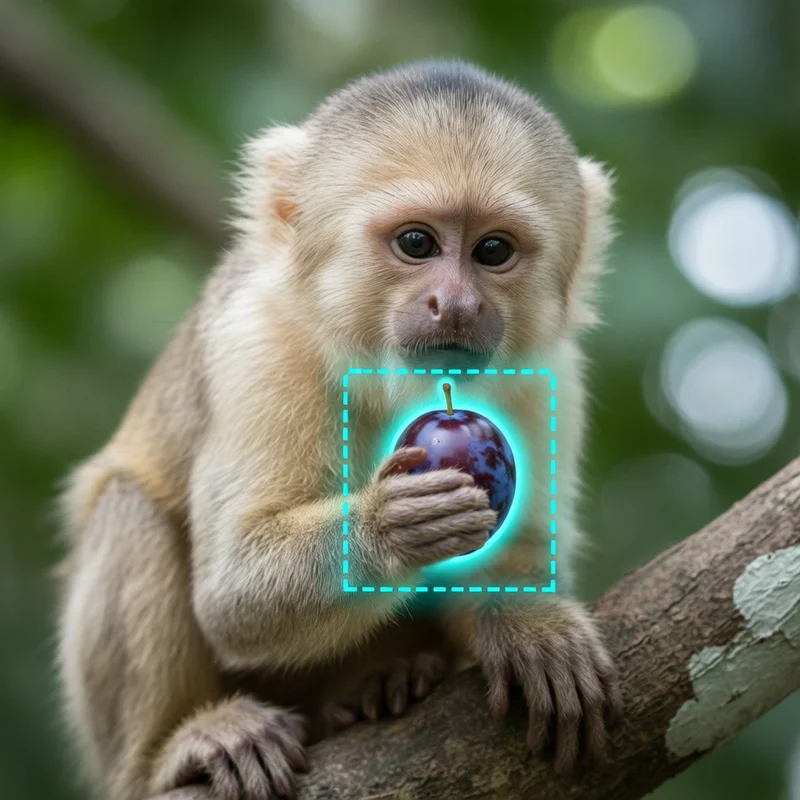
Aucune configuration requise · Entièrement personnalisable dans AI-Flow
Ce que fait cette application
P Image Edit (prunaai/p-image-edit) est un modèle de retouche d’images par IA rapide, économique et fiable, conçu pour des workflows de production réels. Il propose une retouche multi-images de premier plan en moins d’une seconde par requête, généralement autour de 0,01 $ par édition, tout en préservant une haute qualité visuelle, un respect précis du prompt et un excellent rendu du texte incrusté.
Capacités clés
Retouche et composition multi-images — référencez plusieurs images et désignez la cible principale de la retouche comme première image
Respect précis du prompt — décrivez clairement les modifications et désignez les entrées par « image 1 », « image 2 », etc.
Rendu de texte de qualité sur l’image (étiquettes, enseignes, vêtements, packaging)
Des préréglages variés via replicate_weights (relight, light_restoration, white_to_scene, fusion, add_characters, next_scene, style_consistency, subject_consistency, scene_consistency, to_anime, to_3dchibi, to_caricature, photous, extract_texture, apply_texture, upscale, anything_to_real, white_film_to_rendering)
Une latence inférieure à la seconde avec le mode turbo pour itérer vite ; désactivez-le pour les retouches plus complexes
Entrées
prompt (requis) — décrivez clairement la retouche. Référencez les images par leur index (par exemple « image 1 »).
images (optionnel) — une ou plusieurs images d’entrée ; placez l’image principale en premier.
aspect_ratio (optionnel) — match_input_image, 1:1, 16:9, 9:16, 4:3, 3:4, 3:2 ou 2:3.
seed (optionnel) — à définir pour des rendus reproductibles.
turbo (optionnel) — accélère l’inférence ; à désactiver pour les retouches très complexes.
disable_safety_checker (optionnel) — active ou désactive le contrôle de sécurité.
replicate_weights (optionnel) — sélectionne un préréglage spécialisé adapté à votre tâche.
Résultat - Une URL unique vers le fichier image retouché.
Ressources utiles
Page du modèle — https://replicate.com/prunaai/p-image-edit
Génération d’images (modèle jumeau) — https://replicate.com/prunaai/p-image
Documentation et conseils de prompt — https://docs.pruna.ai/en/docs-add-performance-pages/docs_pruna_endpoints/image_editing/advanced.html
Comment utiliser l’application
Voici ce que vous obtenez en ouvrant l’application : un formulaire court, un bouton d’exécution et vos résultats, sans nœuds ni configuration.
P Image Edit rapide
Aperçu de l’applicationRemplissez le formulaire
Prompt
RequisSaisissez prompt…
Aspect Ratio
Match Input Image
Seed
0
Images
Ajouter des images ou des fichiers
Mode
default
+1 option supplémentaire dans l’application
≈ 1 crédits / exécution
Récupérez votre résultat
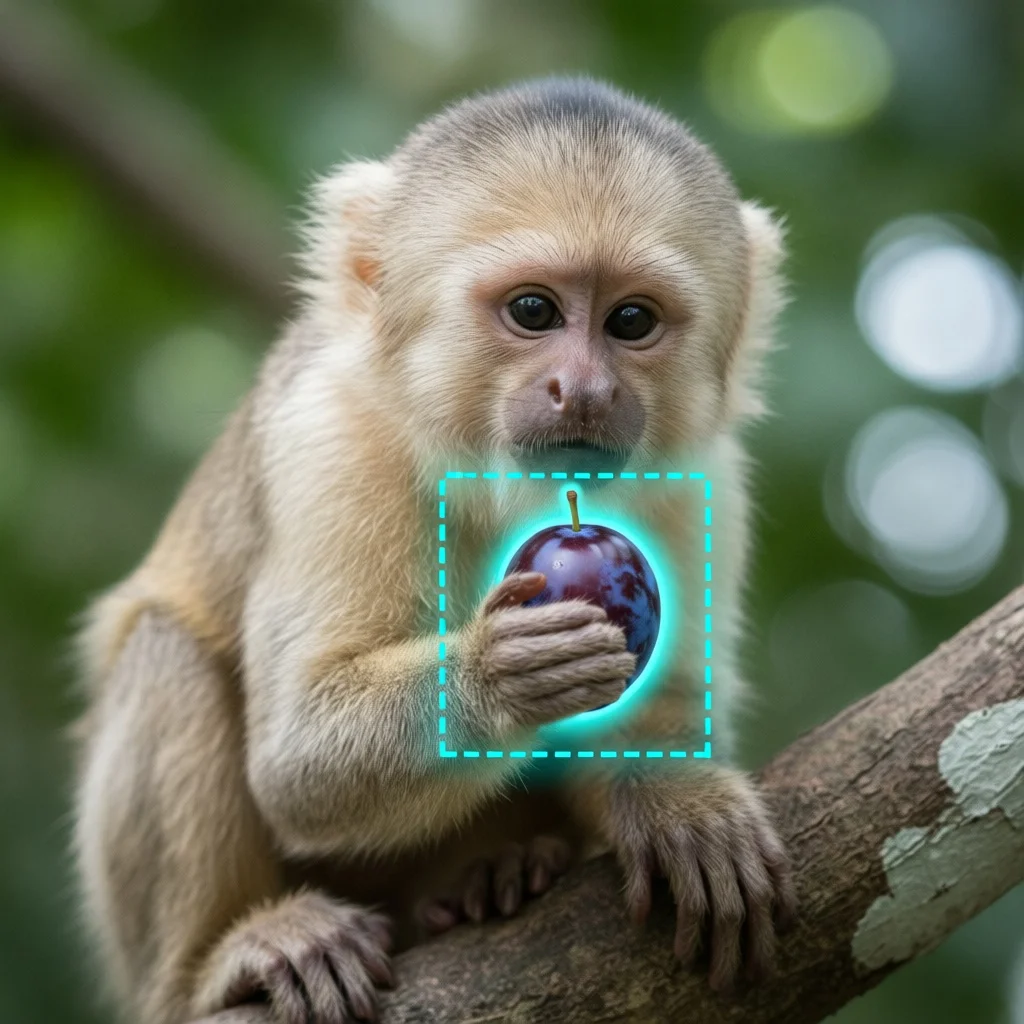
Résultat réel généré avec cette application
Sous le capot
Vous souhaitez plus de contrôle ?
Cette application repose sur un workflow AI-Flow entièrement modifiable. Changez le modèle, les prompts, la disposition ou la résolution, ou connectez-le à d’autres étapes.
List
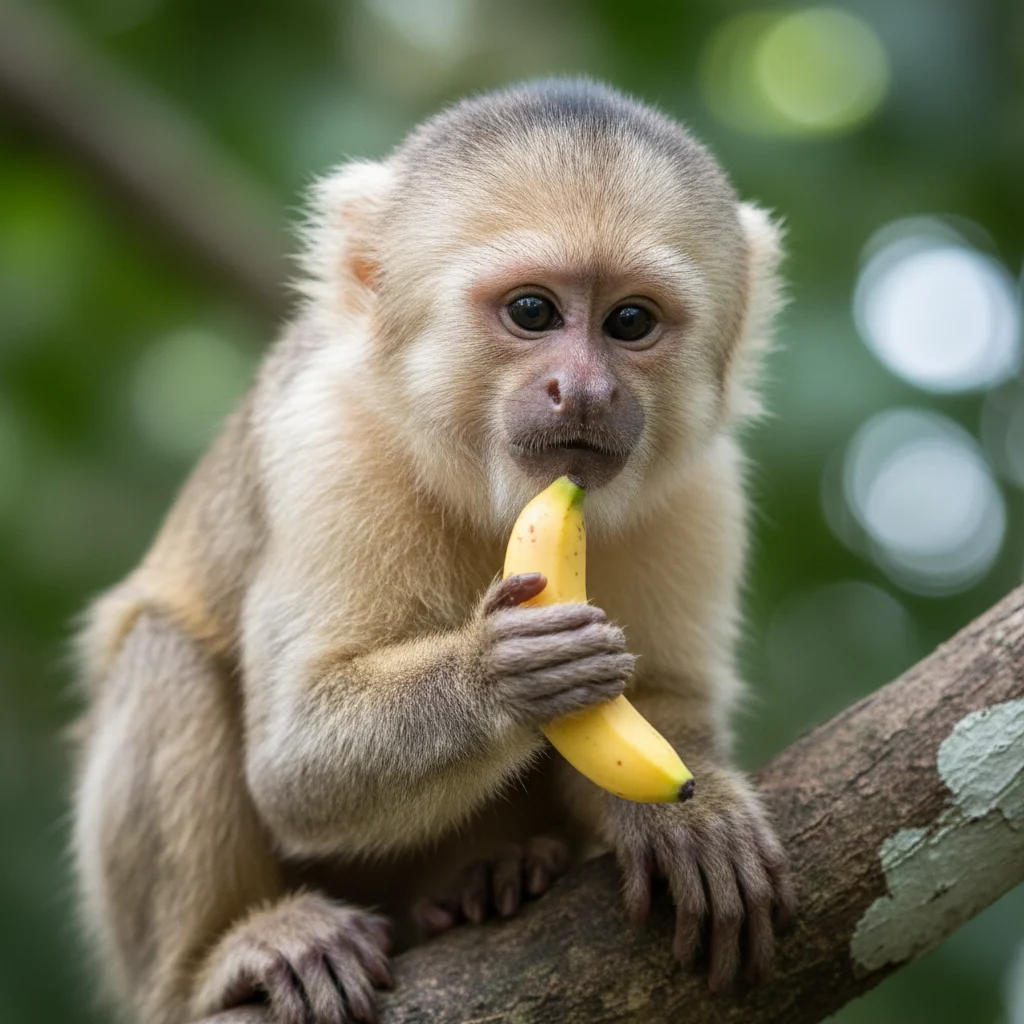
Text
replace the banana by a small prune. Around the prune, a visible digital selection outline like in photo-editing software — a teal dashed squared selection border with soft glowing. The prune appears as if it has been selected with an editing tool.
P Image Edit
Comment utiliser ce template
Étape 1 : Saisissez votre texte dans le nœud « Texte »
Dans le nœud « Texte », saisissez vos instructions.
replace the banana by a small prune. Around the prune, a visible digital selection outline like in photo-editing software — a teal dashed squared selection border with soft glowing. The prune appears as if it has been selected with an editing tool.
Étape 2 : Importez vos fichiers
Dans le nœud « Liste », importez les fichiers que vous souhaitez utiliser dans le workflow.
Étape 3 : Exécutez le workflow
Cliquez sur le bouton « Exécuter » pour lancer le workflow et obtenir le résultat final.
Personnalisez le workflow sous-jacent
Ouvrez le workflow complet dans l’éditeur AI-Flow pour changer de modèle, réécrire les prompts ou le connecter à d’autres étapes.
À qui s’adresse ce template ?
Idéal pour les professionnels et les créateurs qui souhaitent simplifier leur workflow
E-commerce et marketplaces
Automatisez les changements d’arrière-plan, les remises en lumière et le nettoyage de visuels produit à grande échelle, avec des résultats cohérents et une faible latence.
Équipes marketing et growth
Itérez rapidement sur vos créations publicitaires, vos variantes saisonnières et vos compositions multi-visuels, sans workflow manuel laborieux.
Créateurs de contenu et community managers
Réalisez des retouches rapides et de qualité, ajoutez du texte et recomposez des scènes à partir de plusieurs références pour vos publications et miniatures.
Designers produit et équipes de marque
Maintenez la cohérence de style, de sujet et de décor sur l’ensemble de vos campagnes grâce aux préréglages dédiés.
Développeurs et créateurs de plateformes
Intégrez une API de retouche d’images fiable, peu coûteuse et à faible latence dans vos applications, pipelines et outils d’automatisation.
Studios et agences
Traitez les demandes clients en temps réel, avec un contrôle précis par le prompt et une grande fidélité visuelle.
Prêt à créer ?
Commencez à utiliser cette application
Aucune configuration requise — ouvrez l’application et commencez à créer en quelques minutes
Vous aimerez peut-être aussi
Explorez d’autres templates puissants pour enrichir votre workflow IA

Génération d’images avec GPT Image 2.5 Flare
Générez des images haute fidélité avec GPT Image 2.5 Flare, optimisé pour la typographie réaliste, les écritures multilingues, les mises en page structurées et les formats prêts à imprimer jusqu’en 4K, pour affiches, bandes dessinées, marketing, maquettes UI et réseaux sociaux.

Génération d’images avec GPT Image 2.5 Sunburst
Générez des images haute fidélité avec GPT Image 2.5 Sunburst, optimisé pour la typographie réaliste, les écritures multilingues, les mises en page structurées et les formats prêts à imprimer jusqu’en 4K, pour affiches, bandes dessinées, marketing, maquettes UI et réseaux sociaux.

Générateur IA de photos produit de soin
Transformez une seule image de crème, de sérum ou de pot cosmétique en shooting complet : une grille 2 × 2 et quatre visuels recadrés (plan large, plan moyen, gros plan, angle créatif), porté ou produit seul, pour l'e-commerce beauté, les marketplaces et la publicité.

Générateur IA de photos produit de crème solaire
Transformez une seule image de tube ou de flacon solaire en shooting complet : une grille 2 × 2 et quatre visuels recadrés (plan large, plan moyen, gros plan, angle créatif), porté ou produit seul, pour l'e-commerce beauté, les marketplaces et la publicité.

Générateur IA de mockups de t-shirts
Transformez une seule image de t-shirt en mockups print-on-demand portés : une grille 2 × 2 et quatre visuels recadrés (plan large, plan moyen, gros plan sur l'impression, angle créatif), pour Etsy, Shopify et vos boutiques POD.
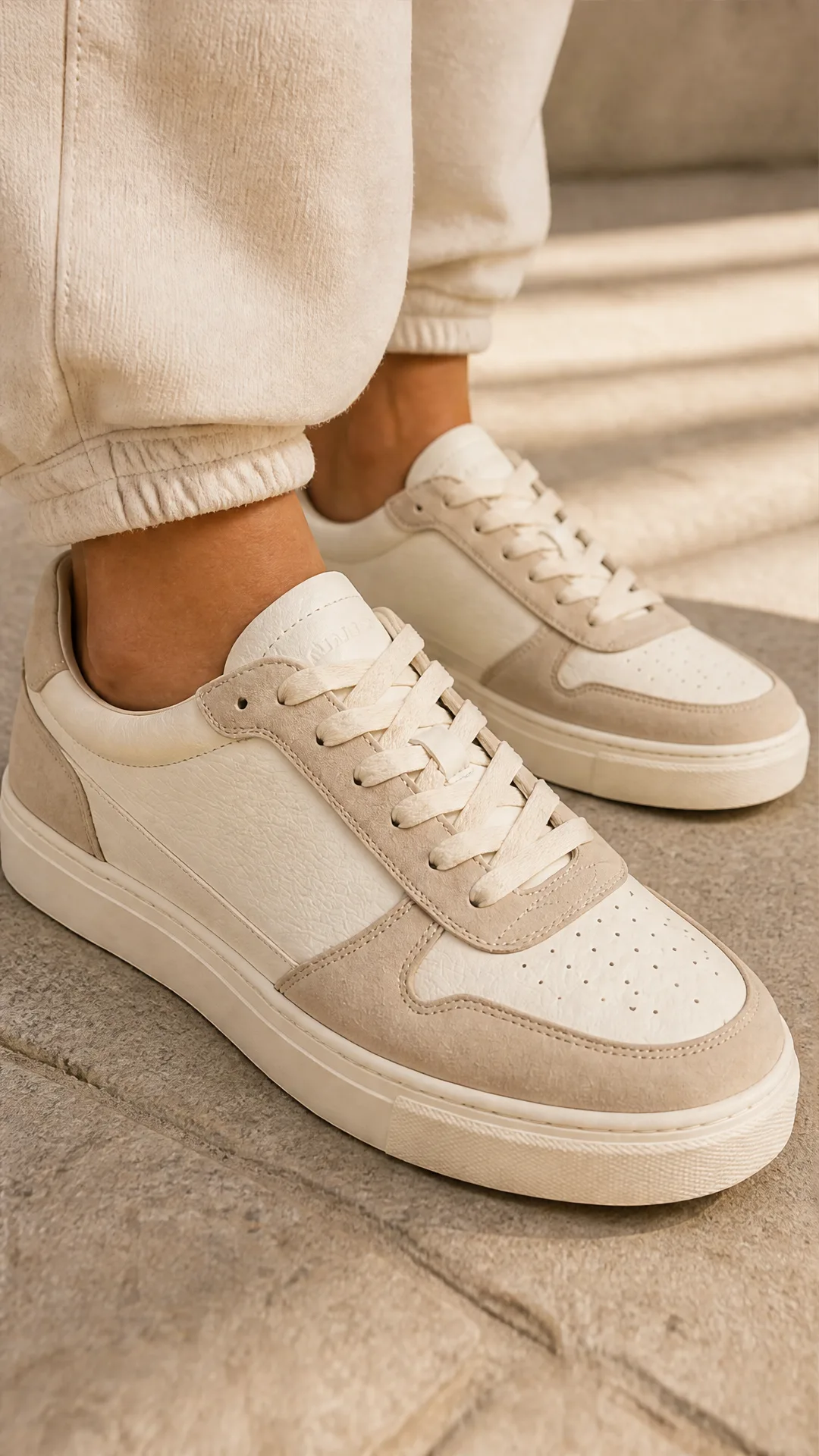
Générateur IA de photos produit de sneakers
Générez des photos produit de sneakers à partir d'une seule image de chaussure : une grille 2 × 2 et quatre visuels recadrés (plan large, plan moyen, gros plan, angle créatif), en mode porté ou produit seul, pour vos fiches e-commerce, marketplaces et publicités.
Questions fréquentes
Qu’est-ce que P Image Edit ?
C’est un éditeur d’images par IA de qualité production (prunaai/p-image-edit), optimisé pour une latence inférieure à la seconde, un coût d’environ 0,01 $ par édition, des entrées multi-images et un excellent respect du prompt, avec un rendu de texte remarquable.
Comment référencer plusieurs images dans mon prompt ?
Téléversez d’abord l’image principale, puis les références supplémentaires. Dans votre prompt, désignez-les par « image 1 », « image 2 », et ainsi de suite.
Quand utiliser le mode turbo ?
Utilisez le turbo pour obtenir les résultats les plus rapides et itérer vite. Pour des retouches plus complexes ou lorsque vous visez une fidélité maximale, désactivez-le.
À quoi sert replicate_weights ?
Ce paramètre sélectionne des préréglages de retouche spécialisés (relight, fusion, add_characters, style_consistency, subject_consistency, scene_consistency, to_anime, to_3dchibi, to_caricature, photous, extract_texture, apply_texture, upscale, anything_to_real, white_film_to_rendering) pour mieux coller à votre tâche.
Puis-je contrôler le format de sortie ?
Oui. Utilisez aspect_ratio pour fixer un format cible, ou choisissez match_input_image pour reprendre celui de la première image.
Comment obtenir des résultats reproductibles ?
Définissez une valeur de graine (seed). Avec les mêmes entrées, le même prompt et la même configuration, une graine identique produira des rendus cohérents.
Le rendu de texte sur l’image est-il pris en charge ?
Oui. Le modèle est optimisé pour un rendu de texte incrusté de qualité, utile pour les étiquettes, les enseignes, les vêtements et les maquettes d’interface.
À quoi sert le contrôle de sécurité ?
Le contrôle de sécurité aide à éviter la génération de contenus problématiques. Vous pouvez le désactiver en réglant disable_safety_checker sur true si votre usage et vos règles internes l’exigent.
En quoi diffère-t-il de P Image (génération) ?
P Image Edit transforme des images existantes à l’aide de prompts et de références. Pour créer des images à partir d’un simple texte, utilisez le modèle de génération P Image : https://replicate.com/prunaai/p-image
Que renvoie le modèle ?
Une URL unique pointant vers le fichier image retouché, que vous pouvez télécharger ou afficher directement.
Qu’est-ce qu’AI-FLOW et comment peut-il m’aider ?
AI-FLOW est une plateforme d’IA tout-en-un qui vous permet de créer, d’intégrer et d’automatiser des workflows alimentés par l’IA grâce à une interface intuitive en glisser-déposer. Débutant ou expert, vous pouvez combiner plusieurs modèles d’IA pour créer des solutions innovantes sans écrire de code.
Un essai gratuit est-il disponible ?
Oui, AI-FLOW propose un essai gratuit pour commencer. Vous pouvez ensuite acheter des crédits selon vos besoins, sans abonnement ni engagement à long terme.
Puis-je intégrer mes clés API OpenAI, Replicate et d’autres fournisseurs dans la version Cloud d’AI-FLOW ?
Oui, vous pouvez facilement intégrer vos propres clés API à AI-FLOW. Les nœuds associés utiliseront alors votre clé, ce qui réduit considérablement votre consommation de crédits sur la plateforme.