
Nano Banana 2.1
Generate and edit high-quality images with Google Nano Banana 2.1, the latest high-efficiency Gemini image model with stronger prompt adherence, typography, visual quality, and multi-turn consistency.
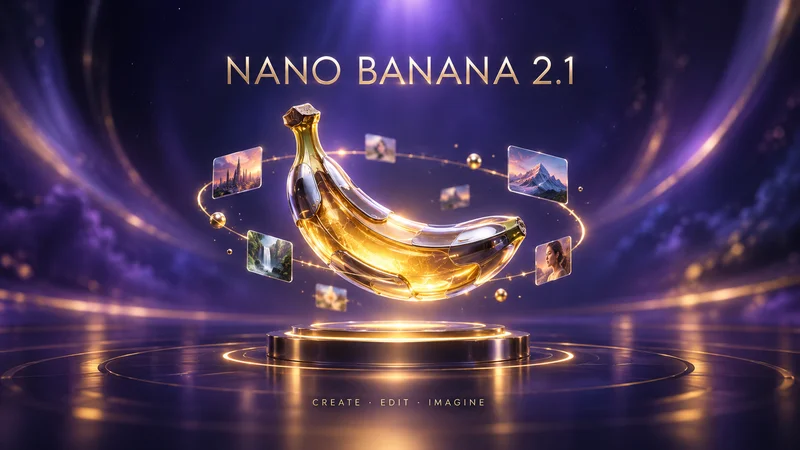
No workflow setup required · Fully customizable in AI-Flow
What This App Does
Nano Banana 2.1 is Google’s latest high-efficiency model for image generation and conversational editing. It keeps Flash-level speed and cost efficiency while improving realism, prompt adherence, text rendering, and consistency across iterative edits.
What it does
Generates polished images from natural-language prompts
Edits and transforms existing images with conversational instructions
Combines up to 14 reference images, including consistent characters and objects
Produces more accurate typography, posters, diagrams, and marketing layouts
Outputs 1K, 2K, or 4K images in common square, portrait, and landscape ratios
How to use it
- 1
Describe the subject, composition, style, lighting, and any exact text.
- 2
Optionally add reference images to preserve an identity, product, or art direction.
- 3
Choose the aspect ratio and resolution that match your destination.
- 4
Run the workflow to receive a directly usable image URL.
Typical uses include campaign visuals, product imagery, social content, covers, infographics, concept art, and iterative image editing. Estimated AI-Flow pricing starts at 3.56 credits for 1K, 5.33 credits for 2K, and 7.99 credits for 4K, plus 0.12 credits per reference image.
How to Use the App
Here’s what you get when you open the app: a short form, one run button, your results — no nodes, no setup.
Nano Banana 2.1
App previewFill in the form
Prompt
RequiredType your prompt…
Aspect Ratio
Optional16:9
Images
OptionalAdd images or files
Resolution
Optional1K
≈ 4 credits / run
Get your result
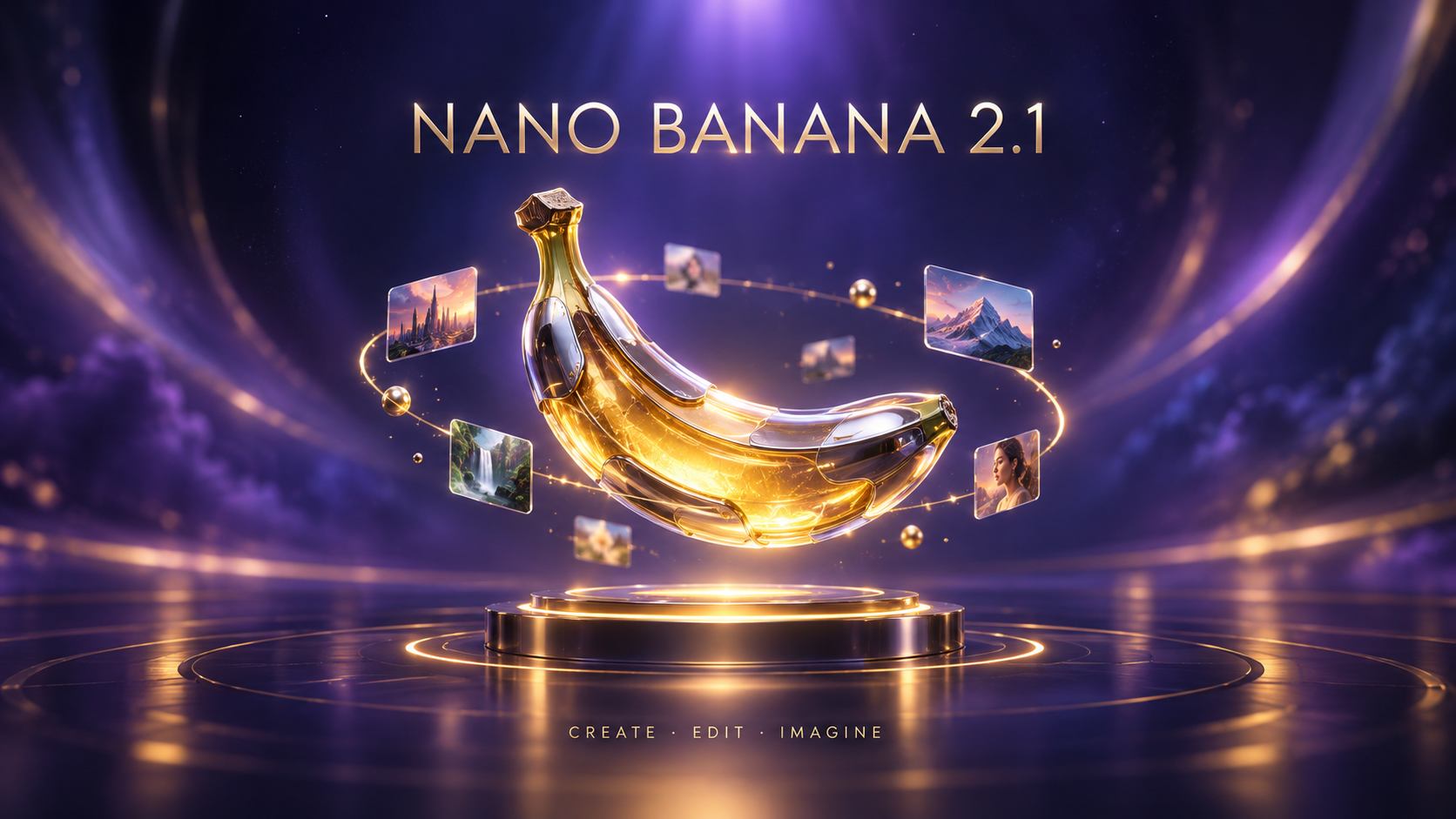
Real output generated with this app
Under the Hood
Want more control?
This app is powered by a fully editable AI-Flow workflow. Change the model, prompts, layout, resolution — or connect it to other steps.
Prompt
Premium cinematic AI image-generation showcase poster, wide landscape canvas with all important content inside the central square-safe area. In the exact center, a highly detailed futuristic banana-shaped creative artifact made of translucent golden glass a...
Gemini Image
How to Use This Template
Step 1: Enter your text in 'Prompt' Node
Fill the 'Prompt' node with the required text.
Premium cinematic AI image-generation showcase poster, wide landscape canvas with all important content inside the central square-safe area. In the exact center, a highly detailed futuristic banana-shaped creative artifact made of translucent golden glass and polished chrome floats above a compact circular pedestal, surrounded by a subtle luminous ring and a few tiny orbiting image tiles. Deep indigo-to-violet studio gradient, restrained gold highlights, elegant depth. Add the exact title “NANO BANANA 2.1” in crisp modern uppercase typography centered above the artifact, and the small centered subtitle “CREATE · EDIT · IMAGINE” below it. Keep all text and the full subject inside the central square-safe zone. Outer areas contain only atmospheric gradient. Professional SaaS launch artwork, legible at thumbnail size, no logos, no watermark.
Step 2: Run the Flow
Click the 'Run' button to execute the flow and get the final output.
Customize the underlying workflow
Open the full workflow in the AI-Flow editor to swap models, rewrite prompts, or connect it to other steps.
Who is this for?
Perfect for professionals and creators looking to streamline their workflow
Designers and creative teams
Create campaign-ready visuals, layouts, and rapid design variations with reliable typography and composition.
Marketing and brand teams
Produce ads, social assets, posters, and localized creative with clear text and consistent visual direction.
E-commerce and product teams
Build product scenes, lifestyle images, and controlled variations from reusable visual references.
Content creators
Turn briefs into polished thumbnails, covers, illustrations, and social visuals with fast iteration.
Developers building AI features
Integrate efficient image generation and conversational editing into applications through a ready-to-use workflow or API.
Ready to create?
Start using this app
No workflow setup required — open the app and start creating in minutes
You Might Also Like
Explore other powerful templates to enhance your AI workflow

GPT Image 2.5 Flare
Generate high-fidelity images with GPT Image 2.5 Flare, optimized for real typography, multilingual scripts, structured layouts, and print-ready formats up to 4K—ideal for editorial posters, comics, marketing assets, UI comps, and social graphics.

GPT Image 2.5 Sunburst
Generate high-fidelity images with GPT Image 2.5 Sunburst, optimized for real typography, multilingual scripts, structured layouts, and print-ready formats up to 4K—ideal for editorial posters, comics, marketing assets, UI comps, and social graphics.

AI Skincare Product Photo Generator
Turn one cream, serum, or cosmetic jar image into a full skincare photoshoot: a 2x2 grid plus four cropped shots (wide, medium, close-up, creative), on-model or product-only, for beauty ecommerce, marketplaces, and ads.

AI Sunscreen Product Photo Generator
Turn one sunscreen tube or bottle image into a full suncare photoshoot: a 2x2 grid plus four cropped shots (wide, medium, close-up, creative), on-model or product-only, for beauty ecommerce, marketplaces, and ads.

AI T-Shirt Mockup Generator
Turn one t-shirt design image into on-model print-on-demand mockups: a 2x2 photoshoot grid plus four cropped shots (wide, medium, close-up on the print, creative), for Etsy, Shopify, and POD storefronts.
AI Sneaker Product Photo Generator
Generate sneaker product photos from a single shoe image: a 2x2 photoshoot grid plus four cropped shots (wide, medium, close-up, creative), in on-foot or product-only mode, for ecommerce listings, marketplaces, and ads.
Frequently Asked Questions
What is Nano Banana 2.1?
It is Google’s latest high-efficiency Gemini model for image generation and conversational editing, improving visual quality, prompt adherence, text rendering, and multi-turn consistency over Nano Banana 2.
What resolutions are available?
The workflow supports 1K, 2K, and 4K outputs. Use 1K for economical iteration, 2K for most production assets, and 4K when final delivery needs extra detail.
Can I edit an existing image?
Yes. Add one or more reference images and describe what should change and what must stay consistent.
How many reference images can I use?
Nano Banana 2.1 can combine up to 14 references, with high-fidelity support for up to 10 objects and character consistency for up to 4 characters.
Is it good at rendering text?
Yes. Version 2.1 improves text rendering and infographic layout accuracy. Put exact wording in quotation marks and specify its placement for the best result.
Which aspect ratios can I select here?
This workflow exposes 1:1, 16:9, 9:16, 4:3, 3:4, or matching the input image, covering the most common web, social, and presentation formats.
How much does it cost?
Estimated pricing is 3.56 credits at 1K, 5.33 credits at 2K, and 7.99 credits at 4K, plus 0.12 credits per reference image.
How should I write the prompt?
Specify the subject, composition, style, lighting, palette, and exact text. For editing, explicitly separate what to change from what to preserve.
Can I use this workflow through the API?
Yes. Send a prompt and optional image references, aspect ratio, and resolution. The flow returns the generated image URL.
What is AI-FLOW and how can it help me?
AI-FLOW is an all-in-one AI platform that allows you to build, integrate, and automate AI-powered workflows using an intuitive drag-and-drop interface. Whether you're a beginner or an expert, you can leverage multiple AI models to create innovative solutions without any coding required.
Is there a free trial available?
Yes, AI-FLOW offers a free trial to get you started. After that, you can purchase credits as needed—no subscription or long-term commitment required.
Can I integrate my API keys from providers like OpenAI and Replicate with AI-FLOW Cloud Version ?
Yes, you can easily integrate your existing API keys with AI-FLOW. If specified, nodes related to the API key provided will use your API key, significantly reducing your platform credit usage.