
Créer des vidéos produit à partir d’images avec Seedance 2.0
Créez des vidéos produit cinématographiques à partir d’images avec Seedance 2.0. Transformez des photos de produit, des environnements et des logos en publicités animées et soignées en quelques secondes.
Aperçu du workflow
Fonctionnement du template Créer des vidéos produit à partir d’images avec Seedance 2.0
Prompt
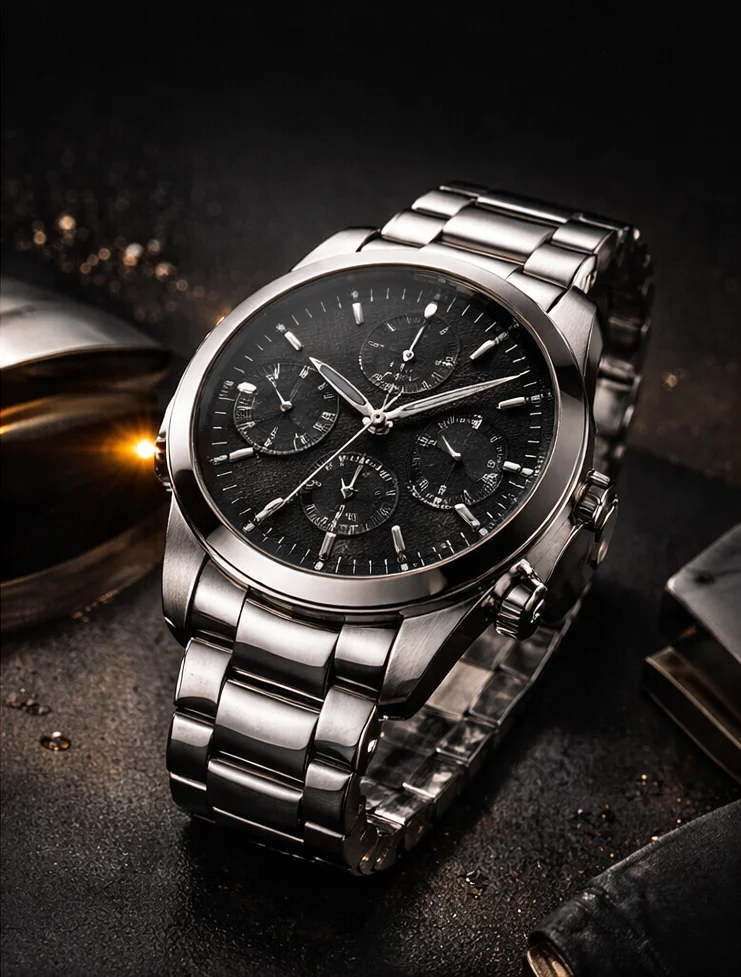
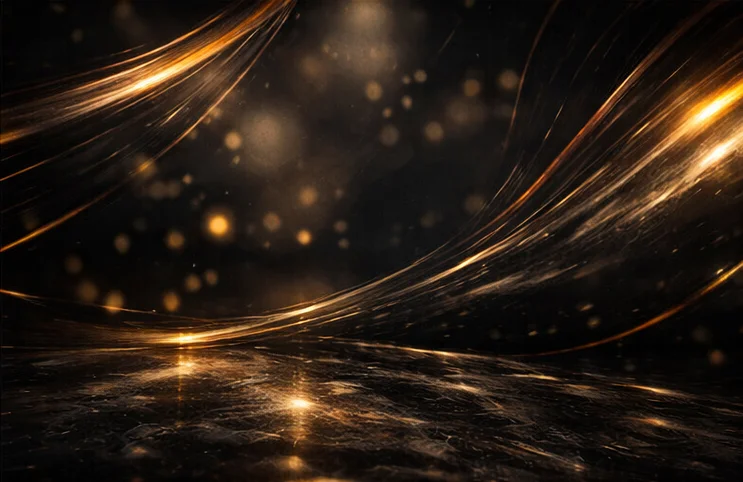
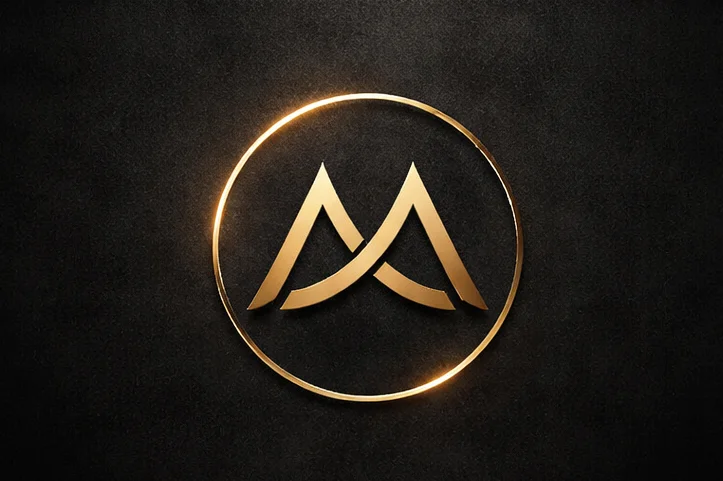
Subject: Luxury wristwatch from [Image1], premium stainless steel design, black dial, highly detailed, reflective surfaces References Usage: use the watch from [Image1] as the main subject use [Image2] as the environment and background style (dark luxury, g...
List
Seedance 2.0
À propos de ce template
Transform your product images into high-quality marketing videos with Seedance 2.0. Upload your product, background/environment, and brand logo, then describe the motion and style you want. The model composes everything into a cohesive scene with realistic lighting, reflections, and smooth camera moves—no filming or manual editing required.
Built for ecommerce and performance marketing, this template preserves the exact look and proportions of your product while adding premium motion design: hero reveals, slow orbits, push-ins, particle accents, and clean logo outros. It’s ideal for social ads, PDP videos, launch teasers, and brand content that needs to look production-ready—fast.
You control the narrative with a structured prompt (Subject, References, Animation, Camera, Style, Final Moment, Constraints). Provide multiple reference images to guide environment, materials, and brand identity. Optionally enable synchronized audio for music, SFX, or simple VO.
Choose aspect ratios for any platform, set duration, and export in crisp 720p. Go from static assets to a cinematic, on-brand product video in minutes.
Comment utiliser ce template
Étape 1 : Saisissez votre texte dans le nœud « Prompt »
Renseignez le nœud « Prompt » avec le texte demandé.
Subject:
Luxury wristwatch from [Image1], premium stainless steel design, black dial, highly detailed, reflective surfaces

References Usage:
use the watch from [Image1] as the main subject
use [Image2] as the environment and background style (dark luxury, golden reflections, abstract light streaks)
use [Image3] as the brand logo for the final reveal

Animation:
The watch appears in darkness → soft golden light sweeps across the surface revealing details → the watch slowly rotates in place → subtle particles and reflections move in the background → transition to a clean hero angle

Camera:
slow cinematic orbit around the watch → smooth push-in toward the dial → final centered framing

Style:
luxury commercial, high contrast lighting, deep blacks and gold highlights, clean and premium, cinematic product ad

Final Moment (KEY):
The scene fades slightly darker → [Image3] logo appears with a soft golden glow → logo centered, clean, minimal background

Constraints:
no deformation of the watch, preserve exact product shape from [Image1]
no distortion, no extra elements
clean reflections, smooth motion
logo from [Image3] must be sharp and readable
Étape 2 : Importez vos fichiers
Dans le nœud « Liste », importez les fichiers que vous souhaitez utiliser dans le workflow.
Étape 3 : Exécutez le workflow
Cliquez sur le bouton « Exécuter » pour lancer le workflow et obtenir le résultat final.
À qui s’adresse ce template ?
Idéal pour les professionnels et les créateurs qui souhaitent simplifier leur workflow
Ecommerce brands and DTC founders
Quickly turn product photos into scroll-stopping video ads and PDP loops without a studio or editor.
Performance marketers and growth teams
Produce high-converting creative variations across aspect ratios and channels in minutes.
Creative directors and motion designers
Prototype cinematic product reveals and logo outros rapidly, then refine with prompt-level control.
Agencies and production studios
Scale premium-looking product videos for multiple SKUs and clients while preserving brand fidelity.
Marketplace and retail sellers
Upgrade listings with professional motion, lighting, and hero angles from existing product shots.
Content creators and social teams
Generate platform-ready vertical or horizontal product videos tailored to each channel’s best practices.
Prêt à construire ?
Commencez à utiliser ce template
Ouvrez-le directement dans AI-Flow et commencez à créer en quelques minutes
Vous aimerez peut-être aussi
Explorez d’autres templates puissants pour enrichir votre workflow IA
Génération vidéo avec Kling V2.6
Kling V2.6 est un générateur vidéo IA professionnel qui transforme du texte ou une image en clips cinématographiques 1080p aux mouvements fluides, avec audio natif synchronisé : dialogues, ambiance et effets.
Workflow de création de publicité UGC — Du script à la vidéo
Créateur complet de publicités UGC qui transforme une photo du sujet, une photo du produit et un script facultatif en une première image prête à l’emploi, puis en une vidéo verticale de 8 s avec voix et mouvements naturels de caméra à main levée.
Générer des animations réalistes de synchronisation labiale à partir d’un audio
Générez des animations réalistes de synchronisation labiale à partir de n’importe quelle piste audio. PixVerse Lipsync aligne naturellement les mouvements de la bouche, le rythme de la parole et les expressions.
Génération vidéo avec Kling V2.5 Turbo Pro
Kling 2.5 Turbo Pro permet de créer des vidéos de niveau professionnel à partir de texte ou d’images, avec des mouvements fluides, une profondeur cinématographique et un excellent respect du prompt.
Sora 2
Latest version of Sora, with higher-fidelity video, context-aware audio, reference image support
Génération vidéo avec Veo 3.1
Nouvelle version améliorée de Veo 3, avec une vidéo plus fidèle, un audio sensible au contexte et la prise en charge d’une image de référence et de la dernière image.
Questions fréquentes
What does this template do?
It converts your product images into polished product videos using Seedance 2.0—combining your subject, environment, and logo into a cinematic ad with realistic lighting, reflections, and smooth camera movement.
What assets should I upload?
At minimum, a high-quality product image. For best results, add a background/environment reference and a brand logo for the final reveal. You can also include optional reference audio for rhythm, SFX, or VO guidance.
How many reference images can I use?
You can provide multiple references (e.g., product, environment, logo) and reference them in your prompt as [Image1], [Image2], [Image3], etc. This helps with style consistency and scene composition.
Does it preserve the exact product shape and details?
Yes. The template is designed to avoid deformation and keep your product’s geometry and key details intact, including materials, dial faces, and logos on the item.
Can I control camera moves and lighting?
Yes. Use the prompt to define animation beats (reveal, rotation, hero angle), camera paths (orbit, push-in, centered framing), and lighting style (high contrast, golden highlights, deep blacks, etc.).
Does it support audio?
Yes. You can enable synchronized audio to generate background music and SFX. If you include dialogue in quotation marks within your prompt, the model will sync it to the video. You can also provide short reference audio clips.
Which aspect ratios and durations are supported?
Common aspect ratios such as 16:9, 9:16, 1:1, and more are supported. Set durations up to 15 seconds, or choose a shorter length for snappier ads.
What output quality can I expect?
The template generates smooth, cinematic motion with realistic lighting and reflections, and exports up to 720p by default for crisp social-ready results.
Can I create a logo reveal at the end?
Absolutely. Include your logo as a reference image and describe the final moment (e.g., fade to darker scene, soft golden glow, centered minimal background) to produce a clean branded outro.
Can I start from a specific first or last frame?
Yes, you can guide the first and/or last frame for storyboard-like control. Note that this cannot be combined with multiple reference images in the same run.
Any tips for best results?
Use high-resolution, well-lit product photos with clear edges; add an environment reference that matches your desired mood; keep prompts structured and specific; and avoid cluttered backgrounds that compete with the subject.
What types of content is this best for?
Premium product showcases, launch teasers, PDP loops, paid social ads, and brand videos that benefit from cinematic lighting, subtle particles, and controlled camera motion.
Qu’est-ce qu’AI-FLOW et comment peut-il m’aider ?
AI-FLOW est une plateforme d’IA tout-en-un qui vous permet de créer, d’intégrer et d’automatiser des workflows alimentés par l’IA grâce à une interface intuitive en glisser-déposer. Débutant ou expert, vous pouvez combiner plusieurs modèles d’IA pour créer des solutions innovantes sans écrire de code.
Un essai gratuit est-il disponible ?
Oui, AI-FLOW propose un essai gratuit pour commencer. Vous pouvez ensuite acheter des crédits selon vos besoins, sans abonnement ni engagement à long terme.
Puis-je intégrer mes clés API OpenAI, Replicate et d’autres fournisseurs dans la version Cloud d’AI-FLOW ?
Oui, vous pouvez facilement intégrer vos propres clés API à AI-FLOW. Les nœuds associés utiliseront alors votre clé, ce qui réduit considérablement votre consommation de crédits sur la plateforme.