
Générateur IA de shootings photo de mode
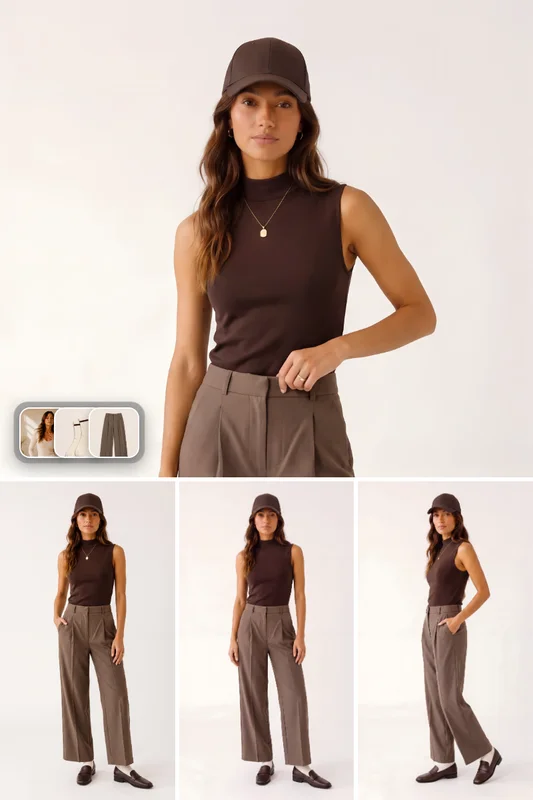
Générez des photos de mode photoréalistes portées à partir d’une photo du sujet et de vêtements de référence. Créez des prises de vue principales et des galeries de poses pour lookbooks, pages produit e-commerce et campagnes sociales, en respectant fidèlement la couleur, le tissu et la coupe.
Aucune configuration requise · Entièrement personnalisable dans AI-Flow
Ce que fait cette application
Générateur de shootings photo de mode transforme une simple photo de sujet et des images de référence de vêtements en visuels portés, prêts pour le studio. Il analyse votre sujet, les vêtements et vos garde-fous de marque afin de préserver l’identité, les couleurs des pièces, les matières, les détails de fabrication et un tombé réaliste, tout en composant des photos de mode nettes et commerciales.
Comment ça marche
Téléversez une photo du sujet et une ou plusieurs images de référence de vêtements.
Réglez les paramètres du shooting — ambiance (de l’éditorial au luxe ou au streetwear), arrière-plan (fond studio sans raccord, showroom, urbain, extérieur) et usage de campagne (lookbook, fiche produit e-commerce, publicité sociale, éditorial).
Le workflow construit un brief de production compact, élabore un prompt d’ancrage concis et produit une photo d’ancrage photoréaliste.
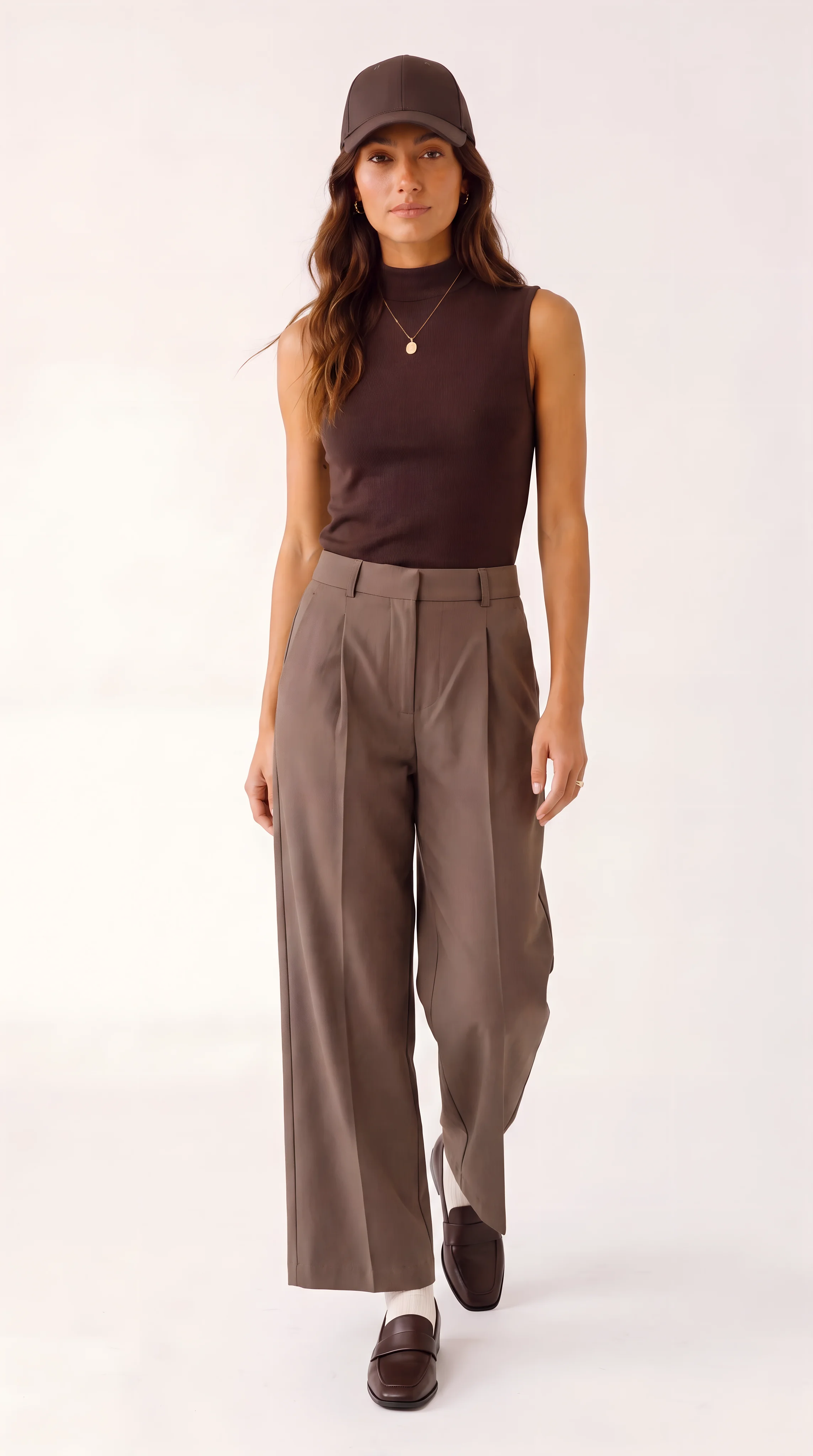
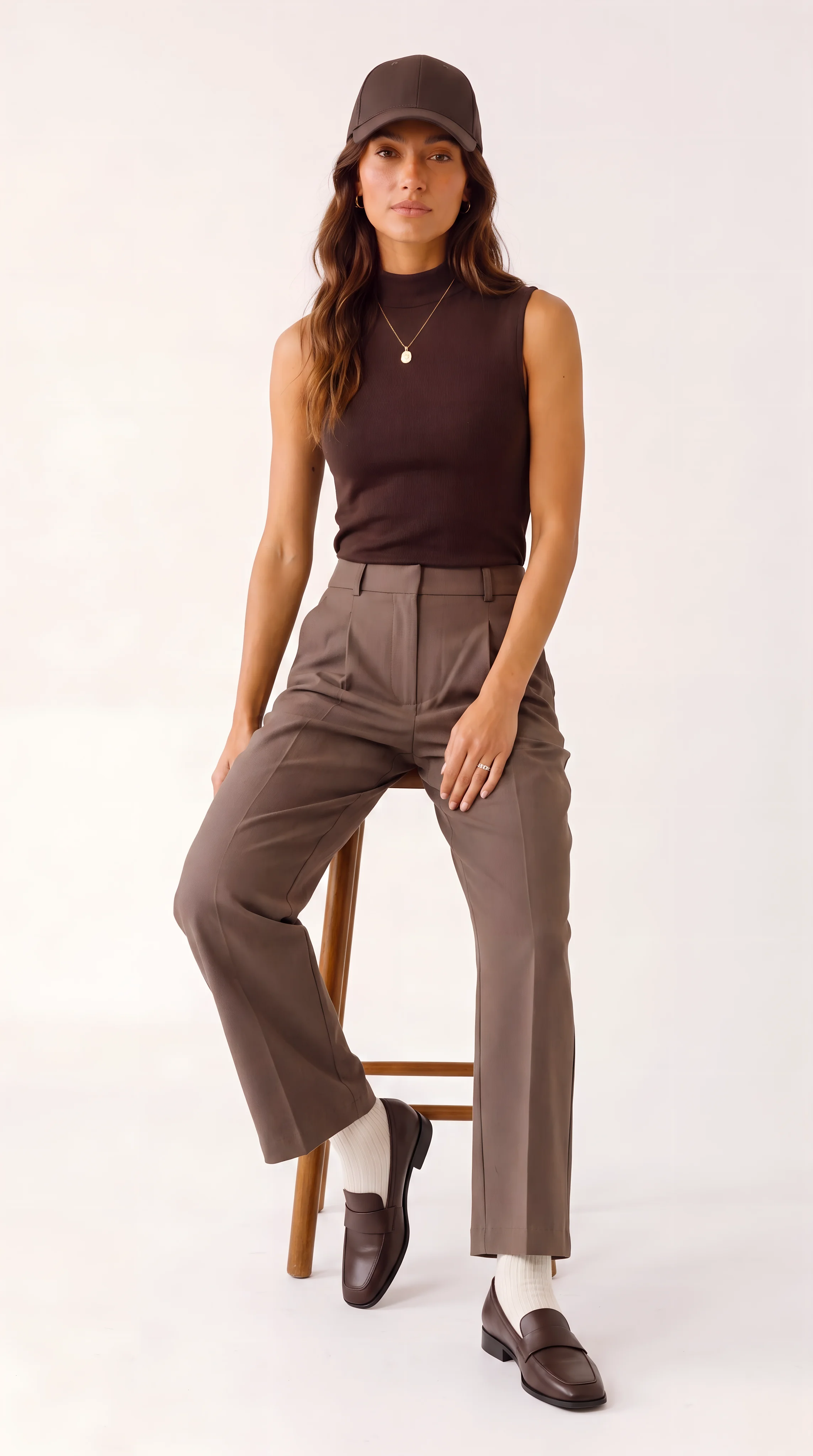
Il génère ensuite plusieurs variantes de pose (plan en pied, trois quarts, en marche, assis, gros plan sur un détail) pour un lookbook ou une galerie de fiche produit cohérents.
Ce qui le distingue
La continuité de la garde-robe et la préservation de l’identité garantissent l’absence de logos indésirables ou de modifications du design.
Un comportement de tissu fidèle, des couleurs justes, des mains et des proportions naturelles, et des chaussures et détails lisibles.
Une composition éditoriale épurée, sans encombrement, avec un éclairage exploitable commercialement.
Les rendus sont des images de haute qualité (9:16 par défaut ; d’autres formats sont pris en charge) adaptées aux catalogues, fiches produit, publicités et éditoriaux de marque. Idéal pour itérer vite, actualiser vos visuels à chaque saison et industrialiser votre imagerie produit tout en restant fidèle aux références fournies.
Comment utiliser l’application
Voici ce que vous obtenez en ouvrant l’application : un formulaire court, un bouton d’exécution et vos résultats, sans nœuds ni configuration.
Shooting photo de mode
Aperçu de l’applicationRemplissez le formulaire
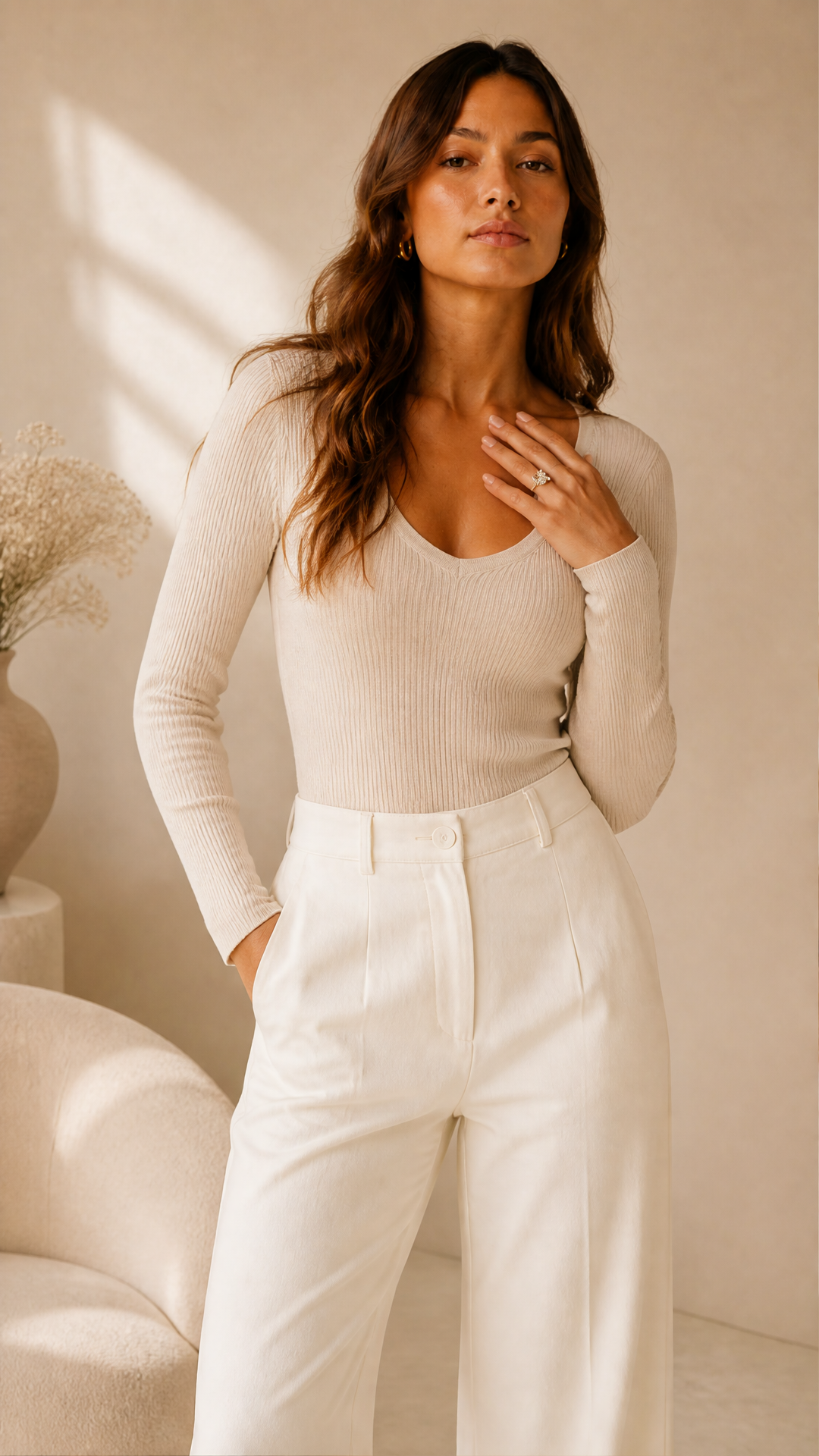
Subject Photo
RequisAjouter des images ou des fichiers
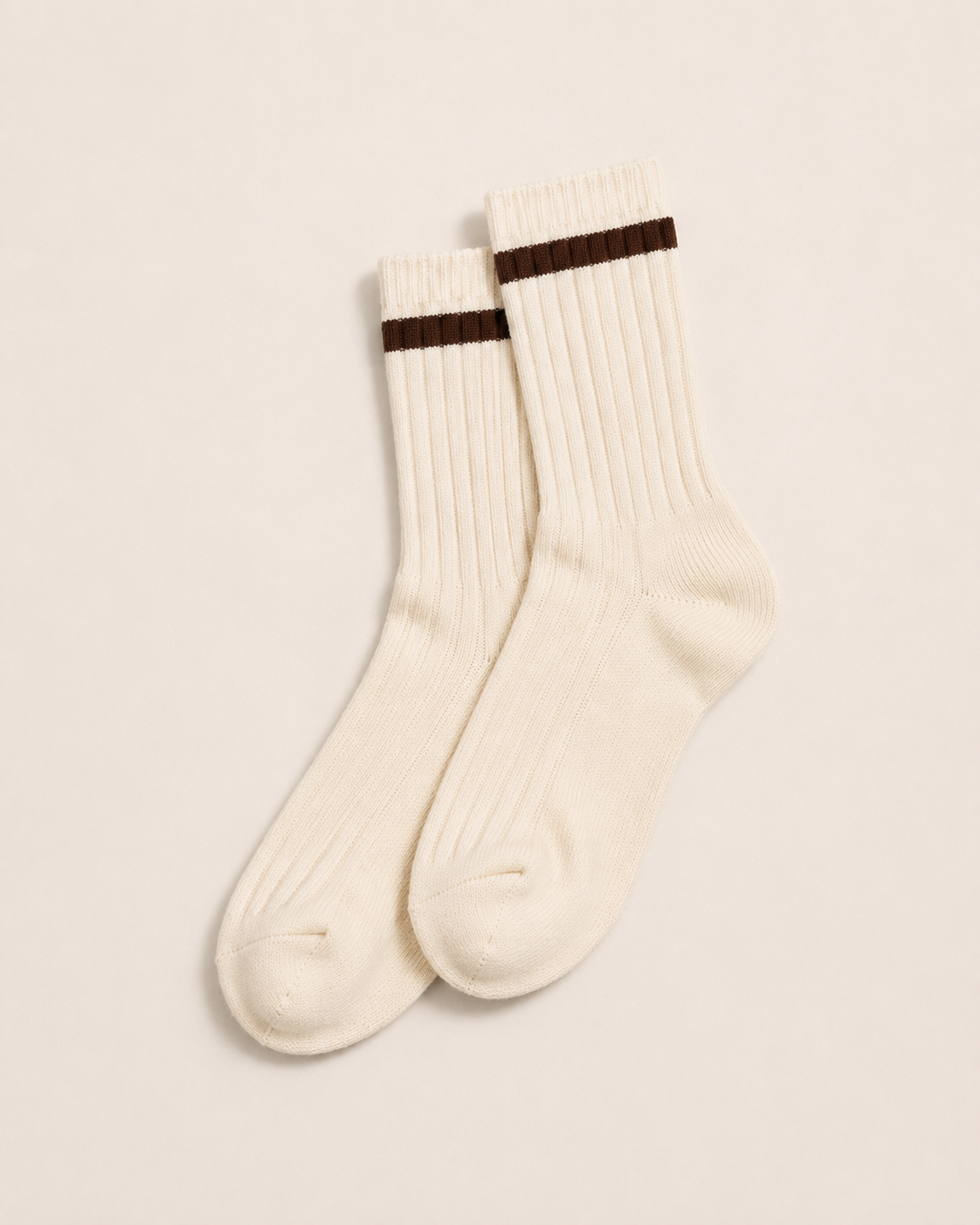
Clothing Reference Images
RequisAjouter des images ou des fichiers
Clothing Items Notes
FacultatifKeep the outfit sleek, fitted, and athletic. Preserve exact product colors and materials from any uploaded clothing references.
Mood
RequisClean Editorial
Background
RequisStudio Seamless
+1 option supplémentaire dans l’application
≈ 150 crédits / exécution
Récupérez votre résultat
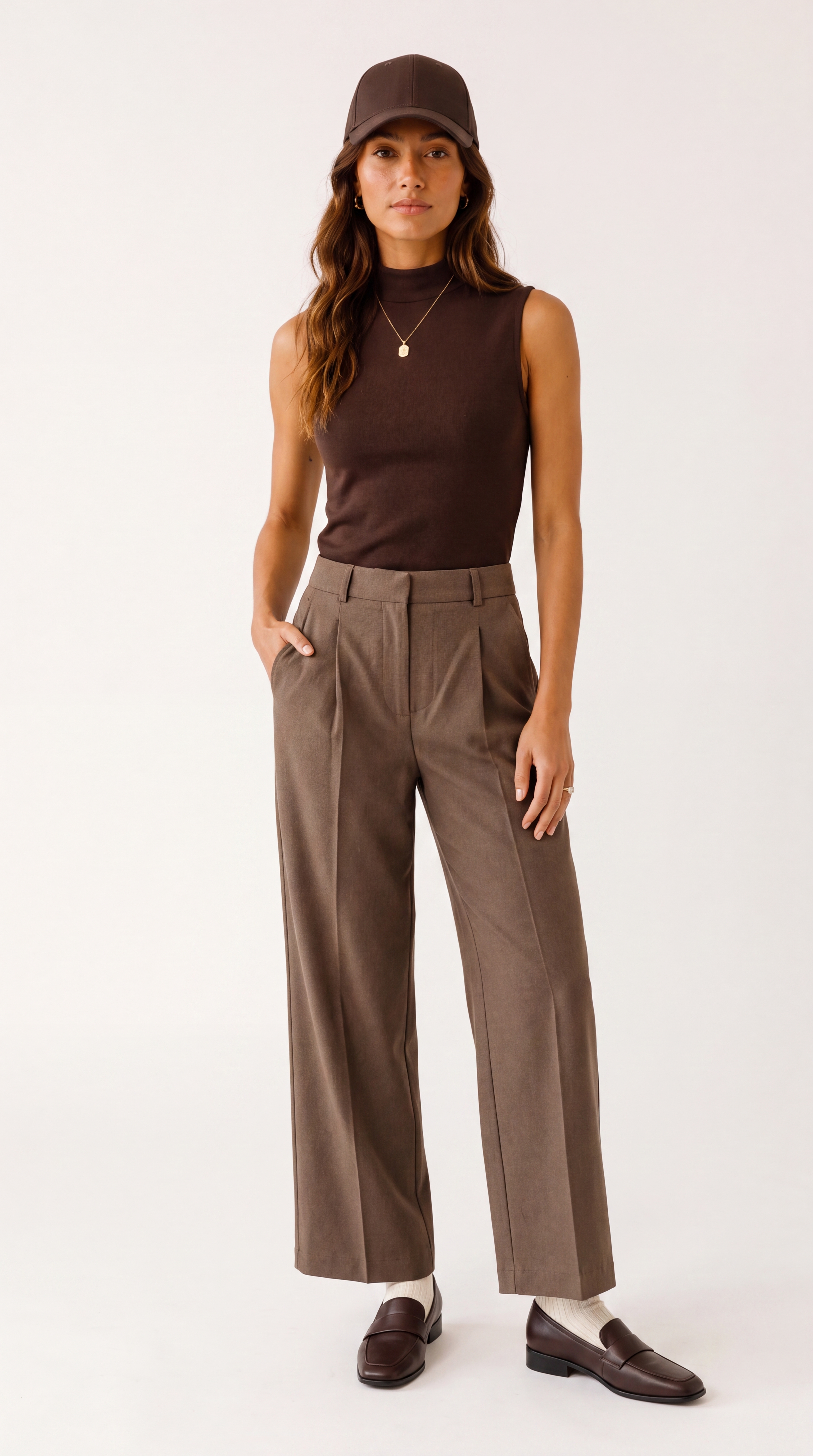
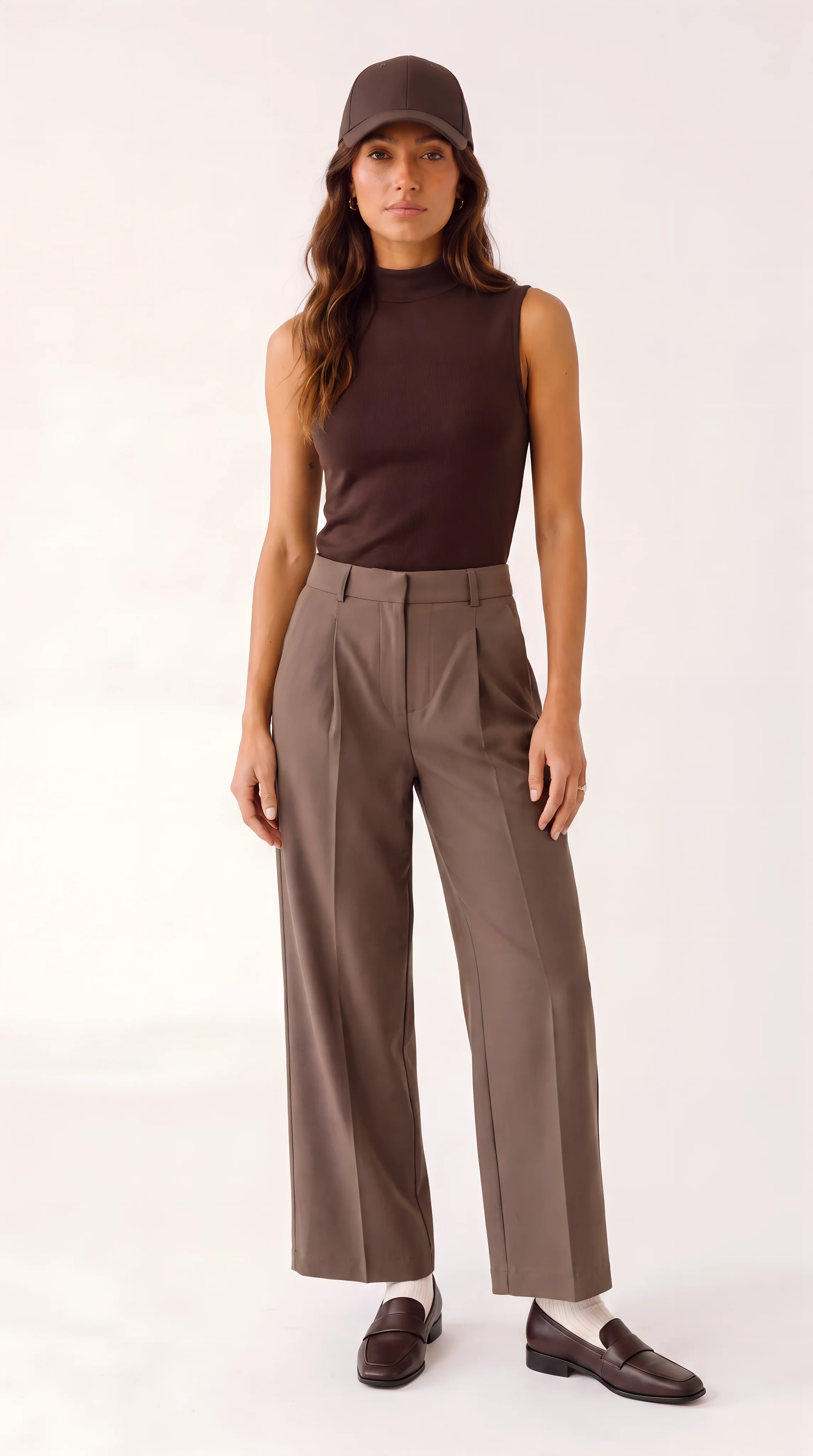
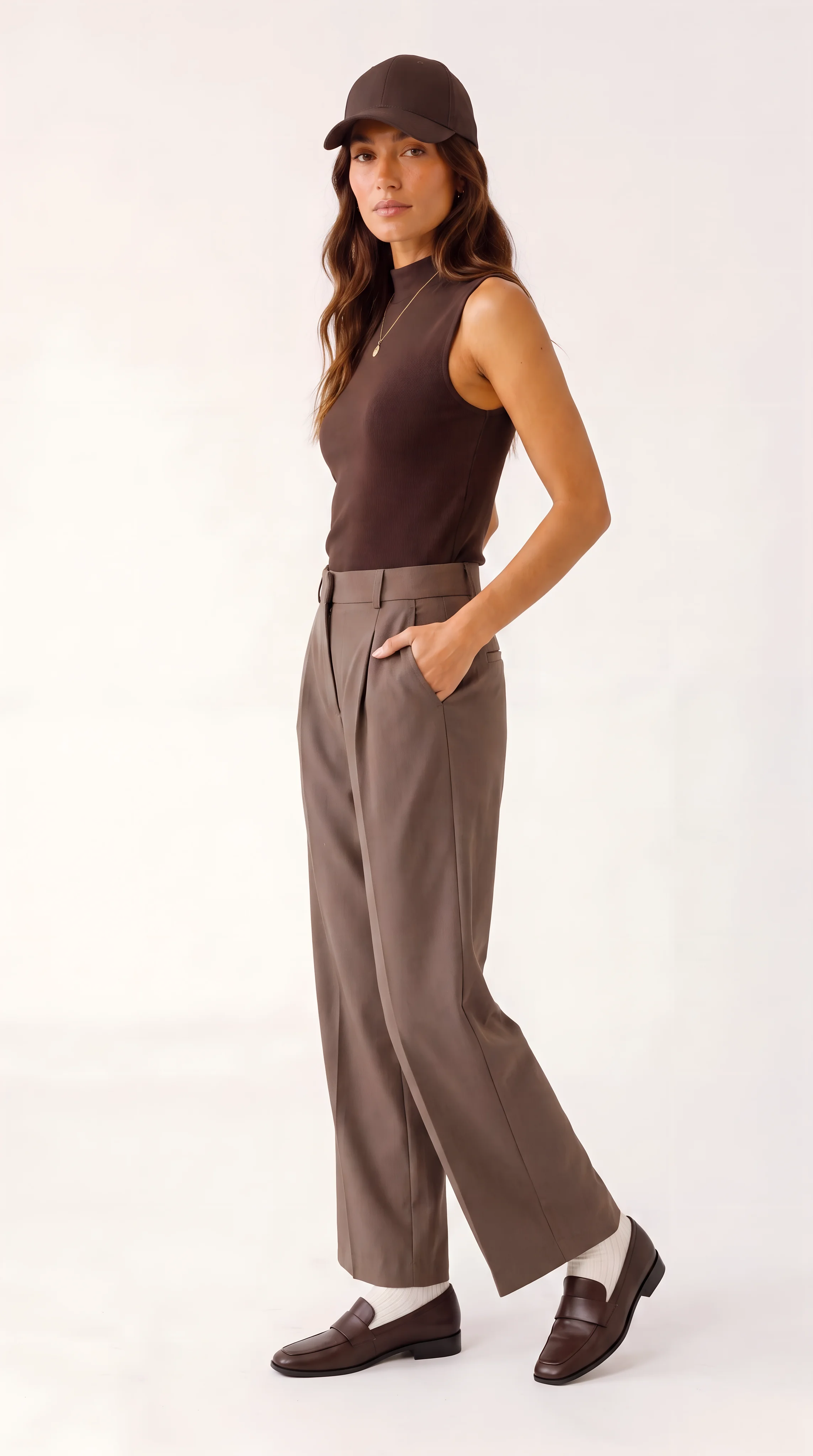
Résultat réel généré avec cette application
Sous le capot
Vous souhaitez plus de contrôle ?
Cette application repose sur un workflow AI-Flow entièrement modifiable. Changez le modèle, les prompts, la disposition ou la résolution, ou connectez-le à d’autres étapes.
Subject Photo
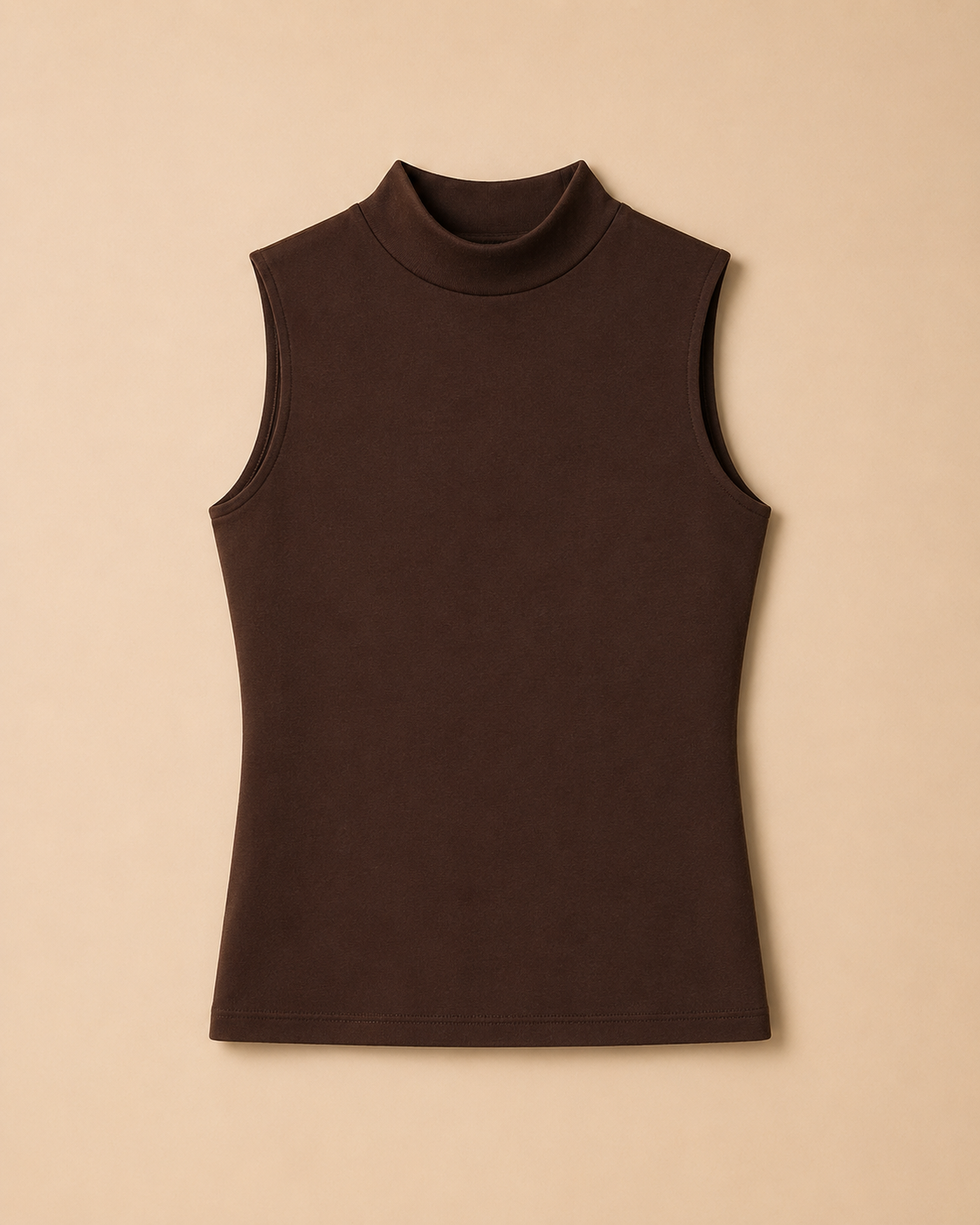
Clothing Reference Images
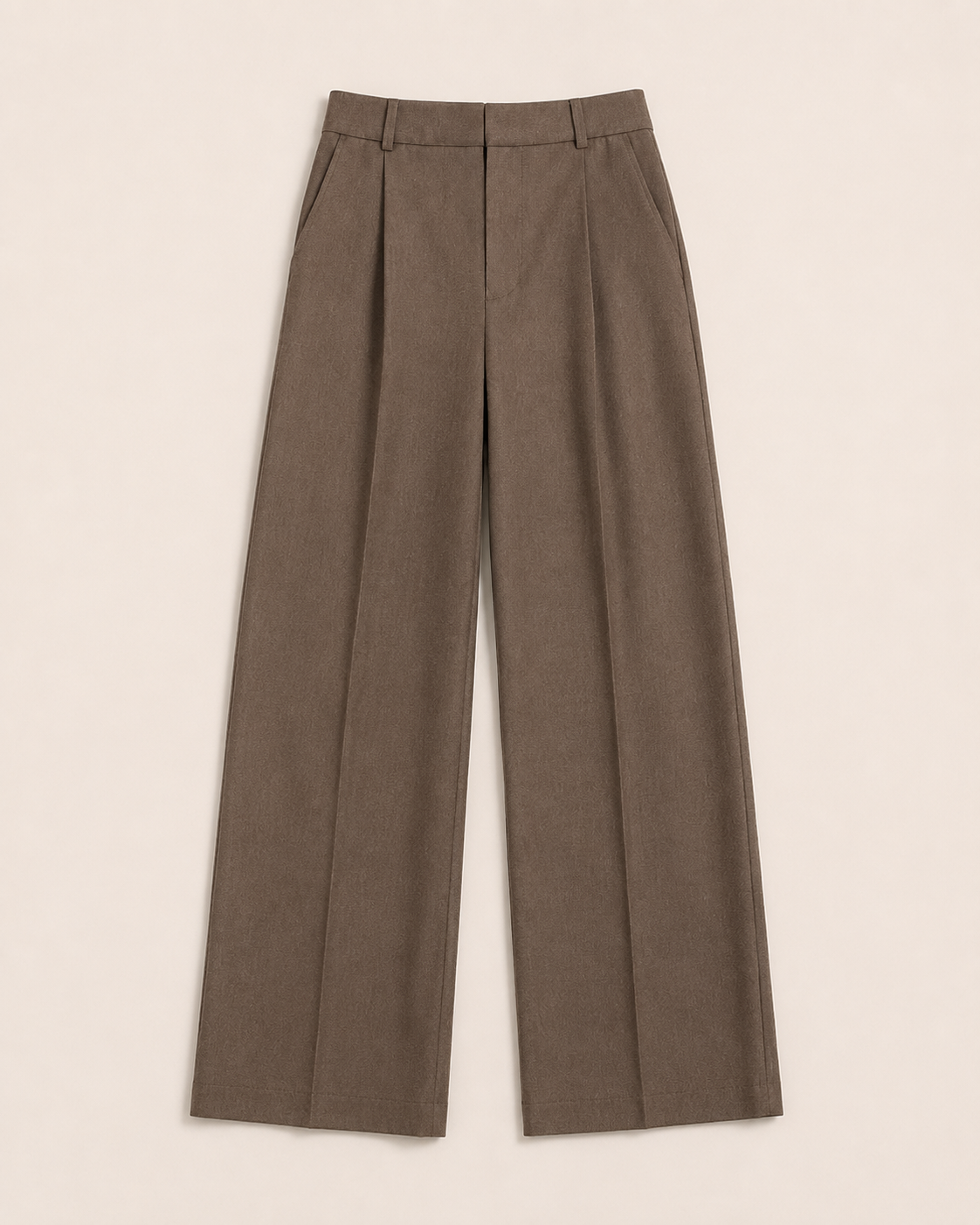
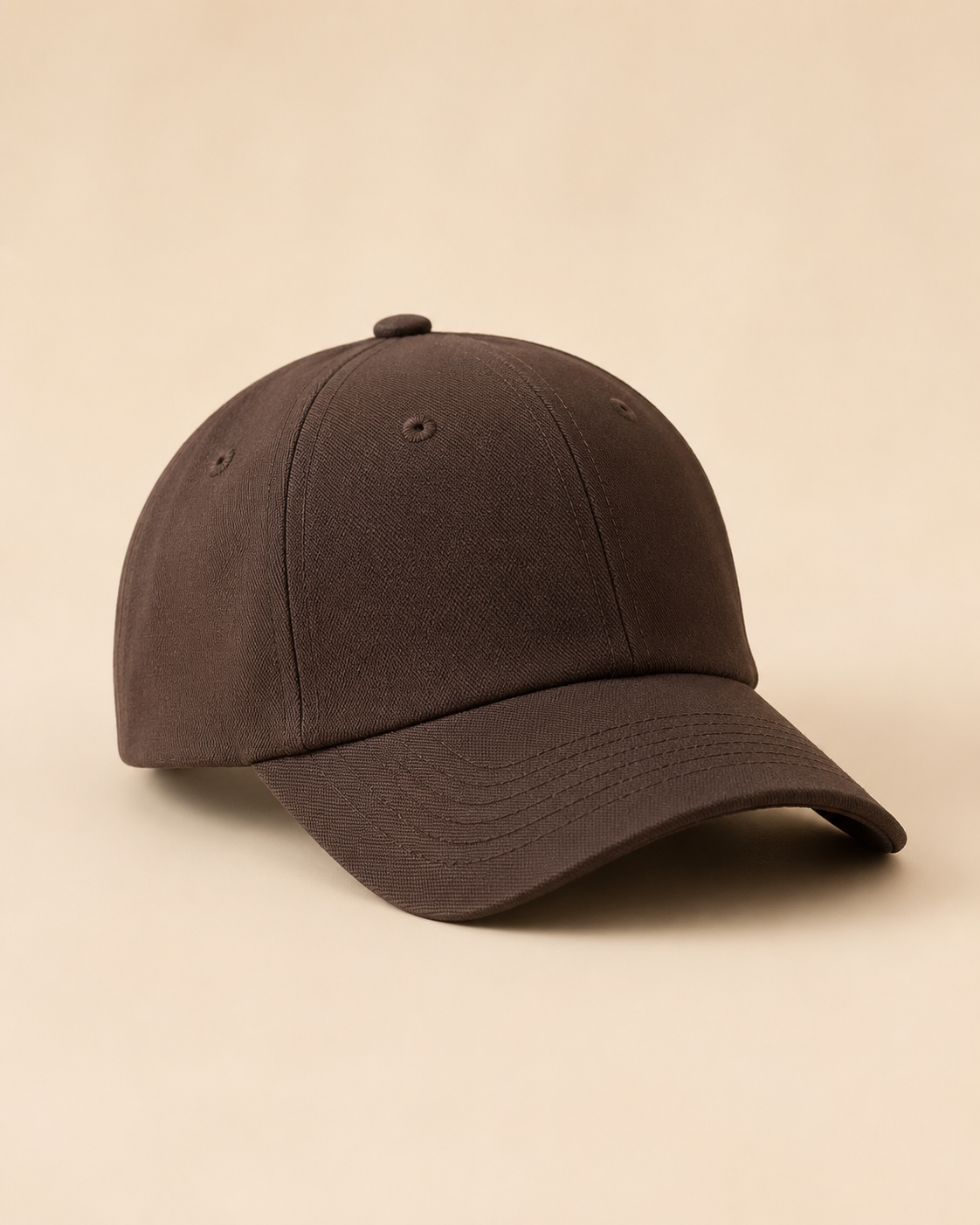
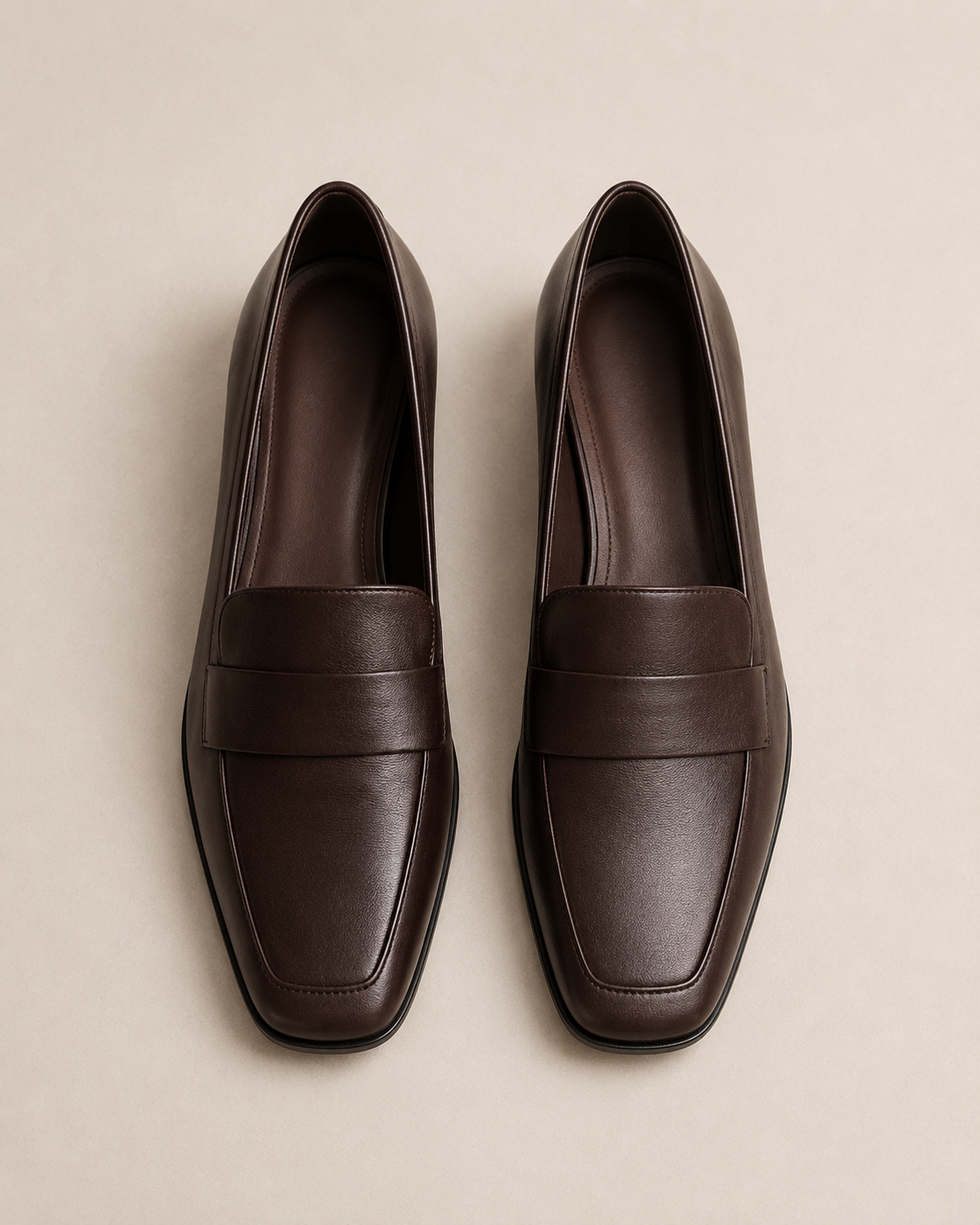
Clothing Items / Notes
Keep the outfit sleek, fitted, and athletic. Preserve exact product colors and materials from any uploaded clothing references.
Brand Guardrails
Photorealistic commercial fashion photography. Make the clothes the hero. Keep product details accurate, avoid extra logos or text, and keep fit, proportions, hands, and fabric behavior natural.
Mood
Clean, restrained fashion-editorial styling with polished composition, natural confidence, and minimal visual clutter. Keep the garments clear and premium without making the image feel overly dramatic.
Background
Use a clean seamless studio backdrop in a neutral warm white, off-white, or light grey tone. Keep the background simple so the outfit silhouette, fit, and materials are the focus.
Campaign Use
Optimize for a brand lookbook: full-outfit readability, clean styling, consistent framing, and a polished editorial catalog feel. Prioritize accurate garment fit and silhouette over heavy concept.
Pose Set
front full-body stance, relaxed confidence, hands lightly at sides three-quarter turn, one hand in pocket, showing side silhouette walking stride toward camera, natural motion, outfit visible head to toe seated editorial pose on a simple stool, posture tall...
Prompt Rules
Build prompts as concise fashion shoot briefs. Preserve subject identity, garment colors, fit, construction details, materials, and visible branding. Specify pose, camera angle, crop, lens feel, lighting, background, and mood. Keep the result photorealistic...
Reference Image List
Shoot Controls
Clothing notes: Keep the outfit sleek, fitted, and athletic. Preserve exact product colors and materials from any uploaded clothing references. Brand guardrails: Photorealistic commercial fashion photography. Make the clothes the hero. Keep product details ...
Analyze Subject + Outfit
## Compact Production Brief ### 1) Subject visual traits to keep consistent - Adult female model with warm tan/olive skin tone. - Long, medium-brown wavy hair with soft face-framing pieces and a natural center/soft middle part. - Defined cheekbones, full na...
Anchor Prompt Context
Shoot controls: Clothing notes: Keep the outfit sleek, fitted, and athletic. Preserve exact product colors and materials from any uploaded clothing references. Brand guardrails: Photorealistic commercial fashion photography. Make the clothes the hero. Keep ...
Build Anchor Prompt
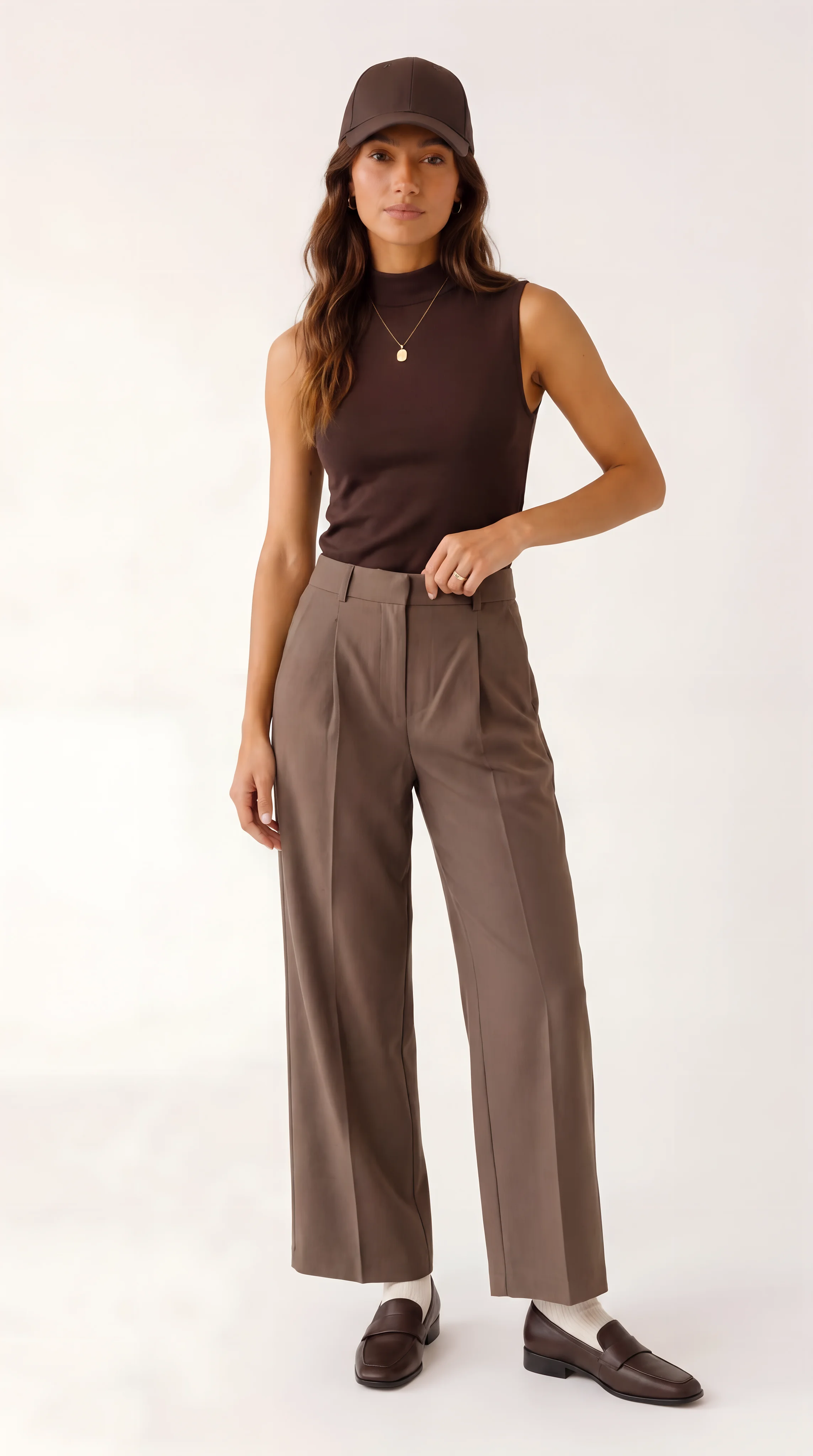
Photorealistic full-body vertical brand lookbook shot of the same adult female model, warm tan/olive skin, long medium-brown wavy hair, minimal polished makeup, calm confident expression, small gold hoops. She wears a dark chocolate brown sleeveless fitted ...
Anchor Outfit Image
Pose Variants
Comment utiliser ce template
Étape 1 : Importez votre fichier
Dans le nœud « Subject Photo », importez le fichier que vous souhaitez traiter.
Étape 2 : Importez vos fichiers
Dans le nœud « Clothing Reference Images », importez les fichiers que vous souhaitez utiliser dans le workflow.
Étape 3 : Saisissez votre texte dans le nœud « Clothing Items / Notes »
Renseignez le nœud « Clothing Items / Notes » avec le texte demandé.
Keep the outfit sleek, fitted, and athletic. Preserve exact product colors and materials from any uploaded clothing references.
Étape 4 : Saisissez votre texte dans le nœud « Brand Guardrails »
Renseignez le nœud « Brand Guardrails » avec le texte demandé.
Photorealistic commercial fashion photography. Make the clothes the hero. Keep product details accurate, avoid extra logos or text, and keep fit, proportions, hands, and fabric behavior natural.
Étape 5 : Configurez le nœud « Mood »
Configurez le nœud « Mood » selon vos besoins.
Clean, restrained fashion-editorial styling with polished composition, natural confidence, and minimal visual clutter. Keep the garments clear and premium without making the image feel overly dramatic.
Étape 6 : Configurez le nœud « Background »
Configurez le nœud « Background » selon vos besoins.
Use a clean seamless studio backdrop in a neutral warm white, off-white, or light grey tone. Keep the background simple so the outfit silhouette, fit, and materials are the focus.
Étape 7 : Configurez le nœud « Campaign Use »
Configurez le nœud « Campaign Use » selon vos besoins.
Optimize for a brand lookbook: full-outfit readability, clean styling, consistent framing, and a polished editorial catalog feel. Prioritize accurate garment fit and silhouette over heavy concept.
Étape 8 : Importez vos fichiers
Dans le nœud « Pose Set », importez les fichiers que vous souhaitez utiliser dans le workflow.
front full-body stance, relaxed confidence, hands lightly at sides
three-quarter turn, one hand in pocket, showing side silhouette
walking stride toward camera, natural motion, outfit visible head to toe
seated editorial pose on a simple stool, posture tall, shoes visible
detail-focused pose, slight lean, one hand adjusting waistband or hem, product textures visible
Étape 9 : Saisissez votre texte dans le nœud « Prompt Rules »
Renseignez le nœud « Prompt Rules » avec le texte demandé.
Build prompts as concise fashion shoot briefs. Preserve subject identity, garment colors, fit, construction details, materials, and visible branding. Specify pose, camera angle, crop, lens feel, lighting, background, and mood. Keep the result photorealistic, commercially usable, and faithful to the supplied references. Output only the final image prompt when prompt writing is requested.
Étape 10 : Exécutez le workflow
Cliquez sur le bouton « Exécuter » pour lancer le workflow et obtenir le résultat final.
Personnalisez le workflow sous-jacent
Ouvrez le workflow complet dans l’éditeur AI-Flow pour changer de modèle, réécrire les prompts ou le connecter à d’autres étapes.
À qui s’adresse ce template ?
Idéal pour les professionnels et les créateurs qui souhaitent simplifier leur workflow
Marques de mode DTC et équipes e-commerce
Produisez des lookbooks portés, des séries d’images de fiche produit et des créations publicitaires qui reflètent fidèlement la couleur, la matière et la coupe de vos produits — sans shooting studio complet.
Marketplaces et distributeurs multimarques
Uniformisez la présentation produit entre vendeurs grâce à des arrière-plans, des poses et des styles de campagne cohérents.
Directeurs de création et stylistes
Traduisez ambiance, décor et usage en prompts prêts pour la production, tout en préservant la continuité de la garde-robe.
Photographes produit et retoucheurs
Enrichissez vos chaînes de production studio avec de la conception rapide, des variantes de pose et des alternatives alignées sur la campagne.
Performance marketers et équipes social media
Générez en quelques minutes des visuels accrocheurs mais fidèles à la marque, pour vos publicités et vos emplacements sociaux.
Agences et studios de contenu
Livrez à grande échelle des images portées photoréalistes et cohérentes, avec un travail de prompt manuel réduit au minimum.
Boutiques, dropshippers et jeunes marques
Créez des visuels portés haut de gamme à partir des photos de vos fournisseurs et d’une seule image de sujet, pour faire monter d’un cran votre présentation produit.
Prêt à créer ?
Commencez à utiliser cette application
Aucune configuration requise — ouvrez l’application et commencez à créer en quelques minutes
Vous aimerez peut-être aussi
Explorez d’autres templates puissants pour enrichir votre workflow IA

Génération d’images avec GPT Image 2.5 Flare
Générez des images haute fidélité avec GPT Image 2.5 Flare, optimisé pour la typographie réaliste, les écritures multilingues, les mises en page structurées et les formats prêts à imprimer jusqu’en 4K, pour affiches, bandes dessinées, marketing, maquettes UI et réseaux sociaux.

Génération d’images avec GPT Image 2.5 Sunburst
Générez des images haute fidélité avec GPT Image 2.5 Sunburst, optimisé pour la typographie réaliste, les écritures multilingues, les mises en page structurées et les formats prêts à imprimer jusqu’en 4K, pour affiches, bandes dessinées, marketing, maquettes UI et réseaux sociaux.

Générateur IA de photos produit de soin
Transformez une seule image de crème, de sérum ou de pot cosmétique en shooting complet : une grille 2 × 2 et quatre visuels recadrés (plan large, plan moyen, gros plan, angle créatif), porté ou produit seul, pour l'e-commerce beauté, les marketplaces et la publicité.

Générateur IA de photos produit de crème solaire
Transformez une seule image de tube ou de flacon solaire en shooting complet : une grille 2 × 2 et quatre visuels recadrés (plan large, plan moyen, gros plan, angle créatif), porté ou produit seul, pour l'e-commerce beauté, les marketplaces et la publicité.

Générateur IA de mockups de t-shirts
Transformez une seule image de t-shirt en mockups print-on-demand portés : une grille 2 × 2 et quatre visuels recadrés (plan large, plan moyen, gros plan sur l'impression, angle créatif), pour Etsy, Shopify et vos boutiques POD.
Générateur IA de photos produit de sneakers
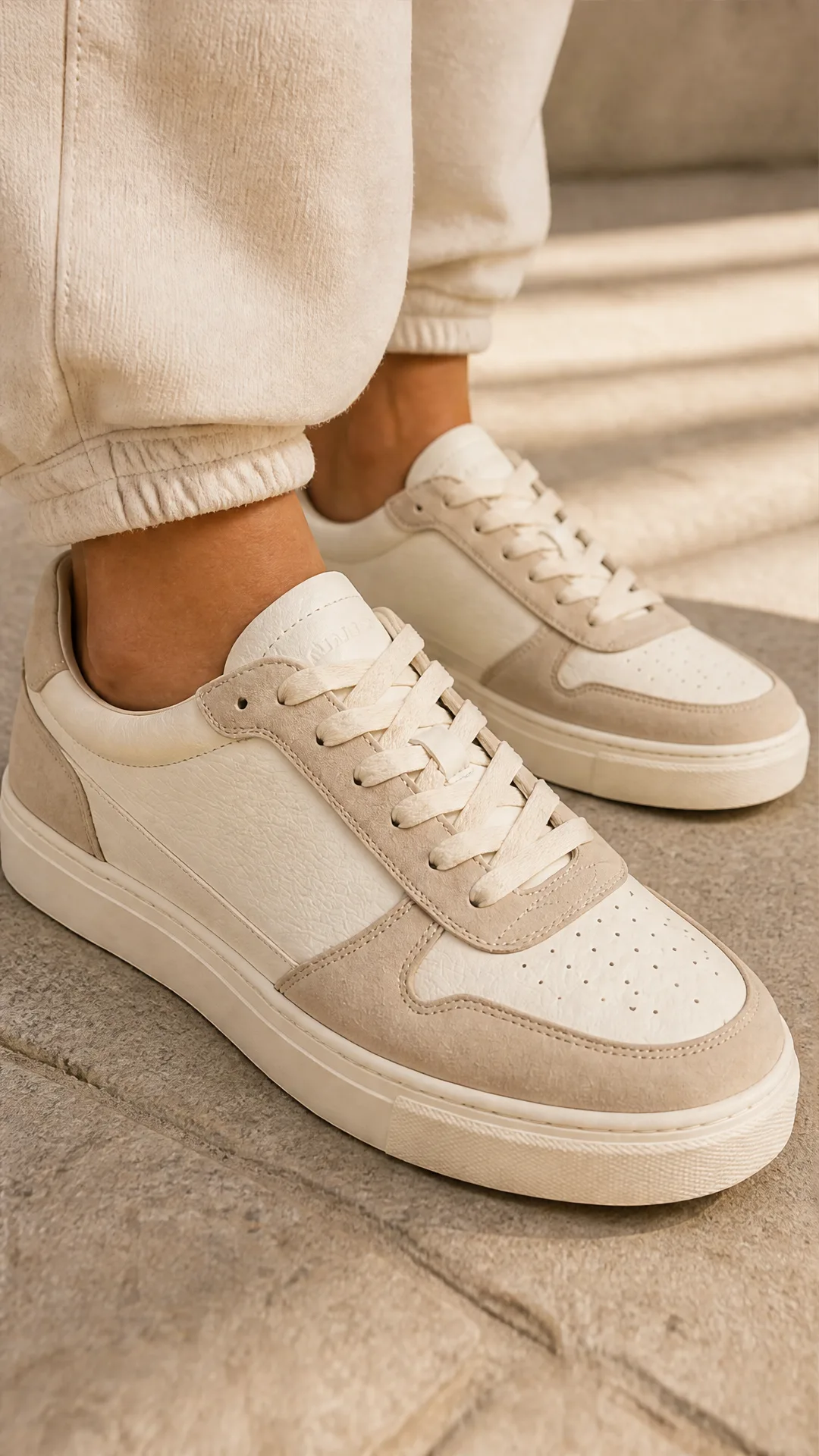
Générez des photos produit de sneakers à partir d'une seule image de chaussure : une grille 2 × 2 et quatre visuels recadrés (plan large, plan moyen, gros plan, angle créatif), en mode porté ou produit seul, pour vos fiches e-commerce, marketplaces et publicités.
Questions fréquentes
De quelles entrées ai-je besoin ?
Fournissez une photo du sujet (référence d’identité) et une ou plusieurs images de référence de vêtements. Vous pouvez y ajouter des notes sur les pièces, vos garde-fous de marque, et choisir l’ambiance, l’arrière-plan, l’usage de campagne et les poses.
Comment la fidélité à la marque est-elle assurée ?
Le workflow analyse les vêtements et impose des contraintes de couleur, de matières, de coupe et de détails de fabrication visibles. Il évite d’ajouter des logos ou du texte et conserve des proportions, des mains et un comportement de tissu naturels.
Puis-je générer plusieurs poses pour une même tenue ?
Oui. Il produit une photo d’ancrage puis une galerie de poses (en pied, trois quarts, en marche, assis, gros plan sur un détail). Vous pouvez utiliser les préréglages ou définir vos propres poses.
Est-ce adapté aux images de fiche produit e-commerce ?
Tout à fait. Sélectionnez l’option Fiche produit e-commerce pour privilégier une visibilité de face nette, des proportions honnêtes, un tombé de tissu réaliste et un minimum de distractions.
Quels arrière-plans et quelles ambiances sont pris en charge ?
Choisissez entre fond studio sans raccord, showroom minimaliste, rue urbaine, intérieur de boutique ou extérieur en lumière du jour, associés à des ambiances comme éditorial épuré, campagne luxe, énergie streetwear, naturel doux ou haute couture affirmée.
Quels formats et quels niveaux de qualité sont disponibles ?
Le rendu par défaut est en 9:16 et en haute qualité. Vous pouvez passer en 1:1, 16:9 ou 4:3 et ajuster la qualité selon les exigences de votre canal.
Va-t-il modifier les designs ou ajouter des logos ?
Non. Il est conçu pour rester fidèle aux vêtements de référence, en évitant tout logo supplémentaire ou modification involontaire du design.
Combien de temps cela prend-il et combien cela coûte-t-il ?
Le temps de rendu varie selon la qualité et le nombre de poses. Les coûts se situent généralement entre 7 et 16 crédits par image, selon la résolution et les réglages.
Des conseils pour de meilleurs résultats ?
Utilisez une photo de sujet bien éclairée, avec un visage net et peu d’occlusions, et des références de vêtements de bonne qualité (idéalement sous plusieurs angles). Donnez des indications précises sur les couleurs, les matières et la coupe.
Puis-je créer des variantes de pose en masse ?
Oui. Le sous-flux de poses prend en charge les boucles et l’exécution parallèle, ce qui permet de générer rapidement de nombreuses poses à partir d’un même look d’ancrage.
Retouche-t-il des photos existantes au pixel près ?
Ce workflow génère de nouvelles images portées, guidées par des références et des prompts. Pour de l’inpainting précis ou de la retouche manuelle, utilisez des outils d’édition classiques.
Qu’en est-il des droits d’usage et du droit à l’image ?
Assurez-vous de détenir les droits sur les images de sujet et de vêtements que vous téléversez, ainsi que l’autorisation d’utiliser les visuels générés sur les canaux visés.
Qu’est-ce qu’AI-FLOW et comment peut-il m’aider ?
AI-FLOW est une plateforme d’IA tout-en-un qui vous permet de créer, d’intégrer et d’automatiser des workflows alimentés par l’IA grâce à une interface intuitive en glisser-déposer. Débutant ou expert, vous pouvez combiner plusieurs modèles d’IA pour créer des solutions innovantes sans écrire de code.
Un essai gratuit est-il disponible ?
Oui, AI-FLOW propose un essai gratuit pour commencer. Vous pouvez ensuite acheter des crédits selon vos besoins, sans abonnement ni engagement à long terme.
Puis-je intégrer mes clés API OpenAI, Replicate et d’autres fournisseurs dans la version Cloud d’AI-FLOW ?
Oui, vous pouvez facilement intégrer vos propres clés API à AI-FLOW. Les nœuds associés utiliseront alors votre clé, ce qui réduit considérablement votre consommation de crédits sur la plateforme.