
Contrôle de mouvement avec Kling V2.6
Transformez une seule image de référence en vidéo réaliste en lui transférant les mouvements, actions et expressions d’une vidéo de référence. Choisissez l’orientation, conservez l’audio d’origine et optez pour la qualité standard ou pro.
Aucune configuration requise · Entièrement personnalisable dans AI-Flow
Ce que fait cette application
Kling V2.6 Motion Control vous permet d’animer des personnages à partir d’une image fixe, en leur transférant les mouvements et les expressions faciales d’une vidéo de référence. Le modèle préserve l’allure et la composition de votre image tout en y reportant les changements de pose, les gestes et le rythme de la vidéo, pour produire une animation naturelle et cohérente.
Comment ça marche
Fournissez une image de référence de bonne qualité (le sujet, l’arrière-plan et le style que vous voulez dans la vidéo finale).
Fournissez une vidéo de référence (le mouvement à transférer : marche, gestes, danse, gestes sportifs, etc.).
Ajoutez éventuellement un prompt textuel pour affiner la scène ou orienter légèrement l’apparence et les effets.
Choisissez character_orientation pour aligner l’orientation du sujet sur l’image (10 s max) ou sur la vidéo (30 s max).
Conservez si vous le souhaitez l’audio d’origine de la vidéo de référence.
Entrées
image (requise) — .jpg/.jpeg/.png, jusqu’à 10 Mo ; dimensions de 340 à 3850 px ; format de 1:2,5 à 2,5:1.
video (requise) — .mp4/.mov, jusqu’à 100 Mo ; de 3 à 30 s selon character_orientation.
prompt (optionnel) — consignes en langage naturel pour ajouter ou ajuster des éléments et des indications de mouvement.
character_orientation (optionnel) — « image » (même orientation que le sujet sur la photo, 10 s max) ou « video » (orientation de la vidéo, 30 s max).
mode (optionnel) — « std » pour un rendu économique ou « pro » pour une fidélité supérieure.
keep_original_sound (optionnel) — conserve la piste audio de la vidéo d’entrée.
Résultat - Un fichier vidéo téléchargeable (URI) contenant votre animation.
Cas d’usage
Animer des portraits, des visuels produit et des illustrations de personnages avec un mouvement réaliste.
Clips et formats courts pour les réseaux sociaux, qui donnent vie à des images fixes.
Marketing et publicité, en appliquant du mouvement à des assets de marque existants.
Pré-visualisation et développement de concepts pour le cinéma, le jeu vidéo et le motion design.
Bonnes pratiques
Utilisez une image nette et bien éclairée, avec un sujet principal clairement identifiable.
Choisissez une vidéo de référence dont le rythme, le cadrage et l’orientation du corps se rapprochent du résultat souhaité.
Pour les visages, privilégiez des vidéos à l’éclairage constant et avec peu d’occlusions.
Commencez par des gestes simples avant de tenter des mouvements complexes.
Limites
Les détails fins des mains et des doigts ainsi que les mouvements très rapides peuvent manquer de précision.
Les résultats dépendent de la netteté de l’image, de l’isolation du sujet et de la proximité entre le mouvement de la vidéo et la pose et le cadrage du sujet.
Comment utiliser l’application
Voici ce que vous obtenez en ouvrant l’application : un formulaire court, un bouton d’exécution et vos résultats, sans nœuds ni configuration.
Kling V2.6 Motion Control
Aperçu de l’applicationRemplissez le formulaire
Image
RequisAjouter des images ou des fichiers
Video
RequisAjouter des images ou des fichiers
Character Orientation
image
Keep Original Sound
Activé par défaut
Mode
std
+1 option supplémentaire dans l’application
≈ 21–330 crédits / exécution
Récupérez votre résultat
Résultat réel généré avec cette application
Sous le capot
Vous souhaitez plus de contrôle ?
Cette application repose sur un workflow AI-Flow entièrement modifiable. Changez le modèle, les prompts, la disposition ou la résolution, ou connectez-le à d’autres étapes.
Image
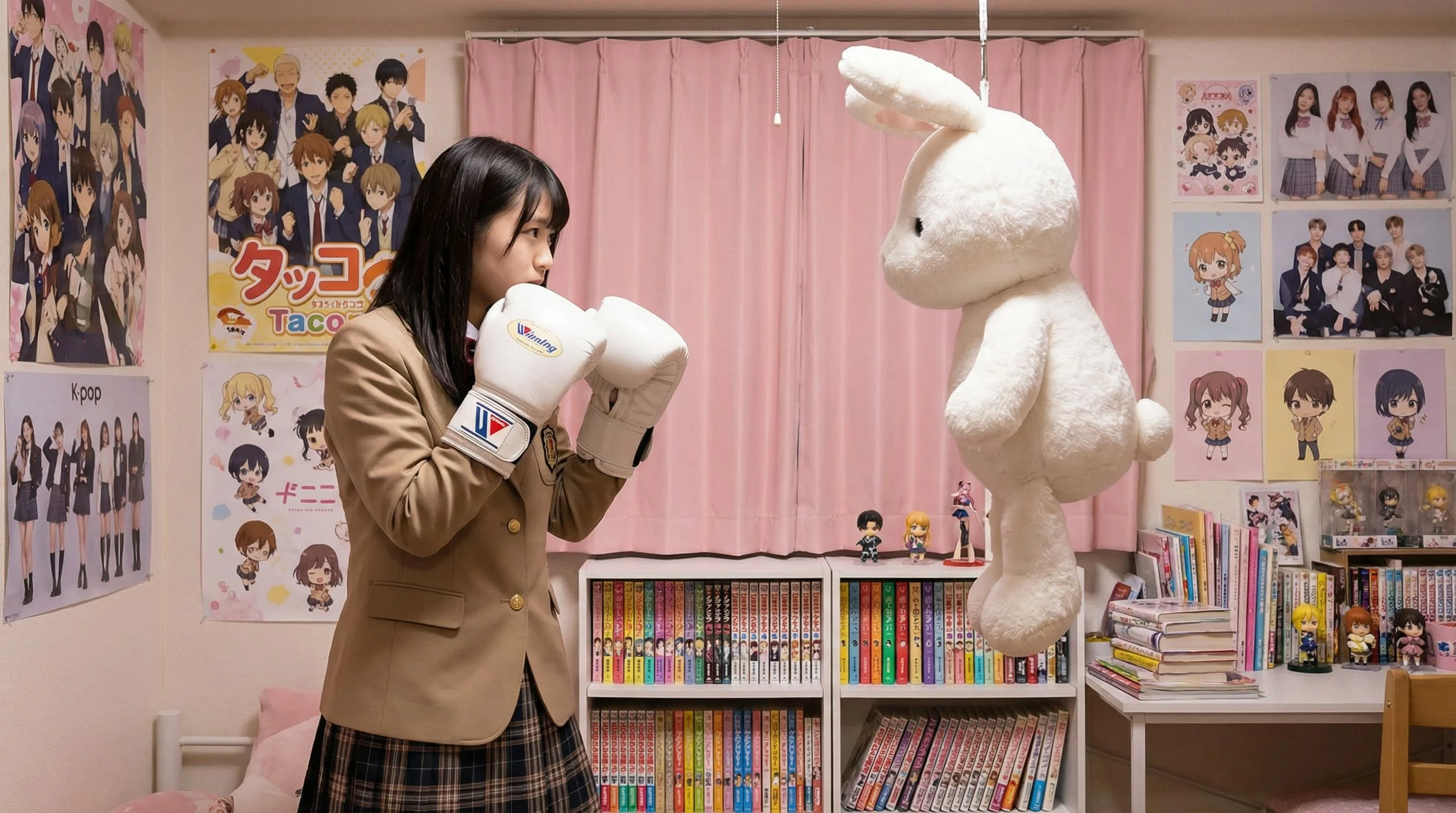
Prompt
Motion Video
Kling V2.6 Motion Control
Comment utiliser ce template
Étape 1 : Importez votre fichier
Dans le nœud « Image », importez le fichier que vous souhaitez traiter.
Étape 2 : Importez votre fichier
Dans le nœud « Motion Video », importez le fichier que vous souhaitez traiter.
Étape 3 : Saisissez votre texte dans le nœud « Prompt »
Renseignez le nœud « Prompt » avec le texte demandé.
Aucun exemple disponible.
Étape 4 : Exécutez le workflow
Cliquez sur le bouton « Exécuter » pour lancer le workflow et obtenir le résultat final.
Personnalisez le workflow sous-jacent
Ouvrez le workflow complet dans l’éditeur AI-Flow pour changer de modèle, réécrire les prompts ou le connecter à d’autres étapes.
À qui s’adresse ce template ?
Idéal pour les professionnels et les créateurs qui souhaitent simplifier leur workflow
Créateurs de contenu et community managers
Transformez rapidement des images fixes en clips animés capables d’arrêter le défilement sur les Reels, Shorts et stories.
Marketeurs et équipes de marque
Animez des visuels de campagne et des mascottes existants sans nouveau tournage, pour produire vite de nouvelles variantes.
Designers et illustrateurs
Donnez vie à vos illustrations de personnages et visuels clés grâce à un mouvement capté sur de courtes vidéos de référence.
Monteurs vidéo et motion designers
Générez rapidement de la pré-visualisation ou du mouvement stylisé à partir d’images fixes pour accélérer l’idéation.
Prototypeurs jeu vidéo et XR
Testez des concepts d’animation de personnage en transférant des performances de référence sur des rendus statiques.
Équipes e-commerce et produit
Ajoutez un mouvement subtil à vos photos produit pour augmenter l’engagement, sans nouvelle séance photo.
Prêt à créer ?
Commencez à utiliser cette application
Aucune configuration requise — ouvrez l’application et commencez à créer en quelques minutes
Vous aimerez peut-être aussi
Explorez d’autres templates puissants pour enrichir votre workflow IA
Génération vidéo avec Gemini Omni 1.1 Flash
Créez des vidéos IA cinématographiques à partir de texte, d’images ou de séquences existantes avec Gemini Omni 1.1 Flash : texte-vers-vidéo, image-vers-vidéo et vidéo-vers-vidéo multimodaux, avec conception sonore native et mouvements réalistes cohérents.
MiniMax H3 - Références vers vidéo
Générez des vidéos 2K à partir de références multimodales avec MiniMax H3. Guidez le sujet, le style, le mouvement et l’audio avec jusqu’à 9 images, 3 clips vidéo et 3 clips audio, cités par leur ordre dans votre prompt.
MiniMax H3 - De la première à la dernière image
Animez une première image en une vidéo 2K cohérente (5 à 15 s) avec MiniMax H3 : image de fin facultative, mouvement dirigé par le prompt et audio stéréo natif.
Génération vidéo avec Gemini Omni Flash
Créez des vidéos IA cinématographiques à partir de texte, d’images ou de séquences existantes avec Gemini Omni Flash : texte-vers-vidéo, image-vers-vidéo et vidéo-vers-vidéo multimodaux, avec conception sonore native et mouvements réalistes cohérents.
De l’image au mouvement
Transformez une photo en court clip cinématographique. Importez une première image, décrivez la suite, ajoutez éventuellement des références, puis laissez le LLM construire un prompt précis et une image suivante cohérente avant de produire une vidéo fluide.
Transformer un storyboard en vidéo cinématographique
Transformez un storyboard de 4 images en une vidéo cinématographique multi-plans soignée. Générez le storyboard à partir d’un seul prompt, puis laissez ses échelles de plan, son cadrage et son rythme de caméra guider un spot continu de 5 secondes, avec audio synchronisé.
Questions fréquentes
Que fait Kling V2.6 Motion Control ?
Il anime une image fixe en lui transférant les actions, les expressions et le rythme d’une vidéo de référence, pour produire une vidéo cohérente qui préserve le style et la composition de l’image.
Faut-il fournir à la fois une image et une vidéo ?
Oui. L’image définit le sujet et l’allure du rendu final, tandis que la vidéo fournit le mouvement à transférer.
Quels formats de fichiers et quelles limites sont pris en charge ?
Image : .jpg/.jpeg/.png jusqu’à 10 Mo, de 340 à 3850 px, format de 1:2,5 à 2,5:1. Vidéo : .mp4/.mov jusqu’à 100 Mo, de 3 à 30 secondes selon character_orientation.
Quel est l’effet de character_orientation sur le résultat et la durée ?
« image » conserve l’orientation du sujet telle qu’elle est sur la photo (10 s max). « video » reprend l’orientation de la vidéo de référence (30 s max). Choisissez l’option correspondant à l’orientation et à la durée souhaitées.
Quand utiliser le mode std plutôt que pro ?
Utilisez std pour des brouillons rapides et économiques, et pro lorsque vous avez besoin d’une fidélité supérieure, d’une meilleure préservation des détails et d’un rendu plus abouti.
Puis-je conserver l’audio d’origine de la vidéo de référence ?
Oui. Réglez keep_original_sound sur true pour conserver la piste audio de votre vidéo d’entrée.
Que contrôle le champ prompt ?
Le prompt est facultatif. Il permet d’orienter le style et d’ajouter ou d’ajuster des éléments, mais le mouvement principal provient de la vidéo de référence.
Quel type de vidéos fonctionne le mieux comme référence de mouvement ?
Des clips avec un sujet net, un cadrage et un éclairage constants, et un mouvement modéré (3 à 30 s). Évitez les fortes occlusions, les tremblements de caméra extrêmes ou les actions très rapides pour une meilleure fidélité.
Gère-t-il plusieurs personnes ?
Il fonctionne au mieux avec un sujet principal clairement identifiable. Les scènes à plusieurs personnes peuvent réduire la cohérence du mouvement et donner des résultats inégaux.
Quelles sont les causes fréquentes de mauvais résultats ?
Des images en basse résolution ou bruitées, un décalage entre la pose du sujet et le mouvement de la vidéo, de fortes occlusions et des mouvements extrêmement rapides peuvent réduire la précision et la stabilité.
À quoi ressemble le résultat ?
Le modèle renvoie l’URI du fichier vidéo généré, que vous pouvez télécharger et partager.
Dois-je détenir les droits sur les fichiers fournis ?
Oui. Assurez-vous d’avoir l’autorisation d’utiliser et de transformer aussi bien l’image que la vidéo de référence.
Qu’est-ce qu’AI-FLOW et comment peut-il m’aider ?
AI-FLOW est une plateforme d’IA tout-en-un qui vous permet de créer, d’intégrer et d’automatiser des workflows alimentés par l’IA grâce à une interface intuitive en glisser-déposer. Débutant ou expert, vous pouvez combiner plusieurs modèles d’IA pour créer des solutions innovantes sans écrire de code.
Un essai gratuit est-il disponible ?
Oui, AI-FLOW propose un essai gratuit pour commencer. Vous pouvez ensuite acheter des crédits selon vos besoins, sans abonnement ni engagement à long terme.
Puis-je intégrer mes clés API OpenAI, Replicate et d’autres fournisseurs dans la version Cloud d’AI-FLOW ?
Oui, vous pouvez facilement intégrer vos propres clés API à AI-FLOW. Les nœuds associés utiliseront alors votre clé, ce qui réduit considérablement votre consommation de crédits sur la plateforme.