
Génération vidéo et audio avec LTX-2 Distilled
Générez une vidéo et un audio synchronisés à partir de prompts textuels ou visuels avec Lightricks LTX-2 Distilled, le premier modèle audio-vidéo open source conçu pour des résultats rapides de qualité production.
Aucune configuration requise · Entièrement personnalisable dans AI-Flow
Ce que fait cette application
LTX‑2 Distilled génère la vidéo et l’audio ensemble, en une seule passe, avec une synchronisation labiale naturelle, une ambiance sonore et une musique accordées à l’action à l’écran. Fournissez un prompt textuel cinématographique — ou une image de référence pour de l’image-vers-vidéo — et obtenez un clip cohérent, prêt pour des aperçus, des publications sociales, des publicités ou des tests de concept.
Optimisé pour la vitesse et l’itération, le modèle produit du 1080p par défaut et peut monter jusqu’au 4K. Il prend en charge les formats courants (16:9, 9:16, 1:1 et d’autres) et les clips courts, avec un nombre d’images régi par la règle 8*k+1 pour un rythme fluide. Utilisez les graines pour la reproductibilité, activez ou non l’enrichissement de prompt, et contrôlez la fidélité à l’image via image_strength pour des rendus i2v fidèles.
Sous le capot, LTX‑2 Distilled repose sur un transformeur de diffusion à double flux asymétrique (vidéo + audio) avec attention croisée, pour une synchronisation audiovisuelle serrée. Il est quantifié pour une inférence efficace et prend en charge l’affinage LoRA ainsi que des adaptateurs de contrôle (profondeur, pose, contours) pour la cohérence de style, de mouvement et d’identité.
Bonnes pratiques : rédigez vos prompts comme des indications de plan — décrivez le mouvement de caméra, l’éclairage, les détails de la scène et le paysage sonore souhaité. Restez sous environ 200 mots, commencez par l’action et précisez le rythme. Le résultat est l’URI d’un fichier MP4 que vous pouvez télécharger ou lire en streaming.
Contraintes et conseils : la largeur et la hauteur doivent être divisibles par 32 ; choisissez un nombre d’images de la forme 8*k+1 ; pour des résultats fiables, restez en 1080p sauf si vous avez spécifiquement besoin du 4K. Le modèle génère du contenu plausible (et non factuel), et la qualité audio est meilleure sur la parole et les environnements naturels.
Comment utiliser l’application
Voici ce que vous obtenez en ouvrant l’application : un formulaire court, un bouton d’exécution et vos résultats, sans nœuds ni configuration.
LTX-2 Distilled
Aperçu de l’applicationRemplissez le formulaire
Prompt
RequisSaisissez prompt…
Aspect Ratio
16:9
Enhance Prompt
Désactivé par défaut
Image
Ajouter des images ou des fichiers
Image Strength
+1 option supplémentaire dans l’application
≈ 5–25 crédits / exécution
Récupérez votre résultat
Résultat réel généré avec cette application
Sous le capot
Vous souhaitez plus de contrôle ?
Cette application repose sur un workflow AI-Flow entièrement modifiable. Changez le modèle, les prompts, la disposition ou la résolution, ou connectez-le à d’autres étapes.
Prompt
An animated cinematic shot. a robot, walks slowly, the camera dollys back and keep the robots slow walk in a medium shot. the robot start running slowly and heavily. it then stops, and the camera keeps dollying back, until a blue similiar robot appears in a...
Image
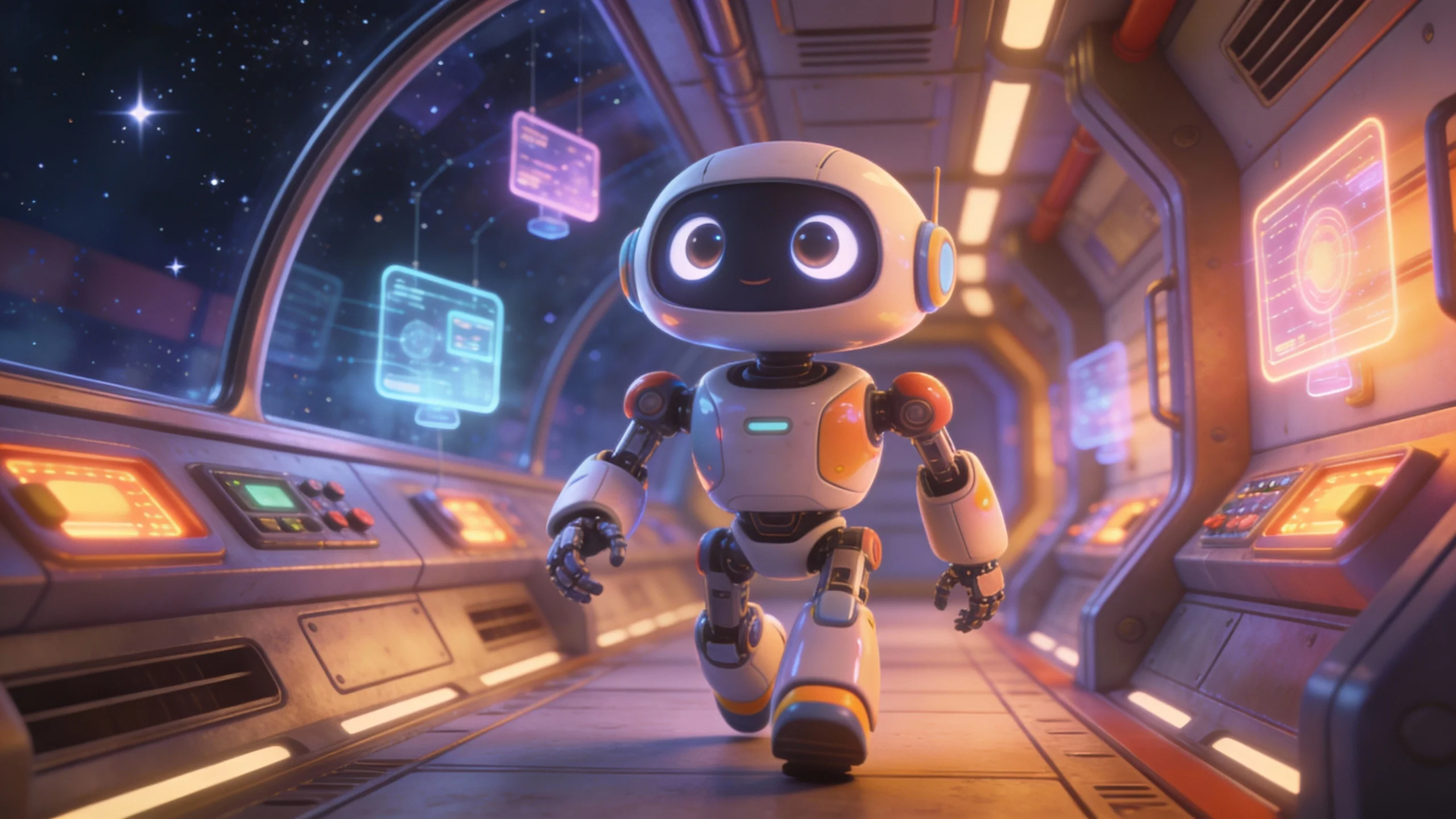
Ltx 2 Distilled
Comment utiliser ce template
Étape 1 : Saisissez votre texte dans le nœud « Prompt »
Renseignez le nœud « Prompt » avec le texte demandé.
An animated cinematic shot. a robot, walks slowly, the camera dollys back and keep the robots slow walk in a medium shot. the robot start running slowly and heavily. it then stops, and the camera keeps dollying back, until a blue similiar robot appears in an over the shoulder shot.
Étape 2 : Importez votre fichier
Dans le nœud « Image », importez le fichier que vous souhaitez traiter.
Étape 3 : Exécutez le workflow
Cliquez sur le bouton « Exécuter » pour lancer le workflow et obtenir le résultat final.
Personnalisez le workflow sous-jacent
Ouvrez le workflow complet dans l’éditeur AI-Flow pour changer de modèle, réécrire les prompts ou le connecter à d’autres étapes.
À qui s’adresse ce template ?
Idéal pour les professionnels et les créateurs qui souhaitent simplifier leur workflow
Créateurs et monteurs vidéo
Produisez des clips courts et de qualité, avec son synchronisé, directement à partir de prompts, pour vos storyboards, animatiques et vidéos sociales.
Marketeurs et équipes de marque
Prototypez rapidement des publicités et des promos avec des visuels fidèles à votre marque, une musique et une ambiance accordées, et une synchronisation labiale juste pour les dialogues.
Créateurs de contenu et social media
Transformez des idées ou des miniatures en vidéos verticales ou horizontales engageantes, avec un audio naturel, en quelques secondes.
Équipes produit et chercheurs UX
Générez des séquences de démonstration et des scénarios réalistes, avec un rythme, un cadrage et une ambiance sonore maîtrisés.
Développeurs et chercheurs
Appuyez-vous sur un modèle open source texte-vers-vidéo et image-vers-vidéo à synchronisation audiovisuelle, avec affinage LoRA et adaptateurs de contrôle.
Prêt à créer ?
Commencez à utiliser cette application
Aucune configuration requise — ouvrez l’application et commencez à créer en quelques minutes
Vous aimerez peut-être aussi
Explorez d’autres templates puissants pour enrichir votre workflow IA
Génération vidéo avec Gemini Omni 1.1 Flash
Créez des vidéos IA cinématographiques à partir de texte, d’images ou de séquences existantes avec Gemini Omni 1.1 Flash : texte-vers-vidéo, image-vers-vidéo et vidéo-vers-vidéo multimodaux, avec conception sonore native et mouvements réalistes cohérents.
MiniMax H3 - Références vers vidéo
Générez des vidéos 2K à partir de références multimodales avec MiniMax H3. Guidez le sujet, le style, le mouvement et l’audio avec jusqu’à 9 images, 3 clips vidéo et 3 clips audio, cités par leur ordre dans votre prompt.
MiniMax H3 - De la première à la dernière image
Animez une première image en une vidéo 2K cohérente (5 à 15 s) avec MiniMax H3 : image de fin facultative, mouvement dirigé par le prompt et audio stéréo natif.
Génération vidéo avec Gemini Omni Flash
Créez des vidéos IA cinématographiques à partir de texte, d’images ou de séquences existantes avec Gemini Omni Flash : texte-vers-vidéo, image-vers-vidéo et vidéo-vers-vidéo multimodaux, avec conception sonore native et mouvements réalistes cohérents.
De l’image au mouvement
Transformez une photo en court clip cinématographique. Importez une première image, décrivez la suite, ajoutez éventuellement des références, puis laissez le LLM construire un prompt précis et une image suivante cohérente avant de produire une vidéo fluide.
Transformer un storyboard en vidéo cinématographique
Transformez un storyboard de 4 images en une vidéo cinématographique multi-plans soignée. Générez le storyboard à partir d’un seul prompt, puis laissez ses échelles de plan, son cadrage et son rythme de caméra guider un spot continu de 5 secondes, avec audio synchronisé.
Questions fréquentes
Qu’est-ce que LTX‑2 Distilled ?
Un modèle open source de génération audio-vidéo optimisé pour la vitesse, signé Lightricks, qui produit une vidéo et un audio synchronisés à partir de prompts textuels ou d’images.
En quoi diffère-t-il des générateurs vidéo classiques ?
La plupart des modèles produisent une vidéo muette ou ajoutent l’audio ensuite. LTX‑2 Distilled génère vidéo et audio ensemble, ce qui donne un timing naturel, une synchronisation labiale, une ambiance et une musique accordées à l’image.
L’image-vers-vidéo est-il pris en charge ?
Oui. Fournissez une image de référence pour préserver la composition, l’éclairage et le style pendant que le modèle ajoute le mouvement et le son synchronisé. Ajustez image_strength (0 à 1) pour contrôler la fidélité à l’image source.
Quels paramètres puis-je contrôler ?
Prompt (requis), image optionnelle, aspect_ratio, num_frames (de la forme 8*k+1), seed pour la reproductibilité, enhance_prompt (true/false) et image_strength pour la fidélité en i2v.
Quelle peut être la durée des vidéos générées ?
Les clips sont courts et déterminés par le réglage num_frames (8*k+1). Choisissez un nombre d’images plus élevé pour des clips plus longs ; les valeurs par défaut correspondent à environ 30 images par seconde pour une lecture fluide.
Quelles résolutions et quels formats sont pris en charge ?
Le 1080p est la valeur par défaut, recommandée pour la vitesse et la qualité ; le modèle peut monter jusqu’au 4K. Les formats courants incluent 16:9, 9:16, 1:1, 4:3, 3:4 et 21:9. Veillez à ce que la largeur et la hauteur soient divisibles par 32.
Comment rédiger des prompts efficaces ?
Décrivez le plan comme un chef opérateur : qui ou quoi bouge, les angles de caméra, le rythme, l’éclairage, les couleurs, le décor et le paysage sonore (dialogues, ambiance, musique). Restez sous environ 200 mots et commencez par l’action.
La synchronisation labiale est-elle précise ?
Oui. L’architecture à double flux du modèle s’appuie sur l’attention croisée pour une forte synchronisation audiovisuelle, avec une synchronisation labiale précise et un timing sonore aligné sur les événements visuels.
À quoi ressemble le résultat ?
L’API renvoie l’URI d’un fichier vidéo MP4 contenant à la fois les images générées et l’audio synchronisé.
Puis-je reproduire un résultat ?
Oui. Définissez une graine (seed) pour améliorer la reproductibilité entre exécutions à entrées et paramètres identiques.
Puis-je affiner le modèle ?
LTX‑2 Distilled prend en charge l’affinage LoRA pour les styles, les schémas de mouvement et les identités, ainsi que des LoRA de contrôle (profondeur, pose, contours) et des IC‑LoRA pour la cohérence d’identité et les transformations v2v.
Y a-t-il des limites ?
Le modèle génère du contenu plausible et non factuel, et peut refléter les biais de son jeu de données. La qualité audio est meilleure sur la parole et les ambiances naturelles ; les sons abstraits peuvent être moins fidèles. Respectez les contraintes de nombre d’images et de dimensions pour des résultats stables.
Qu’est-ce qu’AI-FLOW et comment peut-il m’aider ?
AI-FLOW est une plateforme d’IA tout-en-un qui vous permet de créer, d’intégrer et d’automatiser des workflows alimentés par l’IA grâce à une interface intuitive en glisser-déposer. Débutant ou expert, vous pouvez combiner plusieurs modèles d’IA pour créer des solutions innovantes sans écrire de code.
Un essai gratuit est-il disponible ?
Oui, AI-FLOW propose un essai gratuit pour commencer. Vous pouvez ensuite acheter des crédits selon vos besoins, sans abonnement ni engagement à long terme.
Puis-je intégrer mes clés API OpenAI, Replicate et d’autres fournisseurs dans la version Cloud d’AI-FLOW ?
Oui, vous pouvez facilement intégrer vos propres clés API à AI-FLOW. Les nœuds associés utiliseront alors votre clé, ce qui réduit considérablement votre consommation de crédits sur la plateforme.