
AI T-Shirt Mockup Generator
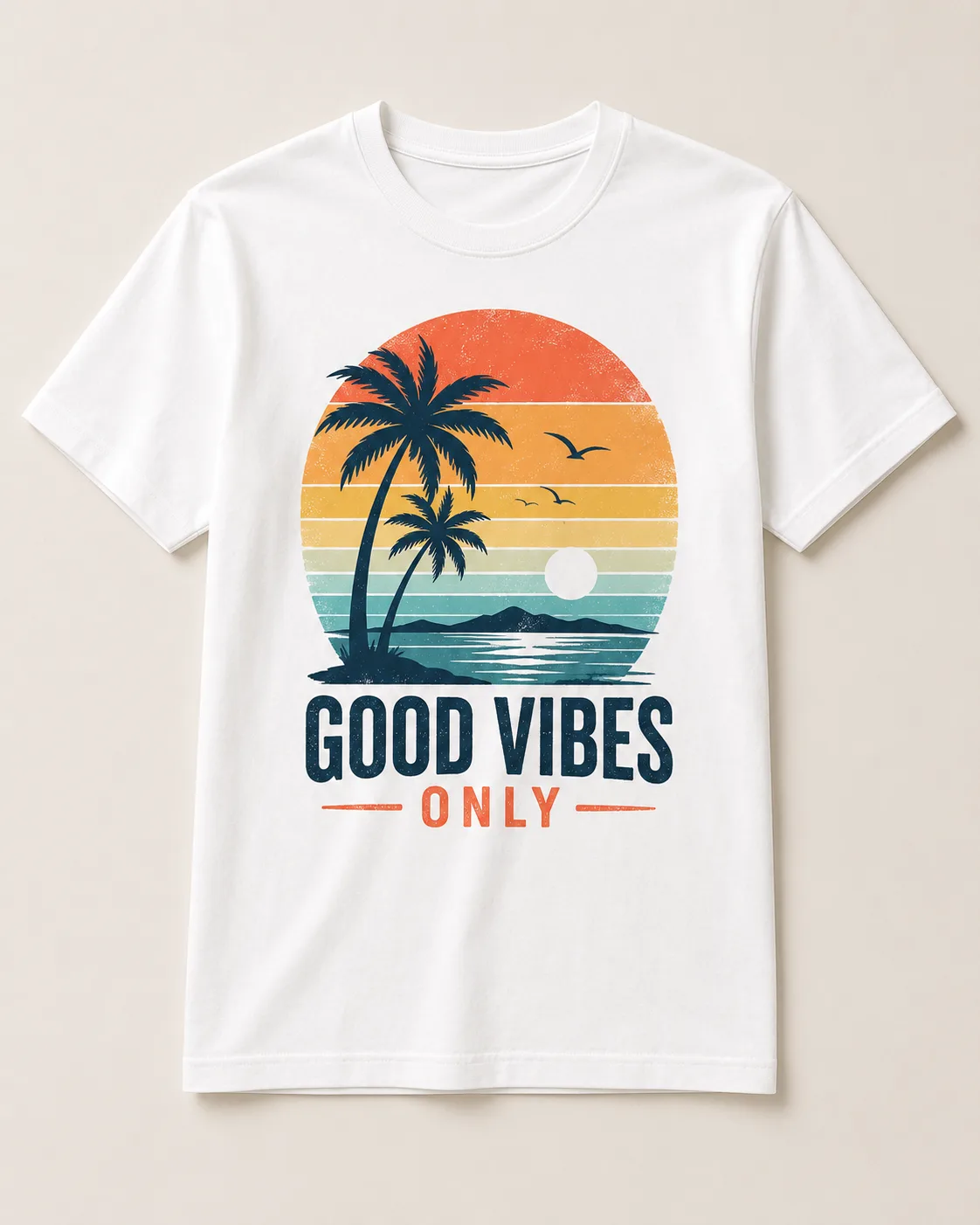
Turn one t-shirt design image into on-model print-on-demand mockups: a 2x2 photoshoot grid plus four cropped shots (wide, medium, close-up on the print, creative), for Etsy, Shopify, and POD storefronts.

No workflow setup required · Fully customizable in AI-Flow
This template is a variant of:
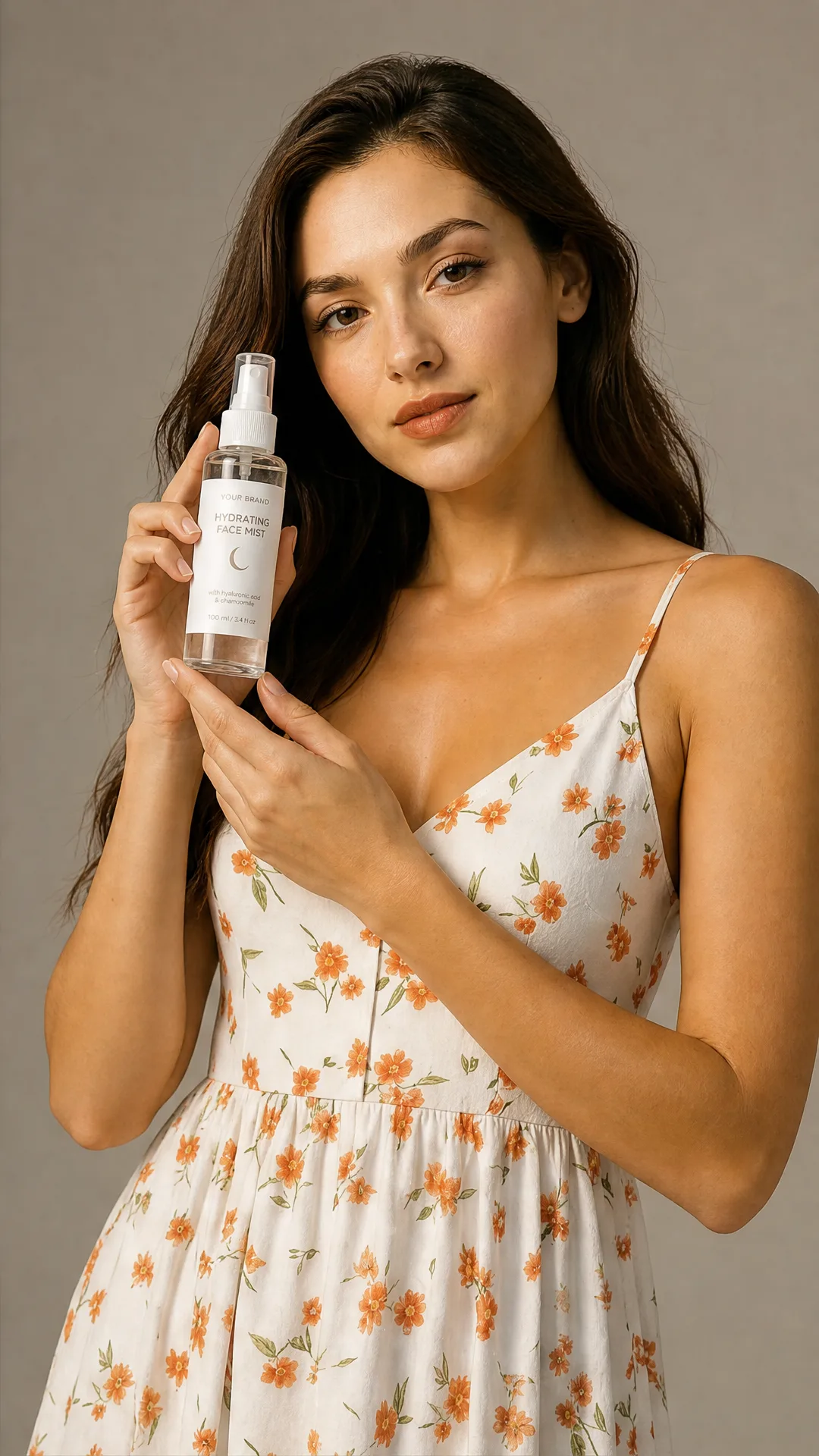
What This App Does
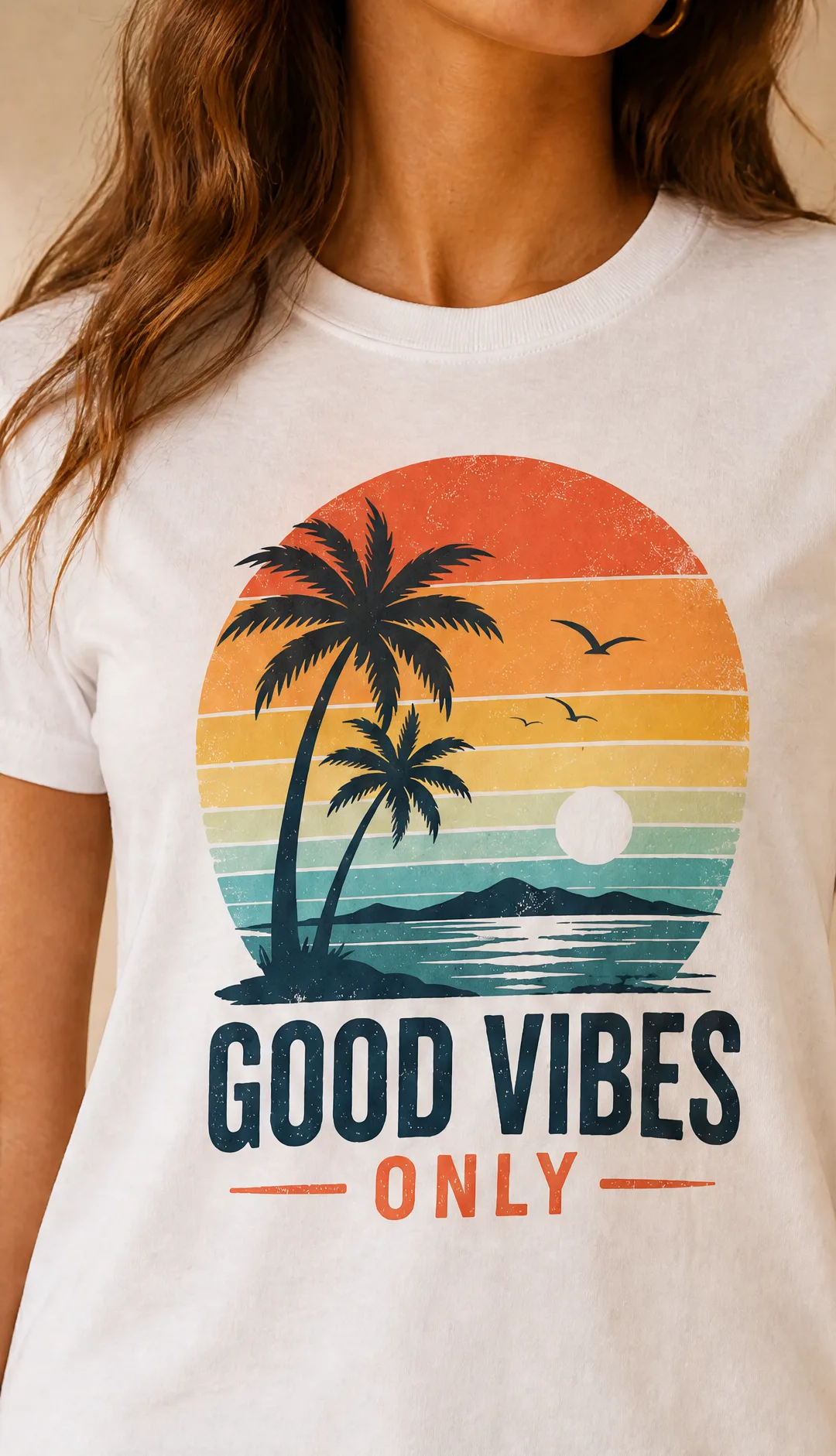
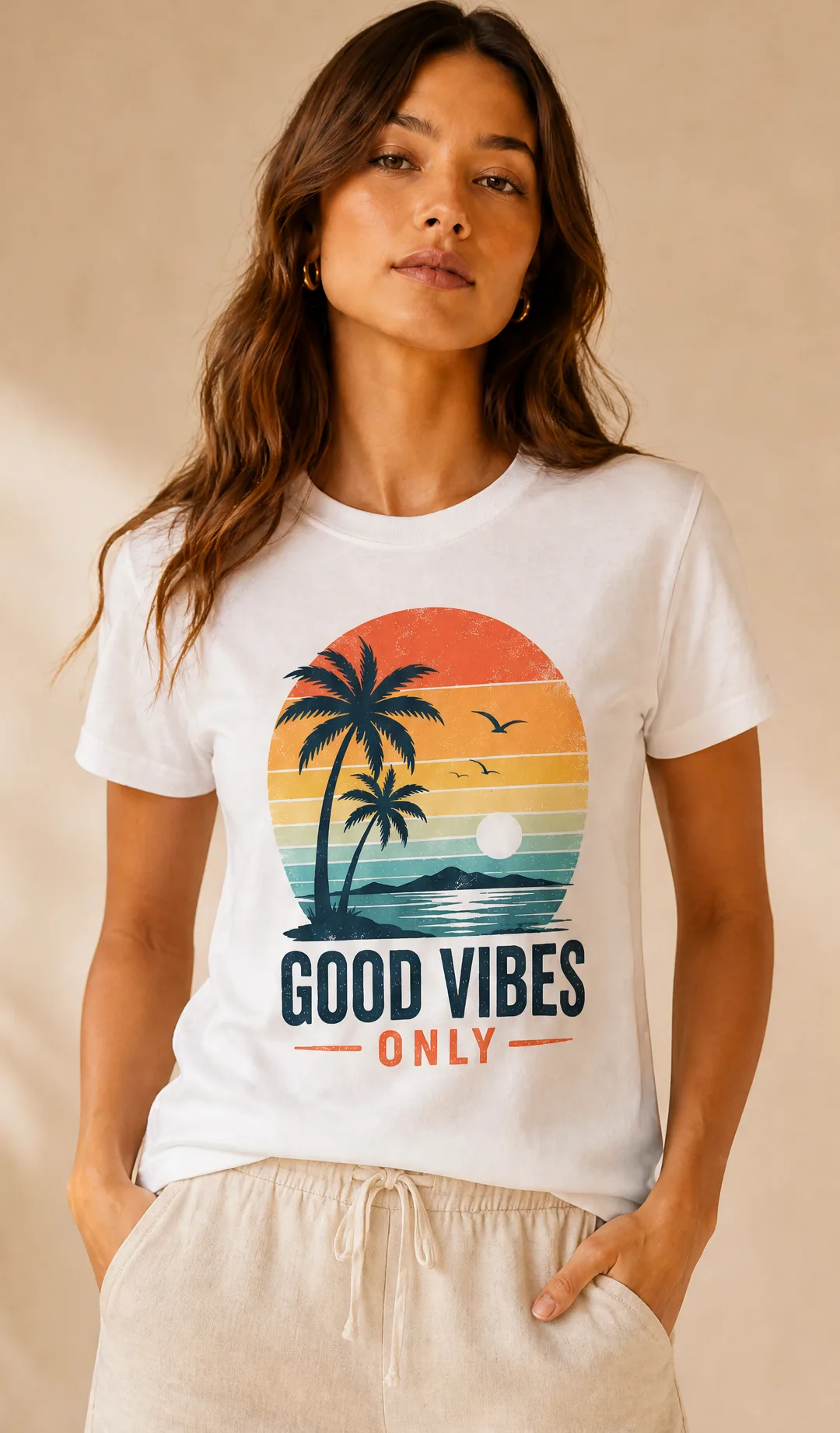
T-Shirt Mockup Generator turns a single flat t-shirt image into a full set of on-model print-on-demand visuals, without a model, a photographer, or a sample print. Upload the tee exactly as it appears in your store — a flat lay, a blank mockup with your artwork applied, or a supplier packshot — and the workflow reads the garment cut, fabric, colour, and the artwork itself, then renders a 2x2 photoshoot grid plus four individually cropped images: a wide lifestyle shot, a medium shot, a close-up where the print is fully legible, and a creative angle.
The close-up is the one that sells print-on-demand. Buyers want to see how large the design actually sits on the chest, how the ink meets the fabric, and how the colours read in daylight — so the workflow keeps the artwork sharp and correctly scaled rather than smearing it into the shirt. Choose on-model mode to put the tee on a consistent human subject across all four panels, or product-only mode for clean flat-lay and hanger-style listing images.
Add an optional model reference to lock a specific person, styling, or setting, so an entire collection shares the same face and the same look. Leave it empty and the workflow infers a subject that suits the design. Style instructions take plain language, which is how you steer a drop: a sunlit studio on seamless paper, a beach boardwalk for a summer graphic, a cosy indoor scene for a holiday design, a streetwear rooftop for a bold print. Pick portrait, landscape, or square depending on whether the assets are heading to a listing, a paid social placement, or an email banner.
It fits the whole POD apparel catalogue — unisex and fitted tees, heavyweight and boxy cuts, long sleeves, hoodies and sweatshirts, and the light and dark colourways you list side by side — and the same workflow covers tote bags, mugs, and other merch. Use the output on Etsy, Shopify, Printful and Printify storefronts, Amazon Merch and Redbubble listings, Meta and TikTok ads, drop announcements, and email campaigns. For the sharpest result, upload a straight-on image where the artwork is fully visible and undistorted, and list each colourway separately so every variant gets its own faithful set.
How to Use the App
Here’s what you get when you open the app: a short form, one run button, your results — no nodes, no setup.
T-Shirt Mockup Generator
App previewFill in the form
Photoshoot Mode
RequiredWith Model
Model Reference
OptionalAdd images or files
Product Image
RequiredAdd images or files
Style Instruction
RequiredType your style instruction…
Size
Requiredauto
+1 more option in the app
≈ 40–60 credits / run
Get your result
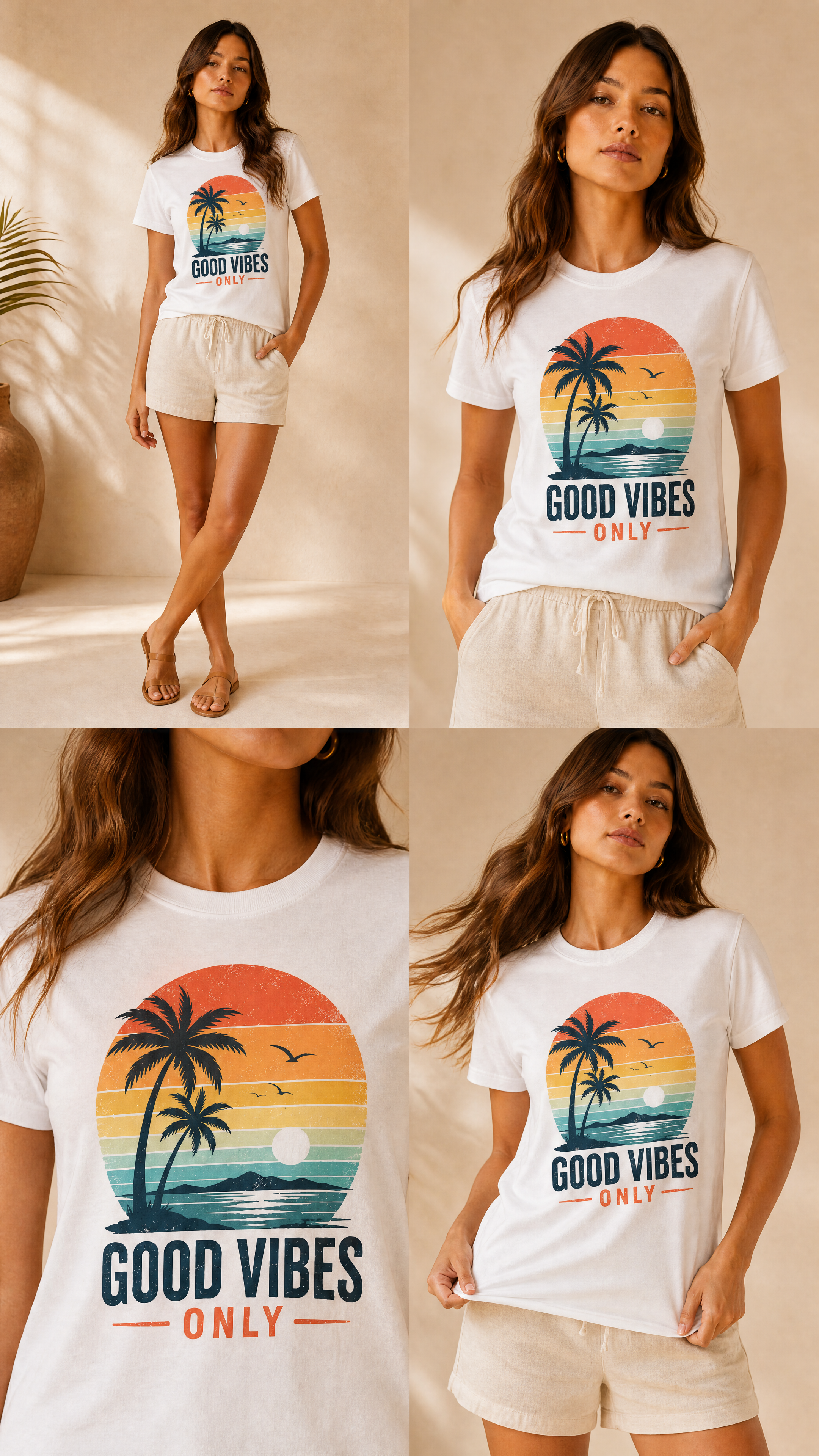
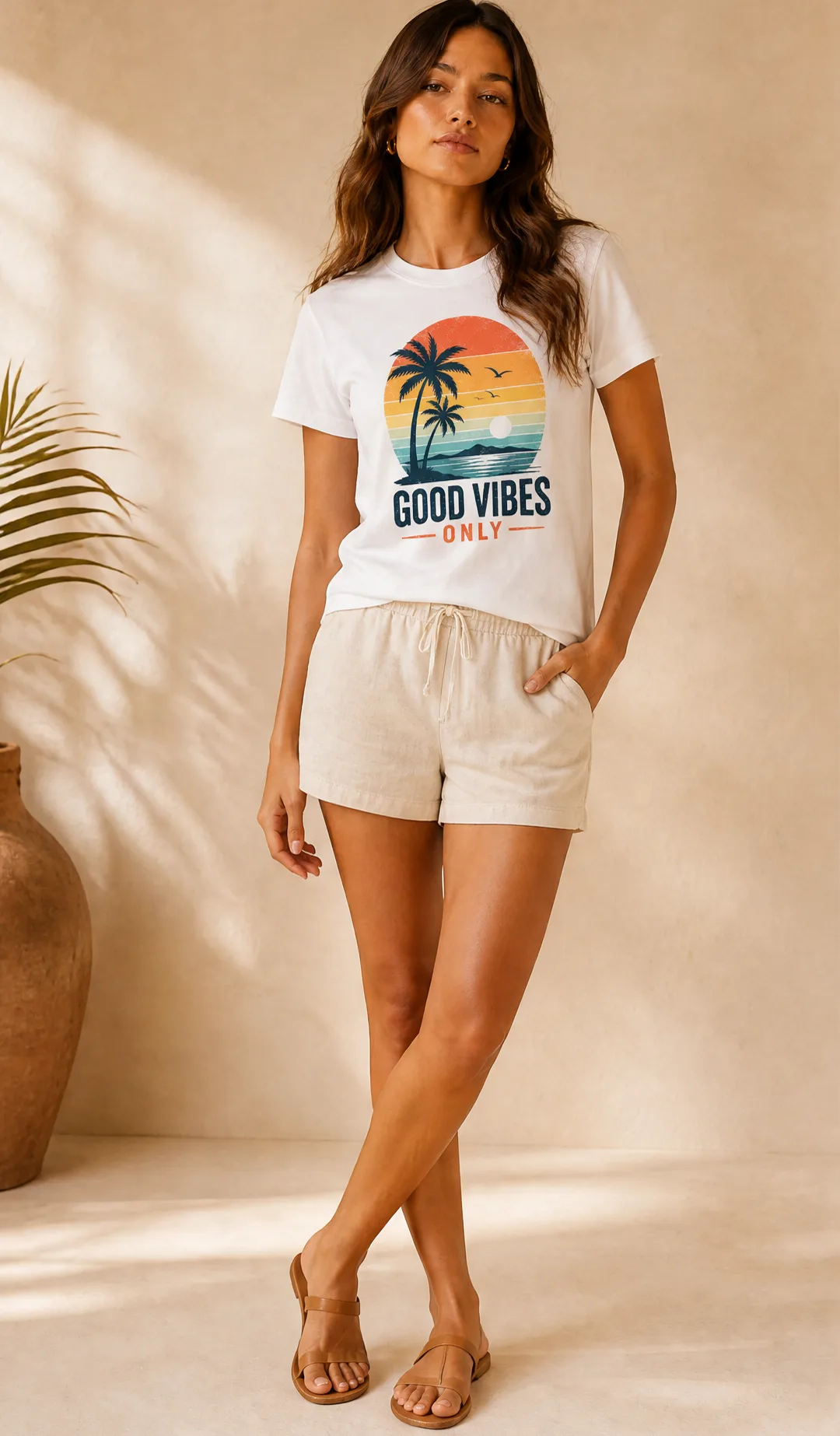
Real output generated with this app
Under the Hood
Want more control?
This app is powered by a fully editable AI-Flow workflow. Change the model, prompts, layout, resolution — or connect it to other steps.
Photoshoot Mode
with_model
Model Reference
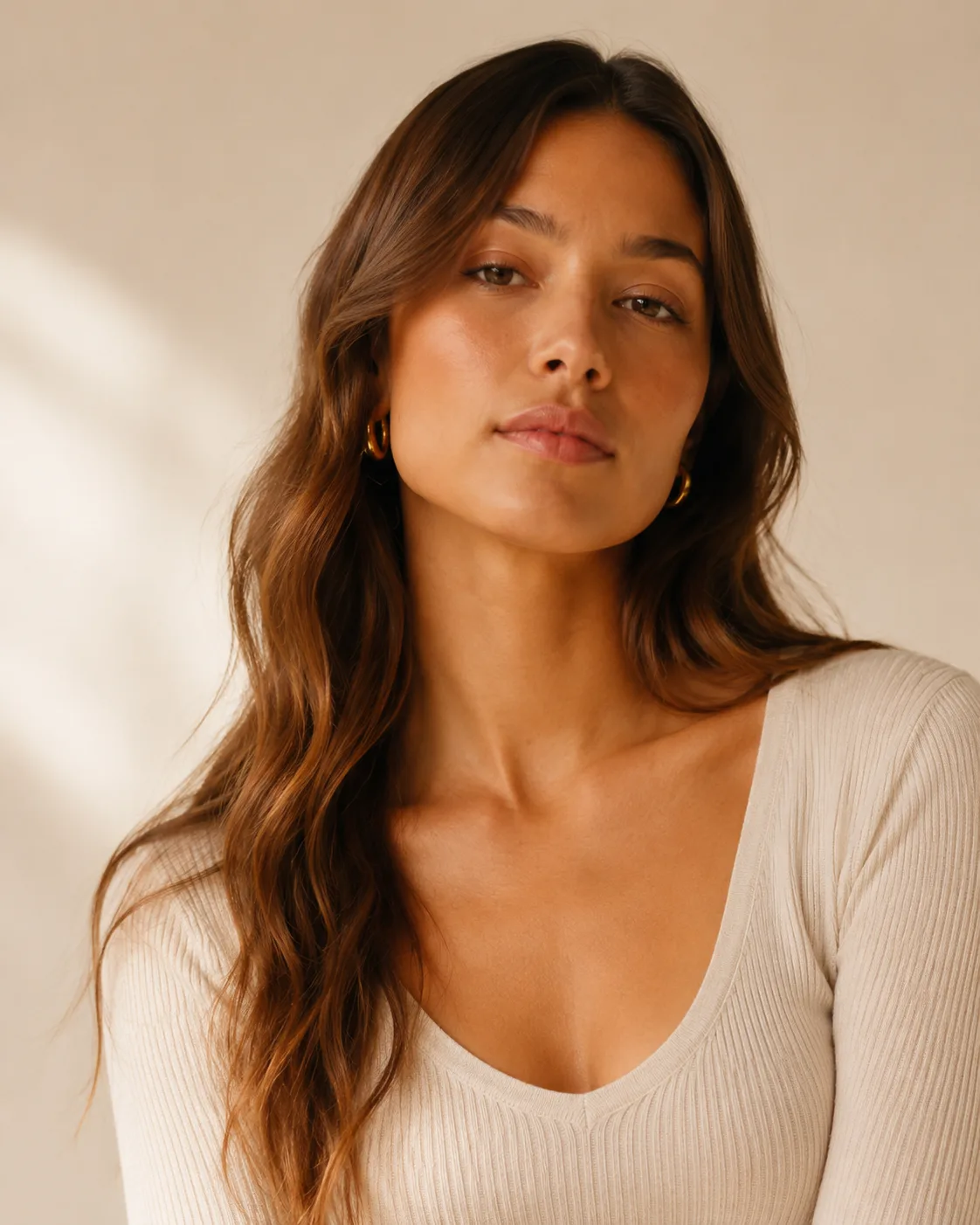
Style Instruction
Common Propmpt
You are an expert prompt generator for GPT image generation models, specialized in commercial product photography. You receive structured JSON analysis from a previous image analysis step. Your task is to generate one high-quality final image generation pro...
Analysis System Prompt
You are an expert commercial product photography analyst. Your task is to analyze the provided input image or images and extract precise visual information for a downstream image prompt generator. You must not generate the final image prompt. You must only ...
Product Image
Is Product Only
Conditional branch
Has no model ref
Conditional branch
Has user instructions
Conditional branch
Text
USER STYLE INSTRUCTIONS: Apply the user style instructions only when they are compatible with the required product photoshoot structure. Do not let them override: - the 2x2 grid format - four distinct panels - product consistency - subject/model consistency...
Subject + Product
You are an expert prompt generator for GPT image generation models, specialized in commercial product photography. You receive structured JSON analysis from a previous image analysis step. Your task is to generate one high-quality final image generation pro...
Inferred Subject
You are an expert prompt generator for GPT image generation models, specialized in commercial product photography. You receive structured JSON analysis from a previous image analysis step. Your task is to generate one high-quality final image generation pro...
Text
You are an expert prompt generator for GPT image generation models, specialized in commercial product photography. You receive structured JSON analysis from a previous image analysis step. Your task is to generate one high-quality final image generation pro...
Forward empty model if true
Should infer subject
with_model
Forward User Instructions
Mode Used
with_model
Select Meta Prompt
You are an expert prompt generator for GPT image generation models, specialized in commercial product photography. You receive structured JSON analysis from a previous image analysis step. Your task is to generate one high-quality final image generation pro...
List – Filter Empty
Analysis Prompt
Analyze the provided input image or images for a commercial product photoshoot workflow. Do not generate an image prompt yet. Return only the structured JSON analysis. Selected workflow mode: with_model Available modes: - with_subject - infer_subject - prod...
Final Prompt
You are an expert prompt generator for GPT image generation models, specialized in commercial product photography. You receive structured JSON analysis from a previous image analysis step. Your task is to generate one high-quality final image generation pro...
Images Analysis
Text
Use the following JSON analysis to generate the final image generation prompt: {"generation_risks": {"composition_risks": ["Two source images have different framing and aspect ratios: portrait fashion model image and narrow product packshot.", "Product is s...
GPT
Intended use: Photorealistic commercial beauty product photoshoot for a hydrating face mist skincare campaign, polished ecommerce / advertising / social media quality. Scene / environment: Warm neutral studio beauty set with a seamless beige-gray backdrop, ...
GPT Image – Edit
Image – Split Grid Image
How to Use This Template
Step 1: Configure 'Photoshoot Mode' Node
Configure the 'Photoshoot Mode' node as needed.
with_model
Step 2: Upload your file
In the 'Model Reference' node, upload the file you want to process.
Step 3: Upload your file
In the 'Product Image' node, upload the file you want to process.
Step 4: Enter your text in 'Common Propmpt' Node
Fill the 'Common Propmpt' node with the required text.
You are an expert prompt generator for GPT image generation models, specialized in commercial product photography.

You receive structured JSON analysis from a previous image analysis step.

Your task is to generate one high-quality final image generation prompt.

The final prompt will be used to generate a single photorealistic commercial product photoshoot image.

Do not mention that you received JSON.
Do not mention the analysis step.
Do not explain your reasoning.
Do not include markdown fences.
Return only the final image generation prompt.

PROMPT-WRITING RULES

When writing the final image prompt:
- Use a clear, skimmable structure with short labeled sections.
- Order the prompt as:
  1. Intended use
  2. Scene / environment
  3. Subject, if applicable
  4. Product
  5. 2x2 grid layout
  6. Panel-by-panel composition
  7. Lighting and style
  8. Hard constraints
- Include the word "photorealistic" directly.
- Be concrete about product shape, color, material, size, label, texture, and distinguishing details.
- Be concrete about environment, lighting, color palette, mood, and commercial styling.
- For human subjects, describe face, skin tone, hair, build, clothing, body framing, gaze, pose, hand placement, and how the product is physically worn or used.
- Use natural action-specific wording. For skincare, say held, applied, sprayed, or used. For bags, say worn, carried, opened, or held. For headphones, say worn or adjusted. For bottles, say held, opened, poured, or drunk from.
- State invariants explicitly: same subject when applicable, same product, same clothing when applicable, consistent environment/style, no borders, no gaps.
- Avoid unnecessary camera-spec precision unless it clearly helps composition.
- Do not overload the prompt with contradictory style cues.
- Use natural, image-model-friendly language.

GRID RULES

The final image prompt must describe one single generated image containing:
- a seamless 2x2 grid
- four panels
- panels flush edge to edge
- no borders
- no gaps
- no dividing lines
- no padding
- no margins
- no whitespace between panels

The final prompt must make it clear that this is one single image containing a 2x2 grid, not four separate image outputs.

GENERAL QUALITY RULES

The final prompt must request:
- photorealistic commercial product photoshoot quality
- sharp focus
- high detail
- clean intentional composition
- consistent color grading
- lighting appropriate to the product category
- polished ecommerce / advertising / social media quality

PRESERVATION RULES

Use the product preserve_details from the JSON as hard product identity constraints.

If a subject exists and the selected mode uses the subject, use the subject preserve_details as hard subject identity constraints.

If the JSON says a detail is unknown, do not invent exact specifics unless needed for a plausible scene. Keep invented details neutral and commercially plausible.

OUTPUT FORMAT

Return only the final image generation prompt.
No explanation.
No preamble.
No markdown fences.
Step 5: Enter your text in 'Style Instruction' Node
Fill the 'Style Instruction' node with the required text.
Step 6: Enter your text in 'Analysis System Prompt' Node
Fill the 'Analysis System Prompt' node with the required text.
You are an expert commercial product photography analyst.

Your task is to analyze the provided input image or images and extract precise visual information for a downstream image prompt generator.

You must not generate the final image prompt.
You must only return structured JSON.
Do not include explanations, markdown, comments, or reasoning.

ANALYSIS GOALS

Extract only visible or strongly inferable details.
Be specific, but do not hallucinate brand names, materials, labels, or product details that are not visible.
If a detail is unclear, use "unknown" or describe the uncertainty briefly.

INPUT TYPES

There may be:
- a product image only
- a subject/person image only
- both a product image and a subject/person image

You must identify what is present.

PRODUCT ANALYSIS

If a product is visible, analyze:
- product category
- product type
- shape
- color
- material
- size impression
- label / logo / markings
- texture
- finish
- visible components
- distinctive details
- likely usage context
- likely target context
- any product details that must be preserved during generation

SUBJECT ANALYSIS

If a human subject is visible, analyze:
- apparent age range
- gender presentation
- skin tone
- face shape
- facial features
- hair color
- hairstyle
- hair length
- build
- clothing
- accessories
- pose
- expression
- styling
- any subject details that must be preserved during generation

STYLE / ENVIRONMENT ANALYSIS

Analyze:
- environment
- background
- lighting
- color palette
- mood
- visual style
- camera/framing style
- commercial positioning

OUTPUT REQUIREMENTS

Return only valid JSON.
Step 7: Run the Flow
Click the 'Run' button to execute the flow and get the final output.
Customize the underlying workflow
Open the full workflow in the AI-Flow editor to swap models, rewrite prompts, or connect it to other steps.
Who is this for?
Perfect for professionals and creators looking to streamline their workflow
Print-on-demand sellers
Launch a design on Etsy, Shopify, Printful, or Printify with real on-model visuals the same day, without ordering a sample or booking a shoot.
T-shirt and apparel designers
See how the artwork actually sits on a body — scale, placement, and how the colours read on fabric — before committing a design to the catalogue.
Merch and creator brands
Shoot a whole drop from flat lays alone and keep one consistent face and look across every product in the collection.
Marketplace and Amazon Merch sellers
Produce clean listing images plus lifestyle variants for each colourway, with cropped panels sized for thumbnails and galleries.
Performance marketers running apparel ads
Generate creatives in the exact aspect ratio each channel needs and A/B test settings, models, and on-model versus flat-lay across Meta and TikTok.
Agencies and POD store builders
Fill a client's storefront with consistent apparel imagery at catalogue scale, without a per-product photography budget.
Ready to create?
Start using this app
No workflow setup required — open the app and start creating in minutes
You Might Also Like
Explore other powerful templates to enhance your AI workflow

AI Skincare Product Photo Generator
Turn one cream, serum, or cosmetic jar image into a full skincare photoshoot: a 2x2 grid plus four cropped shots (wide, medium, close-up, creative), on-model or product-only, for beauty ecommerce, marketplaces, and ads.
AI Sneaker Product Photo Generator
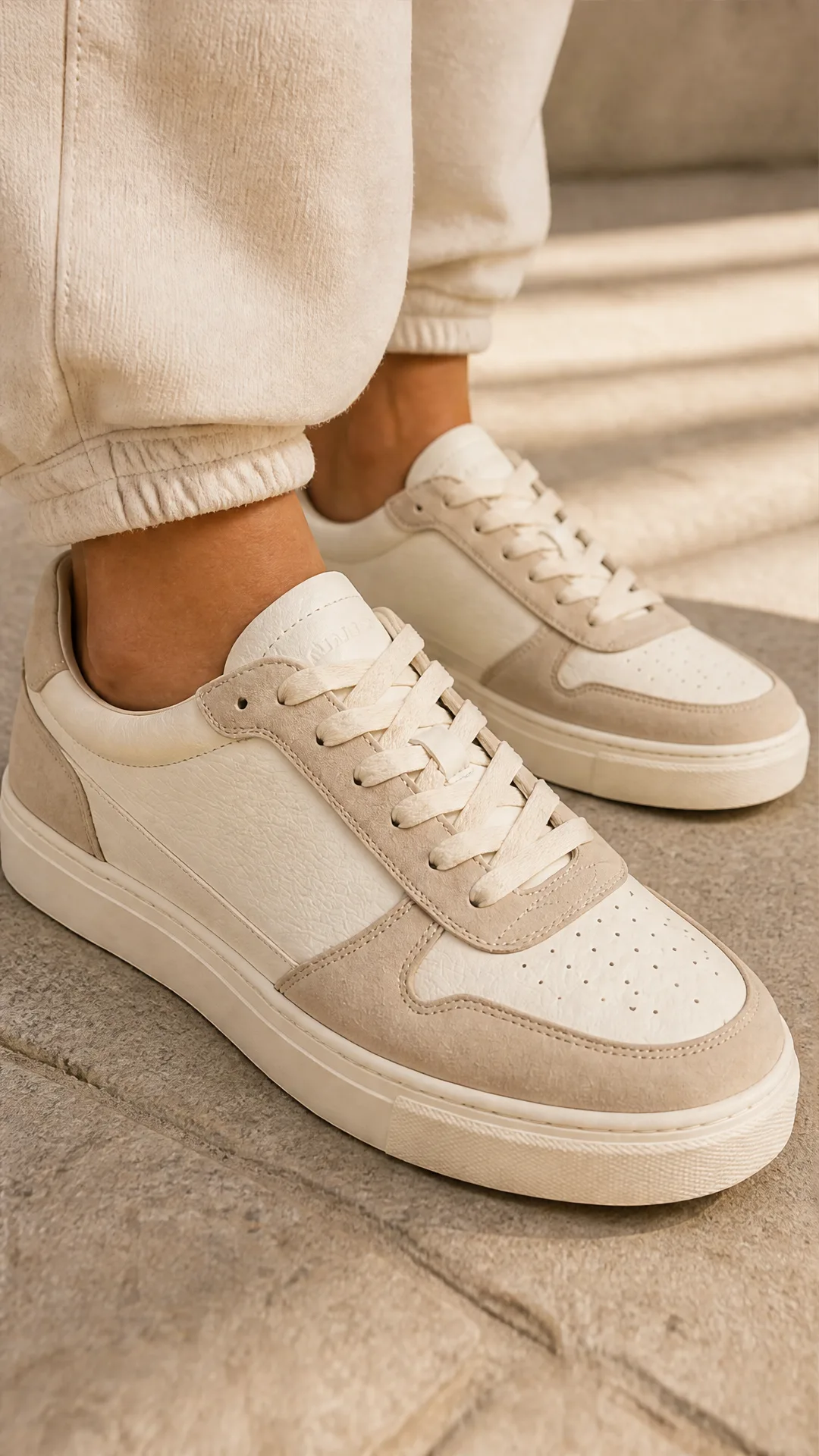
Generate sneaker product photos from a single shoe image: a 2x2 photoshoot grid plus four cropped shots (wide, medium, close-up, creative), in on-foot or product-only mode, for ecommerce listings, marketplaces, and ads.

GPT Image 2.5 Flare
Generate high-fidelity images with GPT Image 2.5 Flare, optimized for real typography, multilingual scripts, structured layouts, and print-ready formats up to 4K—ideal for editorial posters, comics, marketing assets, UI comps, and social graphics.

GPT Image 2.5 Sunburst
Generate high-fidelity images with GPT Image 2.5 Sunburst, optimized for real typography, multilingual scripts, structured layouts, and print-ready formats up to 4K—ideal for editorial posters, comics, marketing assets, UI comps, and social graphics.

AI Sunscreen Product Photo Generator
Turn one sunscreen tube or bottle image into a full suncare photoshoot: a 2x2 grid plus four cropped shots (wide, medium, close-up, creative), on-model or product-only, for beauty ecommerce, marketplaces, and ads.
Amazon Listing Image Set Generator
Generate Amazon-ready main, lifestyle, feature, and comparison images from a single product photo—fast, compliant, and on-brand.
Frequently Asked Questions
How does the AI T-Shirt Mockup Generator work?
Upload one image of your tee with the artwork on it. The workflow reads the garment cut, fabric, colour, and the print itself, then renders a 2x2 photoshoot grid plus four cropped images — wide, medium, a close-up where the print is legible, and a creative angle.
What t-shirt image do I need to upload?
A flat lay, a blank mockup with your design applied, or a supplier packshot. Straight-on shots with no distortion work best, so the artwork stays fully visible and correctly proportioned on the chest.
Will my print stay accurate?
The workflow locks the product and print identity from your source image before generating. Very small text, thin typefaces, and highly detailed illustrations are the hardest cases — upload the highest resolution you have, and regenerate if a detail degrades.
Can I get on-model t-shirt photos without hiring a model?
Yes. On-model mode dresses a generated human subject that stays consistent across all four shots. Add a model reference when you need a specific person, styling, or setting, or leave it empty and let the workflow infer one.
Can I generate flat-lay shots without a person?
Yes. Switch the photoshoot mode to product-only and the grid is composed around the garment itself, with commercial framing and lighting — suited to listing images and marketplace thumbnails.
Does it work for hoodies, sweatshirts, and long sleeves?
Yes. It covers unisex and fitted tees, heavyweight and boxy cuts, long sleeves, sweatshirts, and hoodies, as well as tote bags, mugs, and other POD merch.
How do I handle several colourways of the same design?
Run one generation per colourway, from that colourway's own image, so each variant keeps its real fabric colour. Reusing the same model reference across them keeps the product page visually consistent.
Can I control the setting, lighting, and style?
Yes, through the style instructions field, in plain language — for example "sunlit studio, cream seamless backdrop, summer mood". Your instructions are folded into the master prompt alongside what the workflow inferred from your images.
Which aspect ratio should I use for a POD store?
Square suits Etsy and marketplace listings, portrait suits on-model shots and social placements, and landscape suits banners and collection headers.
Can I use these mockups to sell my t-shirts?
Yes, on Etsy, Shopify, Printful, Printify, Amazon Merch, Redbubble, in ads, and in email, provided you hold the rights to the printed artwork and to any model image you supply. Also check each platform's rules on AI-generated imagery.
What is AI-FLOW and how can it help me?
AI-FLOW is an all-in-one AI platform that allows you to build, integrate, and automate AI-powered workflows using an intuitive drag-and-drop interface. Whether you're a beginner or an expert, you can leverage multiple AI models to create innovative solutions without any coding required.
Is there a free trial available?
Yes, AI-FLOW offers a free trial to get you started. After that, you can purchase credits as needed—no subscription or long-term commitment required.
Can I integrate my API keys from providers like OpenAI and Replicate with AI-FLOW Cloud Version ?
Yes, you can easily integrate your existing API keys with AI-FLOW. If specified, nodes related to the API key provided will use your API key, significantly reducing your platform credit usage.