
Game Asset Generator — Concept Art to 3D Model
Turn text into reconstruction-ready concept art and a game‑ready 3D asset (GLB + PBR) with Rodin 2.5 in one streamlined run.
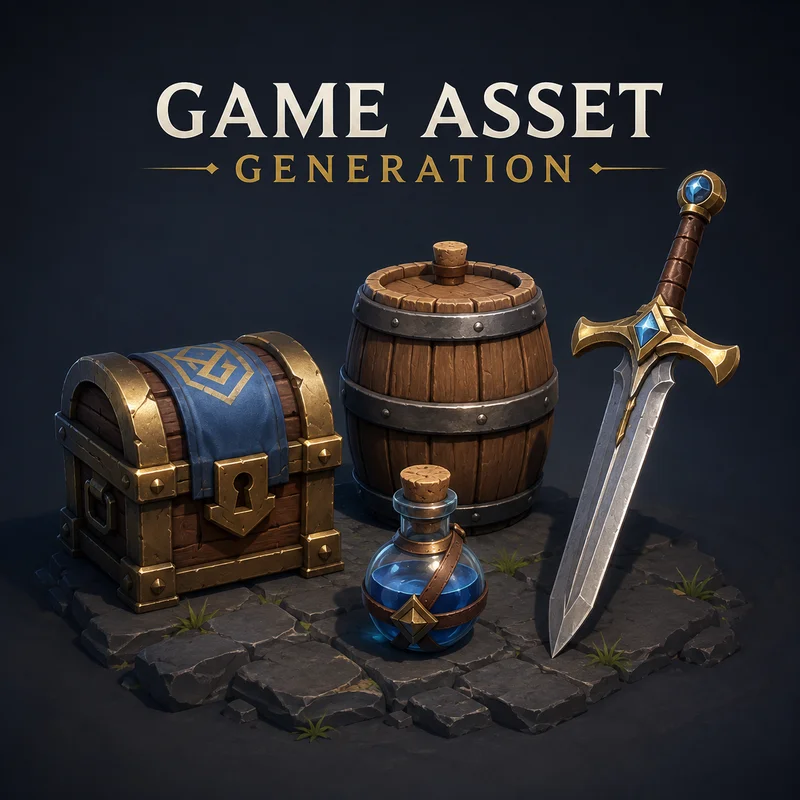
No workflow setup required · Fully customizable in AI-Flow
What This App Does
This Game Asset Generator takes you from idea to engine-ready 3D in one run: describe the asset, generate a clean studio concept image, then automatically convert it into a GLB with PBR materials via Rodin 2.5.
The flow is optimized for reconstruction quality: prompts enforce a single isolated object, three‑quarter view, neutral grey studio backdrop, soft even lighting, and tack‑sharp focus. That means the image‑to‑3D stage sees every surface and silhouette clearly, producing cleaner meshes and more reliable texture bakes.
Use it for props, weapons, characters, creatures, vehicles, furniture, and environment pieces across multiple art directions (stylized, realistic PBR, low‑poly, sci‑fi hard surface, cartoon, grimdark). The reconstruction-ready concept image feeds the 3D stage automatically, while GLB output and physically based textures slot straight into Unity, Unreal, Godot, or DCCs. Adjust the description to control shape, proportion, materials, and wear, then rerun the flow for a new consistent variation.
How to Use the App
Here’s what you get when you open the app: a short form, one run button, your results — no nodes, no setup.
Game Asset Generator — Concept Art to 3D Model
App previewFill in the form
Asset Description
A weathered brass and iron oil lantern with cracked glass panes and a leather-wrapped handle
Asset Type
RequiredProp
Value 2
RequiredStylized fantasy
≈ 52–56 credits / run
Get your result
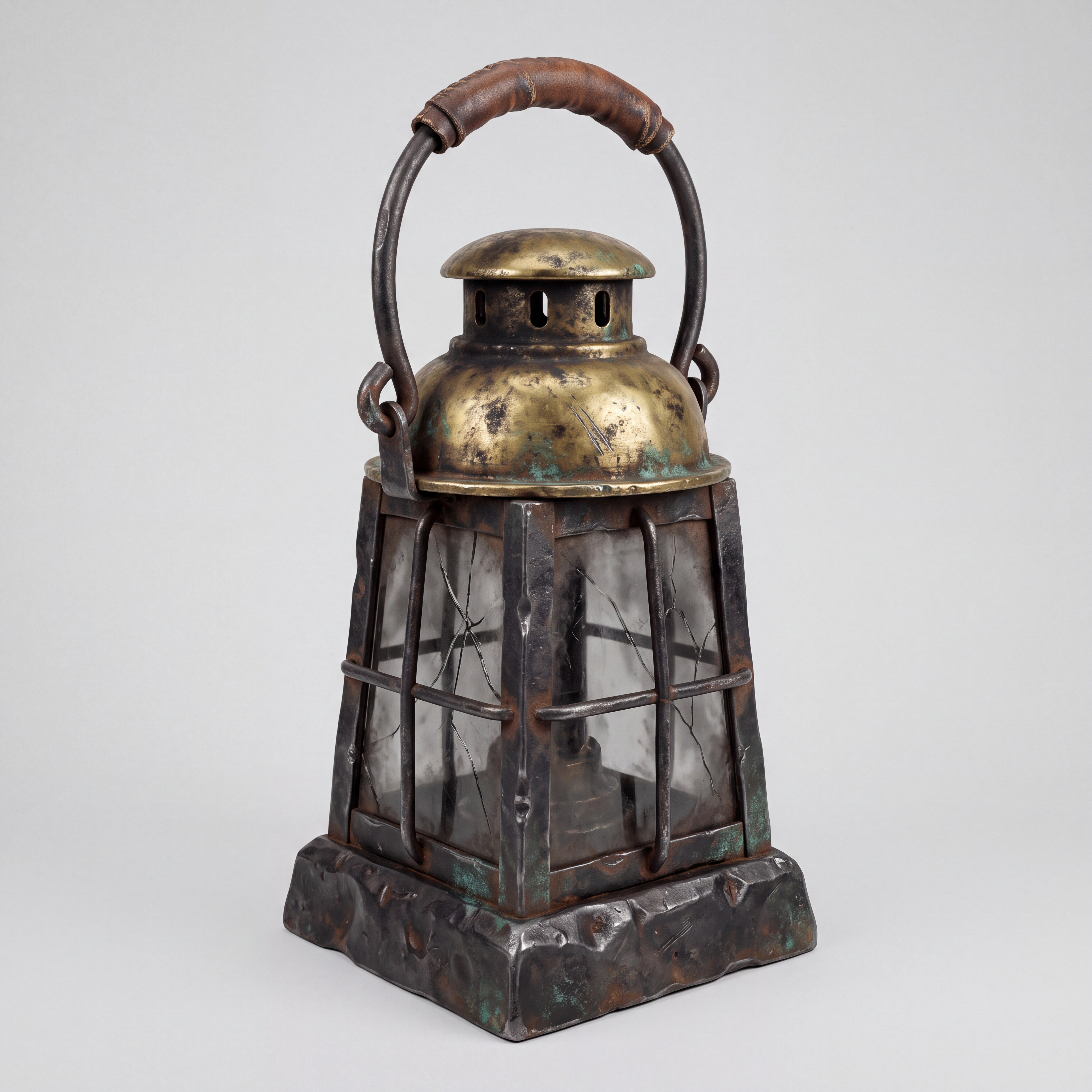
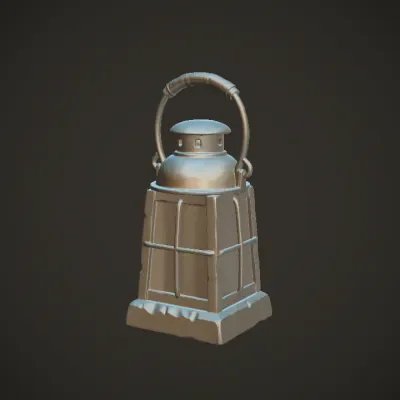
Real output generated with this app
Under the Hood
Want more control?
This app is powered by a fully editable AI-Flow workflow. Change the model, prompts, layout, resolution — or connect it to other steps.
Asset Description
A weathered brass and iron oil lantern with cracked glass panes and a leather-wrapped handle
Asset Type
prop
Art Style
stylized fantasy: hand-painted look, slightly exaggerated shapes, chunky readable silhouette
Concept Brief
You are a 3D concept artist writing image-generation prompts for game assets that will be turned into 3D meshes by an AI image-to-3D reconstructor. The image is a technical reference plate, not marketing art: anything the reconstructor cannot see or cannot ...
Concept Prompt Writer
Exactly one isolated weathered oil lantern, alone in frame, with chunky exaggerated fantasy proportions: broad iron base, brass vented cap, four cracked glass panes, and a thick arched handle wrapped in worn brown leather. Tarnished golden brass, dark forge...
Concept Image
3D Model (GLB, PBR)
How to Use This Template
Step 1: Enter your text in 'Asset Description' Node
Fill the 'Asset Description' node with the required text.
A weathered brass and iron oil lantern with cracked glass panes and a leather-wrapped handle
Step 2: Configure 'Asset Type' Node
Configure the 'Asset Type' node as needed.
prop
Step 3: Configure 'Art Style' Node
Configure the 'Art Style' node as needed.
stylized fantasy: hand-painted look, slightly exaggerated shapes, chunky readable silhouette
Step 4: Run the Flow
Click the 'Run' button to execute the flow and get the final output.
Customize the underlying workflow
Open the full workflow in the AI-Flow editor to swap models, rewrite prompts, or connect it to other steps.
Who is this for?
Perfect for professionals and creators looking to streamline their workflow
Indie and AA game developers
Quickly block out or finalize production‑ready assets in GLB with PBR textures, ready for Unity, Unreal, and Godot.
Technical artists and 3D generalists
Speed up look‑dev and content spikes with controlled, reconstruction‑friendly concept plates that convert cleanly to meshes.
Designers and prototypers
Validate ideas fast by generating stylized or realistic assets with predictable silhouettes and materials.
Outsourcing managers and producers
Use a predictable pipeline that automatically prepares a reconstruction-friendly reference before running image-to-3D.
Educators and students
Learn end‑to‑end asset creation—prompting, concept generation, and 3D reconstruction—without complex toolchains.
Marketplace sellers
Create consistent, studio‑lit product renders and GLB exports with PBR maps for storefronts and catalogs.
Ready to create?
Start using this app
No workflow setup required — open the app and start creating in minutes
You Might Also Like
Explore other powerful templates to enhance your AI workflow
Image to 3D Fast
Convert a single product or object photo into a lightweight, game-ready 3D model in minutes with Rodin 2.5 Image to 3D (Fast).
Gemini Omni 1.1 Flash
Create cinematic AI videos from text, images, or existing footage with Gemini Omni 1.1 Flash—multimodal text-to-video, image-to-video, and video-to-video with native sound design and coherent, real‑world motion.
GPT Image 2.5 Flare
Generate high-fidelity images with GPT Image 2.5 Flare, optimized for real typography, multilingual scripts, structured layouts, and print-ready formats up to 4K—ideal for editorial posters, comics, marketing assets, UI comps, and social graphics.
GPT Image 2.5 Sunburst
Generate high-fidelity images with GPT Image 2.5 Sunburst, optimized for real typography, multilingual scripts, structured layouts, and print-ready formats up to 4K—ideal for editorial posters, comics, marketing assets, UI comps, and social graphics.
MiniMax H3 References to Video
Generate 2K videos from multimodal references with MiniMax H3. Guide subject, style, motion, and audio using up to 9 images, 3 video clips, and 3 audio clips cited by order in your prompt.
MiniMax H3 - First to Last Frame
Animate a first frame into a coherent 2K video (5–15s) with optional last frame matching, prompt-directed motion, and native stereo audio using MiniMax H3.
Frequently Asked Questions
How does the Game Asset Generator work?
It’s a 3‑step pipeline executed in sequence: 1) You describe the asset and choose an art style. 2) The tool writes a reconstruction‑friendly prompt and generates a clean studio concept image. 3) Rodin 2.5 automatically converts that image into a game‑ready 3D model (GLB) with PBR textures.
What do I get as output?
A GLB model with physically based (PBR) materials and textures, plus a preview image. The GLB can be imported into most engines and DCC tools. Texture maps are packaged with the model.
Why the strict studio capture rules?
Image‑to‑3D reconstruction is only as good as what the model can clearly see. A single, centered object on a neutral grey seamless backdrop, with soft even lighting and a three‑quarter elevated view, produces cleaner silhouettes, fewer artifacts, and better PBR texture bakes.
Which asset types and styles are supported?
Props, weapons, characters, creatures, vehicles, furniture, collectibles, and environment pieces. Styles include stylized fantasy, realistic PBR, low‑poly, sci‑fi hard surface, cartoon, and grimdark/weathered.
Can I upload a reference image?
Yes. You can provide an image reference to guide the concept stage. The system will still enforce neutral studio settings to keep reconstruction clean.
Is the model game‑ready?
The GLB includes PBR textures and can be dropped into engines. For strict budgets or platform targets, you may still run your usual post steps (retopo, LODs, collision, naming, and material consolidation).
What file formats are available?
The default export is GLB with PBR materials for broad compatibility. You can convert GLB to FBX/USDZ/OBJ in common DCC tools if needed.
How do I get the best results?
Be specific about silhouette, proportions, materials, and wear. Keep it to one object, avoid accessories, and prefer simple, readable forms. If the concept or model needs changes, refine the description and run the flow again.
Does it support Unity and Unreal?
Yes. GLB + PBR textures import into Unity and Unreal. You can adjust material hookups, roughness/metallic ranges, and compression settings inside your engine.
Can it generate multiple objects in one scene?
No. The template intentionally limits each run to a single, isolated object to maintain clean reconstruction and predictable results.
How are costs handled?
The concept image and Rodin 2.5 reconstruction run in the same launch. The interface displays each step’s estimated cost and the flow’s total estimated range.
How long does it take?
Concept images typically render in seconds, and the 3D reconstruction with Rodin 2.5 completes in a few minutes, depending on quality settings and queue.
What is AI-FLOW and how can it help me?
AI-FLOW is an all-in-one AI platform that allows you to build, integrate, and automate AI-powered workflows using an intuitive drag-and-drop interface. Whether you're a beginner or an expert, you can leverage multiple AI models to create innovative solutions without any coding required.
Is there a free trial available?
Yes, AI-FLOW offers a free trial to get you started. After that, you can purchase credits as needed—no subscription or long-term commitment required.
Can I integrate my API keys from providers like OpenAI and Replicate with AI-FLOW Cloud Version ?
Yes, you can easily integrate your existing API keys with AI-FLOW. If specified, nodes related to the API key provided will use your API key, significantly reducing your platform credit usage.