
MiniMax H3 - First to Last Frame
Animate a first frame into a coherent 2K video (5–15s) with optional last frame matching, prompt-directed motion, and native stereo audio using MiniMax H3.
No workflow setup required · Fully customizable in AI-Flow
What This App Does
MiniMax H3 – First to Last Frame turns a still image into a smooth, cinematic clip and can optionally land on a specified last frame. Provide a first-frame URL, an optional end-frame URL, and a natural-language prompt to guide motion, timing, lighting, edits, typography, and scene intent. The model preserves identity, composition, and camera movement cues while executing localized edits so the rest of the shot remains stable.
What it does
Image-to-video generation — animate from a single image, or interpolate from first to last frame for directed transitions.
Precise control via prompt — relight a scene, replace objects, adjust signage/UI, or refine pacing and framing without resetting the whole shot.
Text and interface fidelity — legible titles, credits, subtitles, product UI, and motion graphics that remain consistent across frames.
Native stereo audio — returns original score, foley, room tone, and dialogue aligned to picture for an immediately usable preview.
Why it’s useful
Rapid concepting, product shots, and marketing loops from a hero image.
Seamless A-to-B transitions guided by a target end frame.
Stable iterations — change one aspect while keeping look, identity, and rhythm intact.
Key options
Duration — 5–15 seconds
Resolution — 768P or 2K
Inputs — First Frame (required), Last Frame (optional), Prompt (required)
Estimated cost — 11.6 credits/s (768P), 18.8 credits/s (2K)
Ideal for teams needing fast, controllable animations, consistent branding, and on-rails edits without rebuilding footage from scratch.
How to Use the App
Here’s what you get when you open the app: a short form, one run button, your results — no nodes, no setup.
MiniMax H3 - First to Last Frame
App previewFill in the form
First Frame
RequiredAdd images or files
Last Frame
OptionalAdd images or files
Prompt
RequiredType your prompt…
Duration
Optional5 seconds
Resolution
Optional2K
≈ 58–282 credits / run
Get your result
Real output generated with this app
Under the Hood
Want more control?
This app is powered by a fully editable AI-Flow workflow. Change the model, prompts, layout, resolution — or connect it to other steps.
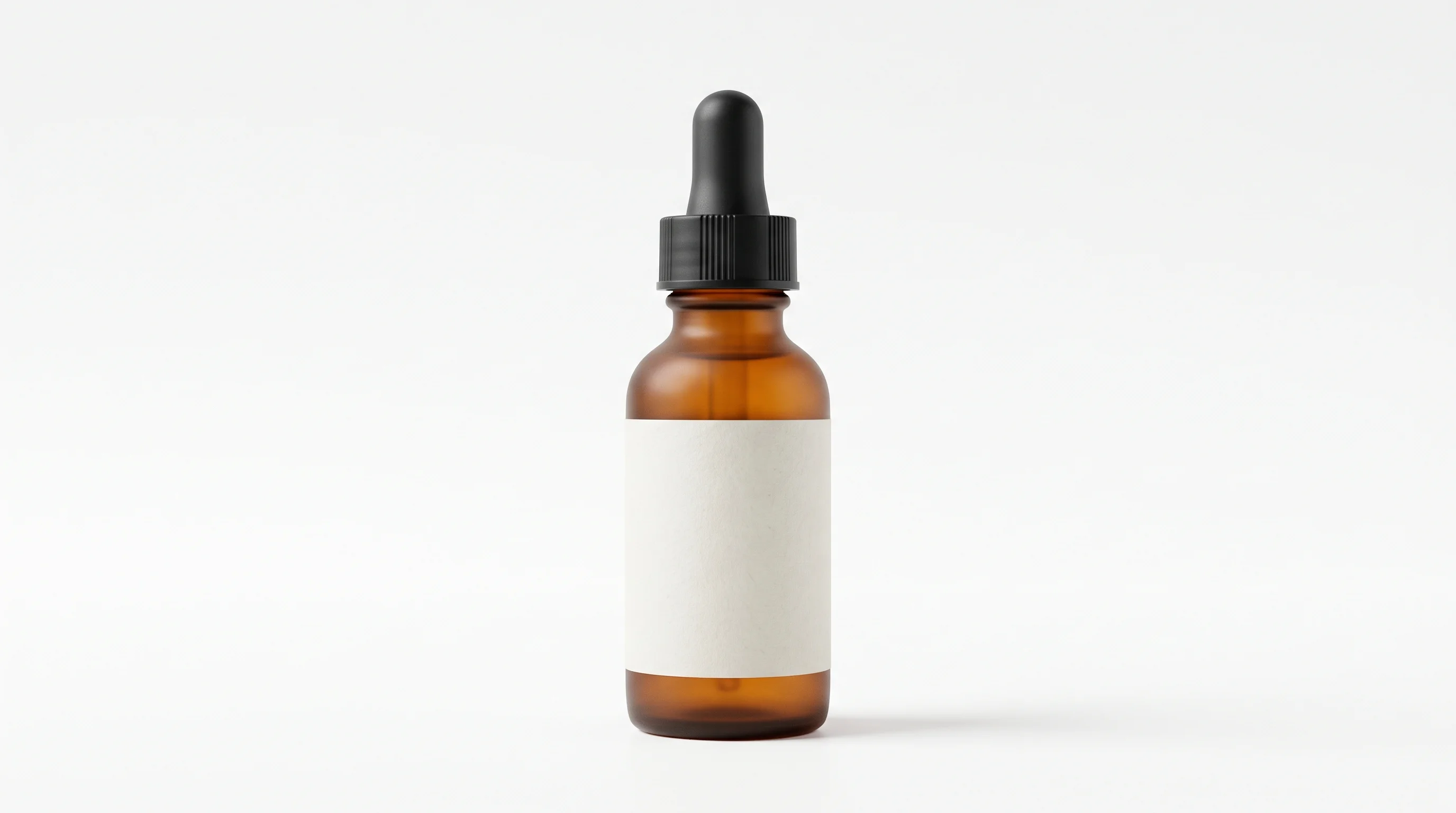
First Frame
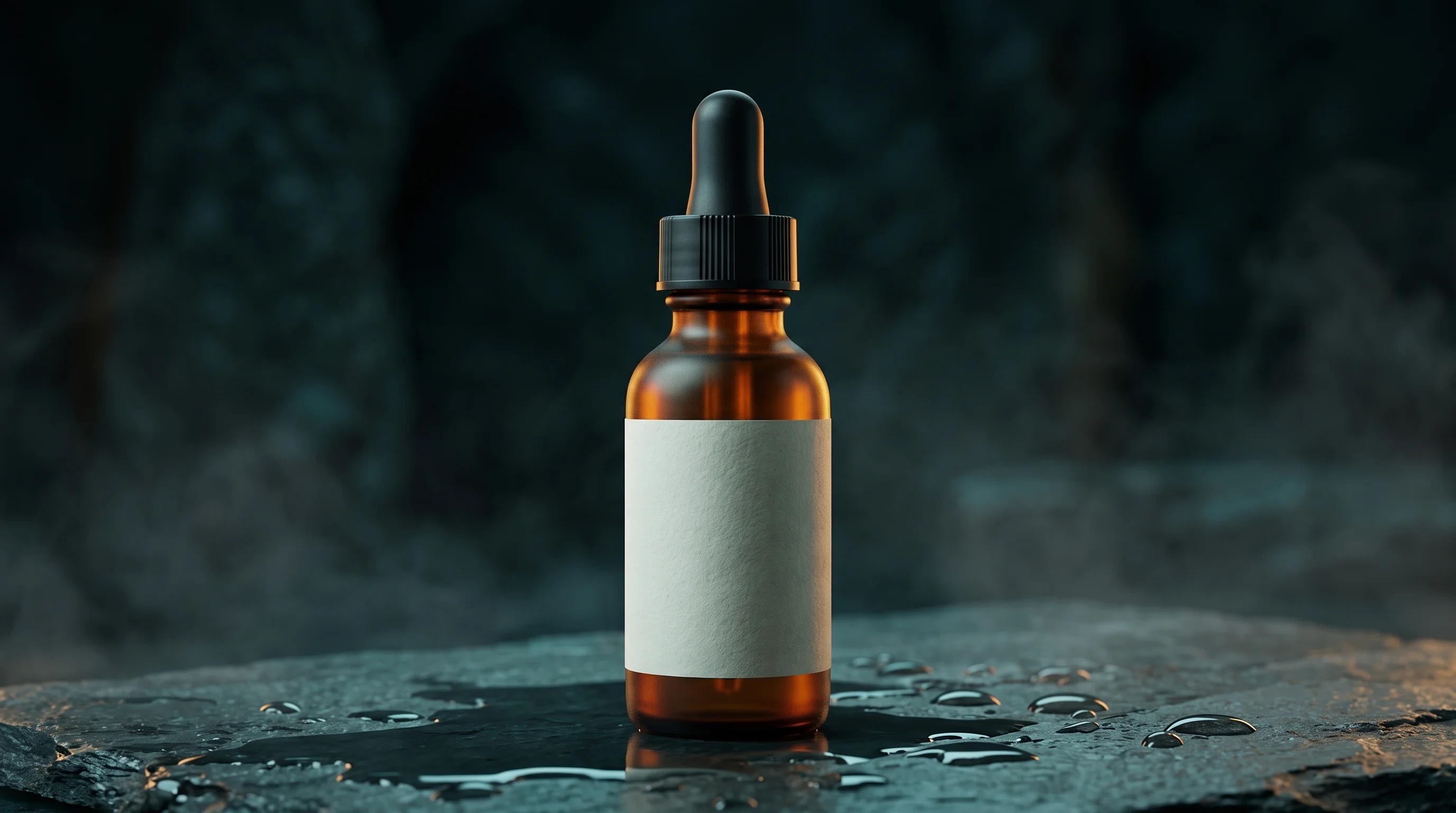
Last Frame
Prompt
Slow, smooth push-in on the serum bottle. The bright white studio backdrop gradually dissolves into a dark misty night scene: wet stone forms beneath the bottle, water droplets bead on the surface, teal shadows deepen and a warm amber rim light grows along ...
H3 First to Last Frame
How to Use This Template
Step 1: Upload your file
In the 'First Frame' node, upload the file you want to process.
Step 2: Upload your file
In the 'Last Frame' node, upload the file you want to process.
Step 3: Enter your text in 'Prompt' Node
Fill the 'Prompt' node with the required text.
No example available.
Step 4: Run the Flow
Click the 'Run' button to execute the flow and get the final output.
Customize the underlying workflow
Open the full workflow in the AI-Flow editor to swap models, rewrite prompts, or connect it to other steps.
Who is this for?
Perfect for professionals and creators looking to streamline their workflow
Marketing and brand teams
Create on-brand motion from key visuals, animate product hero shots, and deliver quick campaign variations that preserve logos, typography, and layout.
Content creators and social media managers
Turn thumbnails or stills into scroll-stopping 5–15s videos with stable identity, on-message text, and native audio for instant posting.
Designers and motion artists
Prototype camera moves, transitions, and UI motion graphics from a single frame or a defined start/end pair, then iterate with localized edits.
Product and growth teams
Generate landing-page demos, app flows, and motion posters with legible UI and consistent brand marks, guided by a single prompt.
Filmmakers and previsualization teams
Block out shots, lighting changes, and composition beats from keyframes while keeping performance and framing coherent.
Ready to create?
Start using this app
No workflow setup required — open the app and start creating in minutes
You Might Also Like
Explore other powerful templates to enhance your AI workflow
Gemini Omni 1.1 Flash
Create cinematic AI videos from text, images, or existing footage with Gemini Omni 1.1 Flash—multimodal text-to-video, image-to-video, and video-to-video with native sound design and coherent, real‑world motion.
MiniMax H3 References to Video
Generate 2K videos from multimodal references with MiniMax H3. Guide subject, style, motion, and audio using up to 9 images, 3 video clips, and 3 audio clips cited by order in your prompt.
Gemini Omni Flash
Create cinematic AI videos from text, images, or existing footage with Gemini Omni Flash—multimodal text-to-video, image-to-video, and video-to-video with native sound design and coherent, real‑world motion.
Shot to Motion
Turn a single photo into a short, cinematic motion clip. Upload a start frame, describe what happens next, optionally add reference images, and let the LLM build a precise prompt and consistent next frame before rendering a smooth video.
Storyboard to Cinematic Video with Seedance
Turn a 4-panel storyboard into a polished, multi-shot cinematic video. Generate the storyboard from a single prompt, then let its shot sizes, framing and camera rhythm drive one continuous 5-second spot with synchronized audio.
Create Product Videos from Images with Seedance 2.0
Create cinematic product videos from images with Seedance 2.0—turn static product shots, environments, and logos into polished, motion-designed ads in seconds.
Frequently Asked Questions
How does First to Last Frame work?
Provide a required First Frame image URL, an optional Last Frame image URL, and a prompt. MiniMax H3 animates the starting still into a 5–15 second clip and, if a Last Frame is supplied, guides the motion to land on that image.
Is the Last Frame required?
No. If omitted, the model generates a coherent animation starting from the First Frame and resolves naturally based on your prompt.
What resolution and duration are supported?
Choose 768P or 2K resolution. Duration options range from 5 to 15 seconds in one-second increments.
What does the output include?
A video URL with native stereo audio—music/score, foley, room tone, and optional dialogue aligned to the cut.
How can I write effective prompts?
Be specific about motion (camera dolly, pan, or tilt), pacing, lighting changes (day-to-night), elements to add/remove, typography style, and where localized edits should occur. Mention brand colors, fonts, or UI layout when needed.
Will my text, logos, and UI stay legible?
Yes. MiniMax H3 is optimized for typography and interface fidelity, keeping titles, subtitles, credits, brand marks, and HUD elements crisp and consistent throughout the clip.
Can I preserve identity and composition across the video?
Yes. The model reads identity, performance cues, composition, and camera movement from your input and maintains them while applying your requested changes.
What are the estimated costs?
Estimated usage is 11.6 credits per second at 768P and 18.8 credits per second at 2K. Total cost scales with selected duration and resolution.
What input formats are accepted for images?
Provide publicly accessible image URLs over HTTP/HTTPS. Use high-quality, well-lit images to improve stability, detail retention, and text legibility.
Does it support audio references or voice transfer?
MiniMax H3 can compose native stereo audio matched to picture. While this template doesn’t take separate audio inputs, the model can align dialogue and soundscapes based on your prompt or provided references in supported workflows.
What is AI-FLOW and how can it help me?
AI-FLOW is an all-in-one AI platform that allows you to build, integrate, and automate AI-powered workflows using an intuitive drag-and-drop interface. Whether you're a beginner or an expert, you can leverage multiple AI models to create innovative solutions without any coding required.
Is there a free trial available?
Yes, AI-FLOW offers a free trial to get you started. After that, you can purchase credits as needed—no subscription or long-term commitment required.
Can I integrate my API keys from providers like OpenAI and Replicate with AI-FLOW Cloud Version ?
Yes, you can easily integrate your existing API keys with AI-FLOW. If specified, nodes related to the API key provided will use your API key, significantly reducing your platform credit usage.